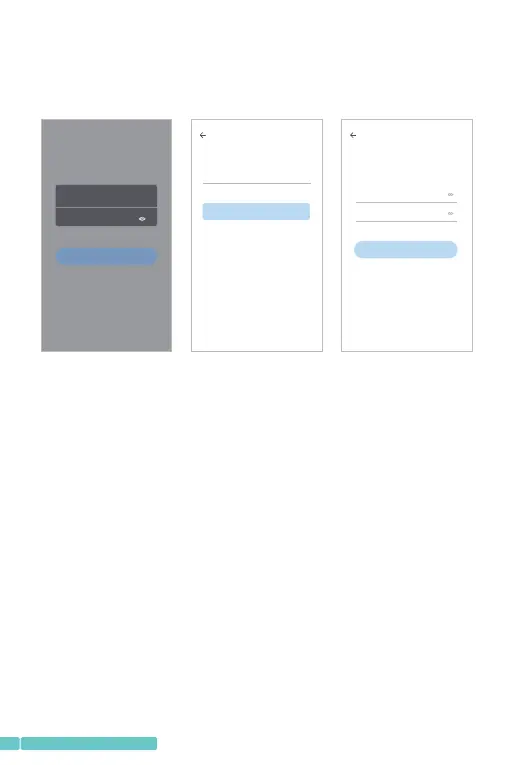
ConnectingtheCameratoYourMobileDevice
IMPORTANT:
⑴Forallconnectingoptions,youwillhear"Camerastart.
Waitforconnection"afterthecameraispoweredon.
PressandholdtheResetbuttonfor5-6storesetthe
cameraifnovoiceprompts.Youwillhear"Resetsuccess,
pleasewaitreboot"atasuccessfulreset;
⑵Thiscameraonlysupports2.4GHzWi-Fi;
AccountRegistrationandLogin
Pleaseregisteranaccountwithavalidemailaddressatyour
firstuseofthisApp,thenlogin.
Note:
Ifyoudidnotreceiveanactivationemail,pleasecheckyour
SPAMorcontactus.
Next
Password
Confirmation password
Password
The password length is 6-26 digits,consisting of
uppercase letters, lowercaseletters and numerals
Hi,
You are welcome
Email addr ess
Password
Sig n Up For get pas sword
Log in
Local login
Login in with mobile phone number
Email address
Email address
Next
Registrationindicatestheagreement
andUseclauses Privacypolicy
⑶Forstablenetworkconnection,pleasemakesurethe
cameraandthemobiledeviceareclosetotherouter.
02
support@heimvision.com


 To Next Page