11 1210
2/3
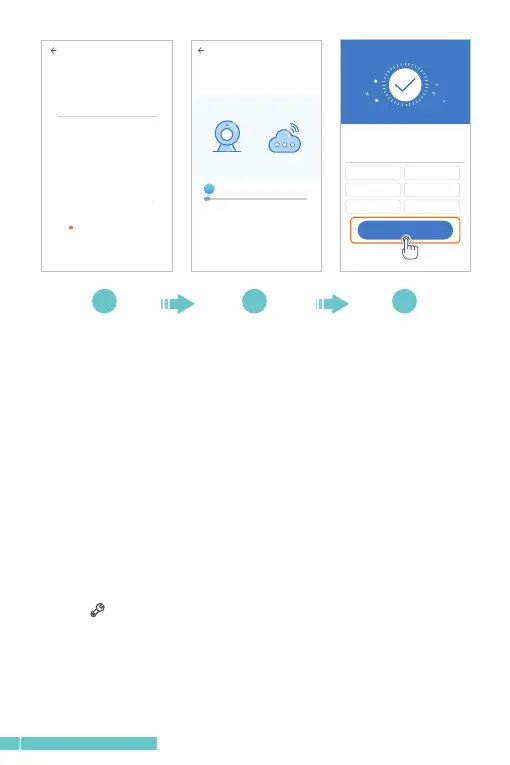
Connect to Wi-Fi
Choose Wi-Fi to be connected, and input Wi-Fi
password
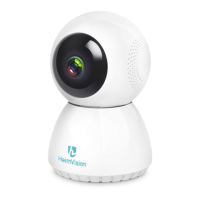
HeimVision
!
The device does not support 5G network
Note:
Additionbyconnectingtonetworkcableisnotsupported
inthismodel.
2/3
The camera is connecting to the network
The connection will take about 1-2 minutes. Wait a
moment
6%
The router and mobile phone shall be as close to the
device as possible
3/3
Addition is successful
Dev ice nam e
Ent er or sel ect a nam e
Start to e xpe rie nce
Bed room
Liv ing roo m
Sec ond bed room
Ent rance
Off ice
Mee ting Ro om
08
support@heimvision.com
*Off-lineDirectAPConnection
ConnectyourmobiledevicetotheWi-Fiofthecamerato
watchthevideosorsetupthecamerawhenthereisno
networkconnection.However,yourmobiledevicemustbe
locatedwithintherangeofthecamera'sWi-Fisignal.
Step1:
EnterthelogininterfaceoftheAppandtapLocalLogin
ortheicontoenterthecameraconnectinginterface,
thentapontherightuppercornertocontinue;
+


 To Next Page