19
support@heimvision.com
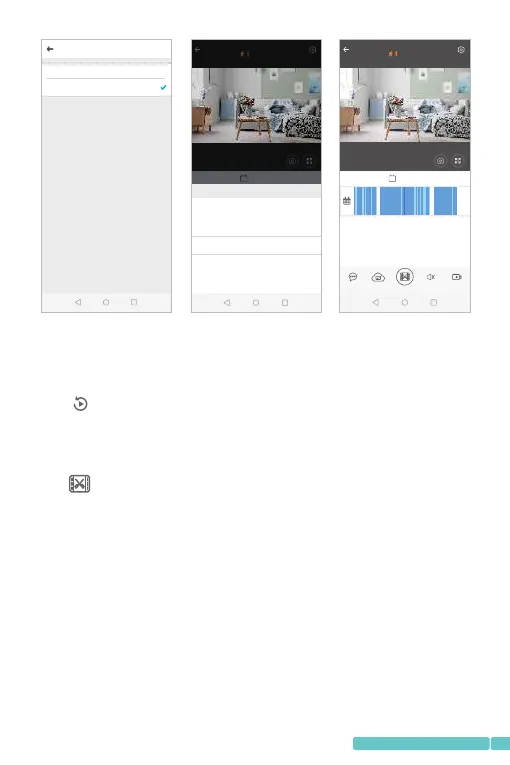
3.VideoCu(t OnlyAvailableintheCamerawith
CloudService)
Taptoenterthevideoplaybackinterface.
Step1:
Dragthetimeline,stopatthestartingtimeofthevideo,then
tap;
Step2:
Slidetheorangebarleftwardandrightward,orsetupthe
StarttimeandVideodurationtocutthevideo;
Step3:
EnterthenameandtapSavetocloudalbum.
Cancel Done
07 H
08 H
09 H
10 H
11 H
12 M
13 M
14 M
15 M
16 M
08 S
09 S
10 S
11 S
12 S
live
Live play
55.21K B/s
Sou nd Rec ord
live
Live play
X1.0
08: 50 AM 0 9:00 AM 0 9:10 AM 0 9:20 AM 09 :30 AM 09 :40 AM
55.21K B/s
Mes sage Clo ud Album
Cli p
Play the video
PlayVideosFrom
Cloud
Memoryca rd
Pla y back
HeimVision
Pla y back
HeimVision
2019/06/13THU10:57:10
FHDIPCSub
2019/06/13THU10:57:10
FHDIPCSub
07 D
08 D
09 D6M2019Y
10 D



 To Next Page