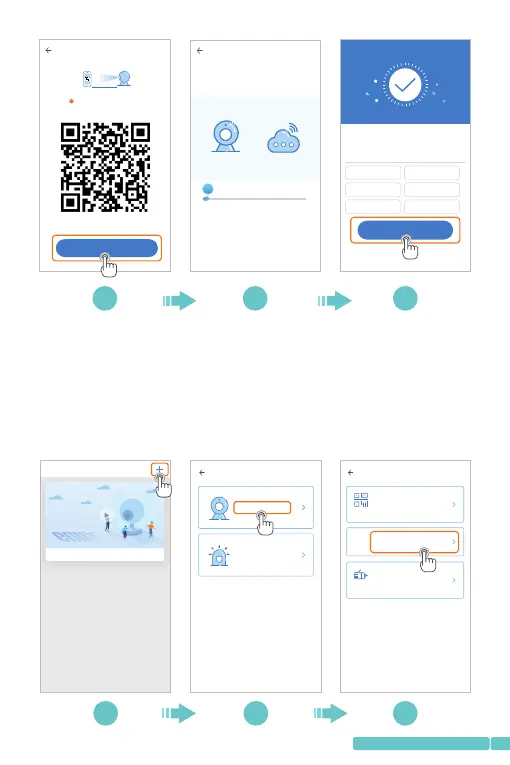
2. Connecting by AP Hotspot
Step1:
ConnectthemobiledevicetoyourWi-Fi,thenloginto
Pixplus.Tapintheupperrightcorner,thenselect
IntelligentcameraandAdditionofAPhotspot;
+
2/3
The camera is connecting to the network
The connection will take about 1-2 minutes. Wait a
moment
6%
The router and mobile phone shall be as close to the
device as possible
7 8 9
3/3
Addition is successful
Dev ice nam e
Ent er or sel ect a nam e
Start to e xpe rie nce
2/3
!
Align the QR code the camera lens
10~ 20cm
No vo ice is he ard?
I heard th e "beep" vo ice
Bed room
Liv ing roo m
Sec ond bed room
Ent rance
Off ice
Mee ting Ro om
PixPlus
The starter guide video
Add the d evice
Intelligent camera
Smart annunciator
Add the d evice
Device adding by sca nni ng
the code
Pai r with Wi -Fi by sc annin g QR code
on th e mobil e phone
AP
Addition by connec tin g to
network cable
Onl y appli cable f or the de vice wi th the
net work ca ble soc ket
Addition of AP ho tspot
Pai r with Wi -Fi by co nnect ion wit h AP
hot spot of t he devi ce
1 2 3
05
support@heimvision.com

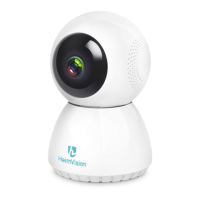

 To Next Page