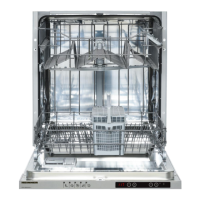
1) Power On/Off Touch Button
After the Power On/Off touch button is pressed, two dashes appear in the program display, until
touching any button. Touch the ‘’On/Off touch button’’ with your fingertip for 1 sec to turn the
machine on or off.
2) Program Touch Button
Use the Program touch button to select a suitable program for your dishes.
3) Program Display
The program display indicates the length of the programs and the remaining time during the
program flow. You can also follow-up the selected programs by this display.
4) Delayed Start Touch Button
You can delay the start time of a selected program from 1 to 19 hours by pressing the delayed start
touch button of the machine. When the delayed start touch button is pressed, “1h” appears on
the program display. If you continue pressing the delay timer touch button, the time will
increment from 1 to 19 shown on the display. The delayed start can be activated by selecting the
delay time and the desired washing program with the Program touch button. It is also possible to
select the program first and the delayed start afterwards. To cancel Delayed start, either select the
delay timer as ‘’0h’’, or hold the program touch button for 3 seconds. The display will inform you
how many seconds you need to hold the button by “3-2-1..” to cancel the delay.
Note: If the delay touch button is pressed and held, the delay timer starts changing faster (the rate
of change is proportional to the hold pressing time). When the Delayed start touch button is
pressed for a long period of time, the counter stops at “h:00”.
5) Extra Rinse
When extra rinse option is selected, extra rinse step is added to the program to achieve more
hygienic washing.
6) ½ Half Load Touch Button
Using the function ½ , three sorts of washing up can be done those being lower basket, upper
basket and both baskets.
If you have a small quantity of dishes in the machine and if you have to wash them, you can
activate the semi-filling function available for some of the programs. If you have dishes in both
baskets, press the ½ key and select both lamps are lit.



 To Next Page