1110
HANDSET DESCRIPTION
BEFORE USINGBEFORE USING
HANDSET DESCRIPTION
8
21
22
20
19
1
2
3
4
16
15
17
18
5
6
7
10
11
13
14
9
12
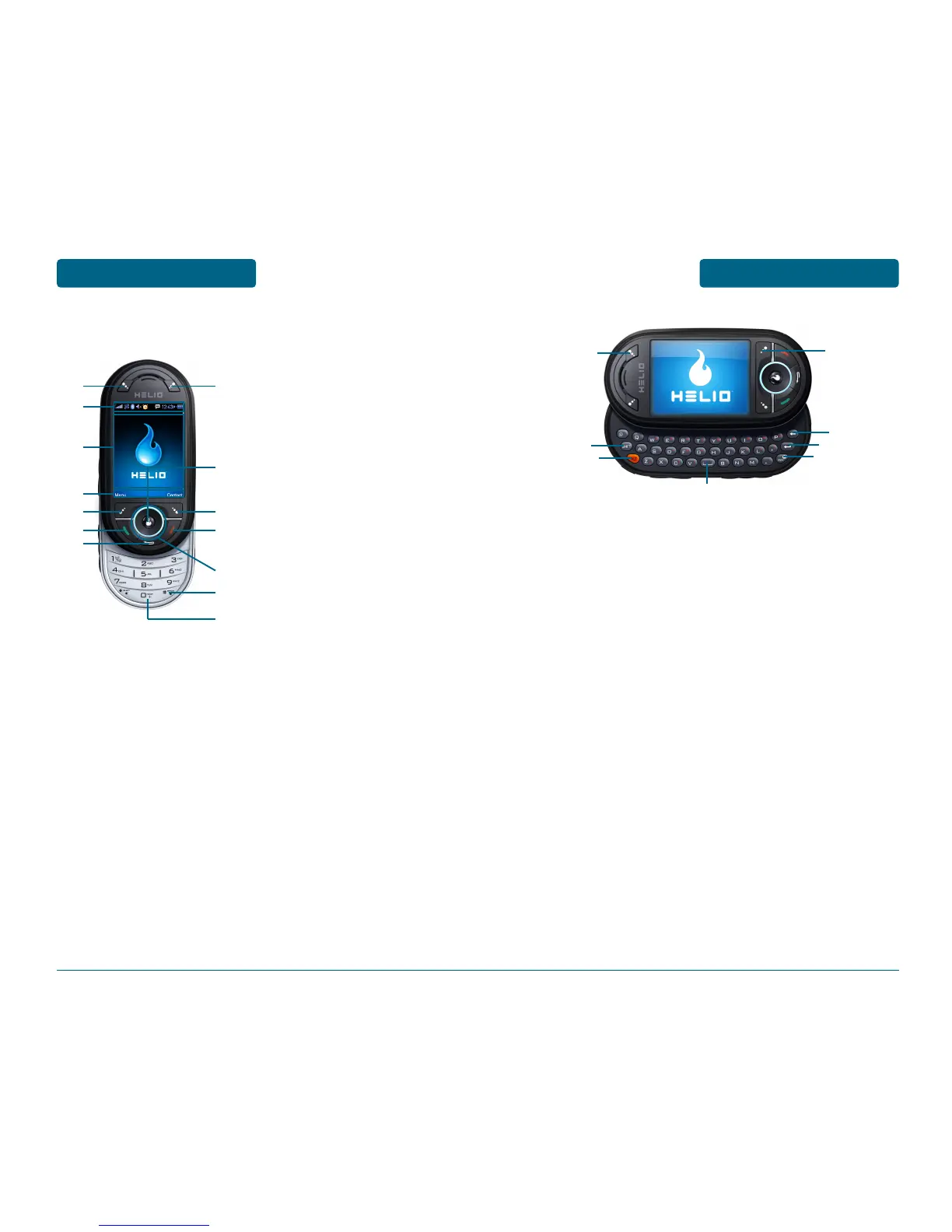
(15) Download Store key -
Press to access Helio Store.
(16) Shift key - Enters upper
case letters and symbols.
You can either press the
Shift key first and then the
desired key or press both
keys at the same time.
(17) Alt key - To type the
number or symbol printed
in orange at the top of a
key, hold down the or
ange-colored Alt key and
then press one or more
letter keys. Or, press and
release the Alt key and
then press a letter key.
(18) Space bar keys - Enters a
space.
(19) Emoticon key - Opens a
set of characters and
symbols during text entry.
(20) Enter key - Starts a new
line when entering text.
(21) Backspace key - Deletes
characters.
(22) Alerts Key - Press to access
Alert screen.
(1) Download Store key - Press
to access Helio Store.
(2) Display Indicators - See page
12 for a list of icons.
(3) Text & Graphic area
(4) Soft Key Indicators - Shows
the functions currently
assigned to each soft key and
displays some icons.
(5) Left Soft Key - Press to access
the main menu or function dis-
played on bottom line of LCD.
(6) Send Key - Press to make or
receive a call. Short Press:
Recent Calls.
(7) Clear Key - Press to clear a
digit from the display or to
return to the previous page.
(8) Alerts Key - Press to access
Message Alert menu.
(9) OK Key
(10) Right Soft Key - Press to
access contacts menu or
function displayed on
bottom line.
(11) End Key - Press to turn the
handset on/off, to terminate
a call or to return to the ini-
tial page.
(12) THE NAVIGATION KEYS
Long Press - Down for New
Message, Left for Music
Player and Right for Apps.
In Idle Mode - Press Up for
Surf, Down for Message,
Left for Video + Music and
Right for Games.
Inside a Menu - Within a
menu, use to scroll through
menu options, or to select a
function displayed on the
screen.
(13) Lock Key - Press and hold to
enter lock mode.
(14) International Key - A long
press shall display a plus “+”.
■
THE FUNCTION KEYS



 To Next Page