Installation
3-12 P/N 8040540
C
HELIX TECHNOLOGY CORPORATION
-
TI C
RY
OG
EN
ICS
Power Cable Connections
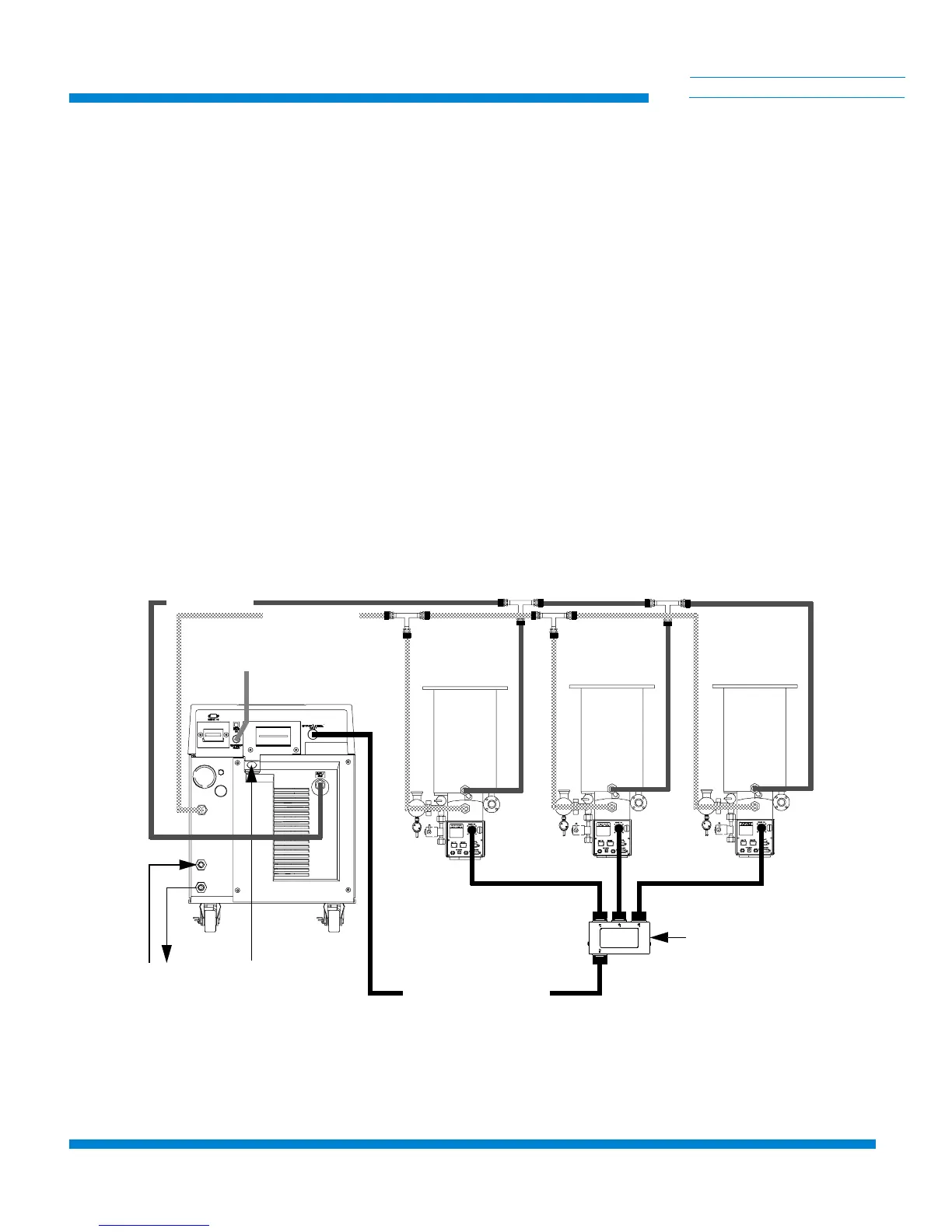
1. Connect the On-Board Splitter Box power cable between the
CRYOPUMP ELECTRICAL OUTLET on the rear panel of the
Compressor and the On-Board Splitter Box power connector as
shown in Figure 3-6.
2. Connect the On-Board Cryopump or Waterpump power cables to
the CRYOPUMP 1, 2, or 3 connectors on the On-Board Splitter
Box and the respective cryopumps as shown in Figure 3-6.
NOTE: Your installation (number of pumps per compressor) will vary
based upon the On-Board Cryopump models used. Refer to Appendix A to
consult your local CTI-CRYOGENICS Customer Support Center for
information on specific compressor/pump applications.
NOTE: The On-Board Splitter Box can be installed at the process tool
containing the pumps as shown in Figure 3-6, or on the rear of the
Compressor as shown in Figure 3-7. CTI-CRYOGENICS recommends that
the On-Board Splitter box be installed near the process tool to reduce cable
requirements.
Figure 3-6: Recommended Multiple On-Board Cryopump or Waterpump Installation
(Splitter Box located at Process Tool)
HELIUM SUPPLY
HELIUM RETURN
WATER
POWER
ON-BOARD POWER CABLE
REMOTE
ON-BOARD SPLITTER
BOX



 To Next Page