4
7. KEY OPERATION
7.1 TURN ON/OFF
Press and hold the power key for 3 seconds to turn on/ off the Parent Unit.
7.2 TWO WAY TALK / EXIT KEY
Press and hold the key to enter two way talk mode. A microphone will be displayed
on the LCD screen. Release the key to stop.
Note: When you are in the two-way talk mode, the Parent Unit speaker is muted.
Also this key acts as exit function.
7.3 ZOOM
Press and hold key for 2S to operate zoom in / out.
7.4 VOLUME AND DISPLAY BRIGHTNESS ADJUSTMENT
1. Press the Volume and Brightness key, the volume and brightness icons will display on
the LCD screen.
2. Press the ◀/▶key to adjust the volume.
3. Press the ▲/▼ key to adjust the brightness.
4. Press the Return Key to exit.
The volume and brightness has 6 levels. The default level setting is level 4. Note:
7.5 REMOTE PAN/TILT (DIRECTION ARROW)
You can remote pan-tilt the camera.
1.Press any of direction arrow ◀/▶/▲/▼ key, the direction icons will display on the LCD
screen.
2.Press the ◀/▶keytopanthecamera.
3.Press the ▲/▼ key to tilt the camera.
4. Press the Return Key to exit.
8. MENU OPERATION
8.1 LULLABAY SETTING
You can soothe the baby to sleep by playing a gentle lullaby from the baby unit.
1. Press the MENU key and the menu will pop up.
2. Press the◀/▶/▲/▼ key until the lullaby icon is selected.
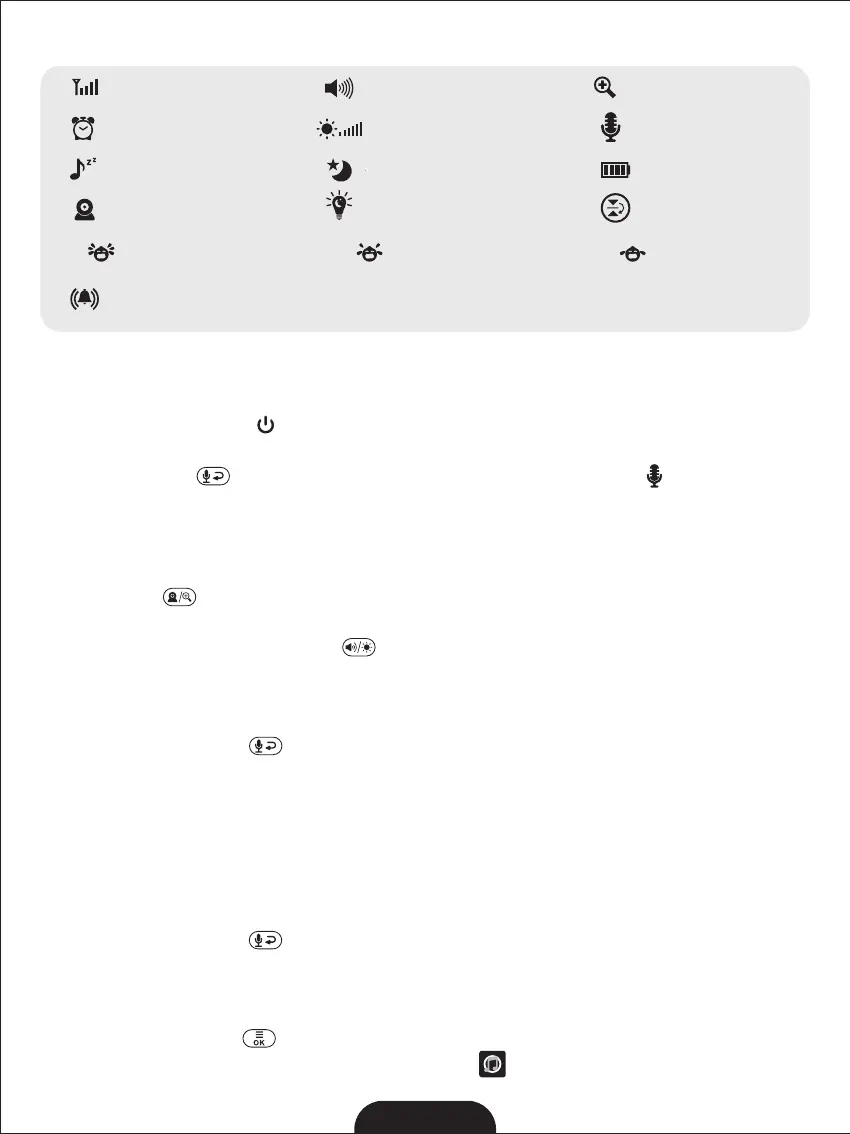
6.3 ICONS OVERVIEW:
--------
Signal Strength
Alarm
--------
Volume
--------
Zoom
--------
Two-Way Talk
--------
Lullaby
--------
Camera
--------
Battery Level
--------
Night Vision
--------
--------
Brightness
--------
--------
Display reverse
Night light
2
Lowsensitivity
level
------
ECO
Middlesensitivity
level
------
ECO
Highsensitivity
level
------
ECO
Alarm voulme
setting
--------


 To Next Page