Braille Labeler BL-1000 LINK
Commissioning
Page 7
3 Commissioning
3.1 Switching on the device
Make sure that you have connected the mains adapter as described in chapter 2.3 Press
the on/off switch, which is located centrally on the left side of the device. The red LED on
the top of the device indicates that the device is ready for operation.
3.2 Insert Braille Tape
The BL-1000 LINK is delivered empty, i.e. you must insert the enclosed Braille tape. Proceed
as follows:
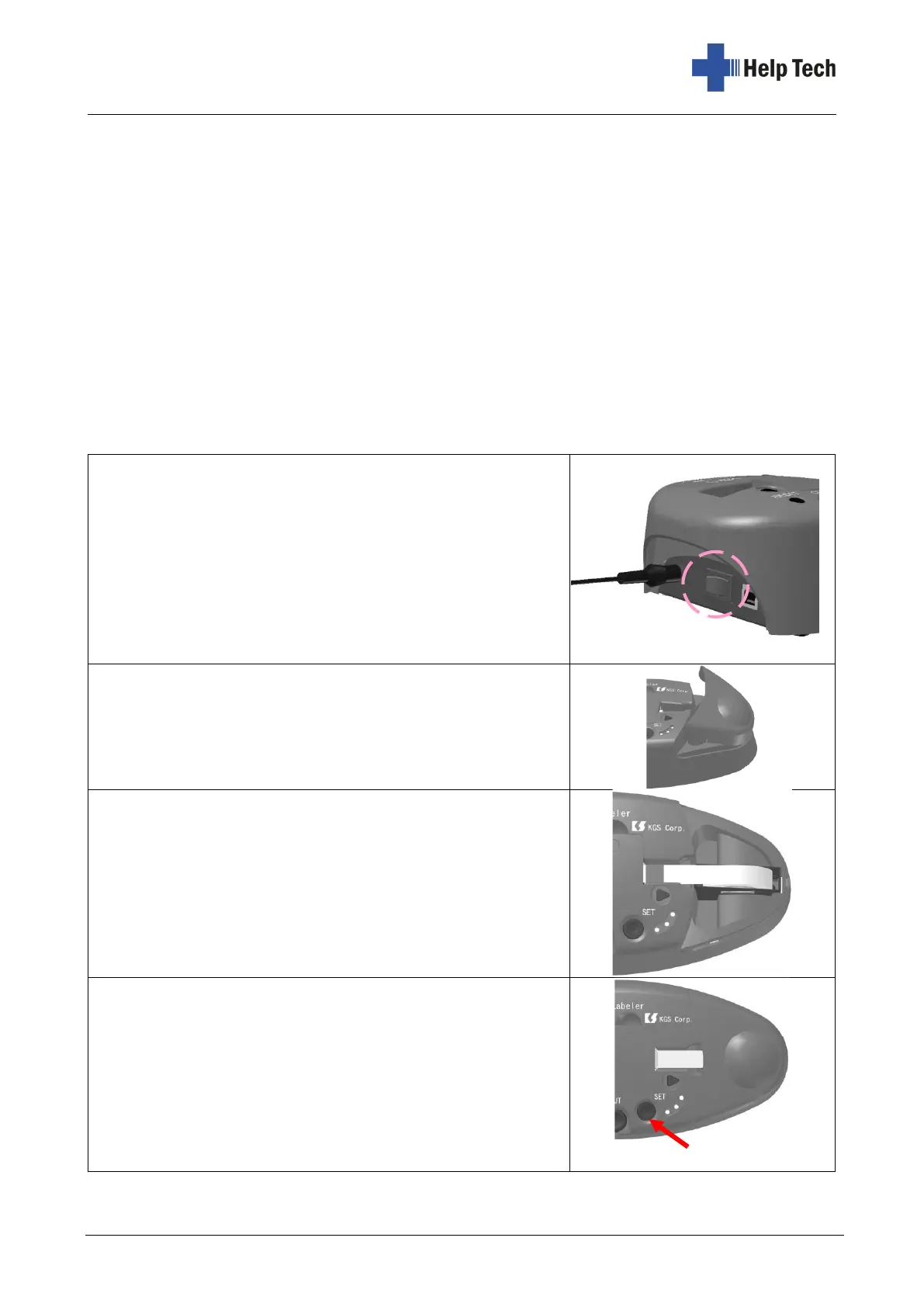
1. Connect BL-1000 LINK to the power supply and
turn on the power switch.
You will hear the mechanism trying to move the
Braille tape. You will hear three long beeps
indicating that there is no Braille tape inserted.
2. Open the semicircular cover flap on the top right
side of the device.
3. There is an elongated slot in the opening into
which the tape roll fits together with your paper
packaging. Insert the paper package into the slot
so that the higher side faces to the left, i.e. the
beginning of the tape is fed out to the left.
Insert the tape all the way into the embosser unit
through the slot-shaped recess on the top of the
unit.
4. Press the SET button to align the position of the
tape. The BL-1000 LINK pulls the tape briefly to
the left and back again to give it the optimum
position for the following printout. If successful, the
BL-1000 LINK will emit two short beeps and the
green LED will light. If the BL-1000 LINK is unable
to feed the tape correctly, it will emit three warning
beeps.



 To Next Page