EasyManua.ls Logo

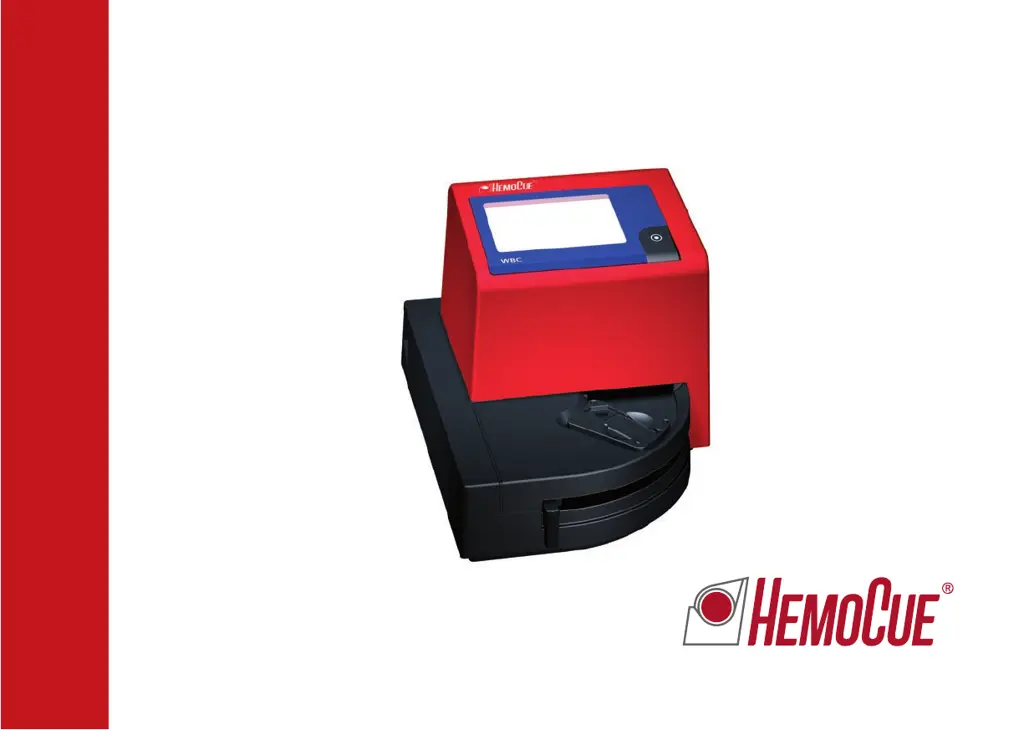
HemoCue WBC - User Manual

HemoCue WBC
68 pages
Print Icon
To Next Page IconTo Next Page
Loading...
HemoCue
®
WBC
Operating Manual
Manuel d’utilisation

Questions and Answers

  • A
    Angelica WrightSep 12, 2025
    How to fix HemoCue Test Equipment with no characters on the display?
    • B
      Bryce BlackSep 13, 2025
      If there are no characters on the display, it could be due to: * Power not being received: Ensure the power adapter is properly connected. * Depleted batteries: Replace the batteries with six new type AA batteries. If the issue persists after checking these, the display may be out of order.
  • R
    Raymond DavisSep 12, 2025
    What to do if HemoCue Test Equipment measurement on control materials are out of range?
    • L
      Larry CervantesSep 12, 2025
      If control material measurements are out of range, this may be due to several reasons: * Improper sampling technique: Use a new microcuvette and repeat the measurement. * Expired or improperly stored microcuvettes: Check the expiration date and storage conditions. * Expired or improperly stored control material: Verify the expiration date and storage conditions. * Improperly mixed or not at room temperature control material: Ensure the control material is mixed properly and at room temperature. * Unsuitable control material: Only use controls recommended by HemoCue.
  • P
    Paul GibsonSep 12, 2025
    Why are HemoCue Test Equipment measurements on patient samples higher or lower than anticipated?
    • A
      Abigail PearsonSep 12, 2025
      Inaccurate measurements on patient samples may occur due to improper sampling technique. To resolve this, take a new microcuvette and repeat the measurement. Also, check the expiration date and storage conditions of the microcuvettes, as expired, damaged, or improperly stored microcuvettes can affect results.
  • J
    James BuckSep 10, 2025
    What does WbC mean on HemoCue Measuring Instruments?
    • M
      Meredith WeissSep 10, 2025
      To address the 'WbC' message on your HemoCue device, take a microcuvette and perform the measurement.
  • C
    Connor LopezSep 9, 2025
    Why is the HemoCue Measuring Instruments cuvette holder not moving correctly?
    • E
      Elizabeth WilsonSep 9, 2025
      If the cuvette holder is not moving into the correct position, it suggests that the magnet in the cuvette holder is missing. The analyzer requires service; please contact your local distributor.
  • D
    Daniel HallSep 8, 2025
    Why doesn't the HemoCue Measuring Instruments display switch to ready for measuring?
    • P
      Philip MillerSep 8, 2025
      If the HemoCue Measuring Instruments display does not switch from “?” and “WbC” to three flashing dashes, it indicates that the cuvette holder sensor is out of order. The analyzer needs service; contact your local distributor.
  • A
    Ashley MartinezAug 23, 2025
    How to fix Err35 on HemoCue Measuring Instruments?
    • S
      Samantha CamposAug 23, 2025
      To resolve Err35 on your HemoCue analyzer: a. Turn off the analyzer. b. Replace the batteries with six new AA batteries. c. Alternatively, use the power adapter.
  • A
    aaron15Sep 6, 2025
    Why is the HemoCue Measuring Instruments display showing erroneous characters?
    • A
      Ashley LawrenceSep 6, 2025
      Erroneous characters on the display may indicate: 1. The display is out of order. 2. The microprocessor is out of order. In both cases, the analyzer requires servicing. Contact your local distributor.
  • D
    Dalton JordanSep 5, 2025
    What does LLL mean on HemoCue Measuring Instruments?
    • S
      smithangelaSep 5, 2025
      The 'LLL' message on the HemoCue Measuring Instruments indicates that: 1. The measured value is below 0.3 x10⁹/L (300/mm3, 300/µL). Results exceeding the LLL limit should be verified with a suitable laboratory method and be questioned as to the pathological condition of the patient. 2. The microcuvette is empty or not filled with sample. Use a new microcuvette, repeat the measurement, and ensure the microcuvette is adequately filled.
  • C
    Charlotte TaylorSep 4, 2025
    What causes out-of-range measurements on control materials with HemoCue Measuring Instruments?
    • D
      deborah54Sep 4, 2025
      If your control material measurements are consistently high or low, consider these possibilities: 1. Improper sampling technique. Use a new microcuvette and repeat the measurement. 2. Expired, damaged, or poorly stored microcuvettes. Check their expiration date and storage conditions. 3. Expired or improperly stored control material. Verify the expiration date and storage conditions. 4. Control material not properly mixed or not at room temperature. Ensure it’s mixed well and at the correct temperature. 5. The control material might not be suitable for the HemoCue WBC system.

Summary

HemoCue WBC System Introduction

Intended Use and Safety Precautions

Details the system's purpose for quantitative WBC determination and safety precautions.

HemoCue WBC Components

Analyzer and Accessory Identification

Lists and describes the HemoCue WBC Analyzer and its associated components for setup.

HemoCue WBC Analyzer Start-up

Powering On and Initial Readiness Checks

Instructions for powering on, self-test, and readiness indicators.

HemoCue WBC Configuration

Audio Signal Settings

How to activate or deactivate the audible signal for measurement alerts.

Printer Functionality Setup

Procedure for connecting and using the printer to output results automatically.

HemoCue WBC Measurement Procedures

Capillary Blood Sampling Guide

Step-by-step guide for collecting capillary blood and preparing it for analysis.

Venous Blood and Control Material Measurement

Instructions for using control materials or venous blood samples for analysis.

HemoCue WBC Maintenance

Daily Cuvette Holder Cleaning

Daily maintenance steps for cleaning the cuvette holder and cover.

Optical Parts Cleaning Procedure

Procedure for cleaning the analyzer's optical parts using the HemoCue Cleaner WBC.

HemoCue WBC Troubleshooting

Error Code Explanations and Actions

Lists common error codes, their explanations, and recommended actions for resolution.

Display and Movement Issue Troubleshooting

Troubleshooting steps for display errors, no characters, or cuvette holder movement problems.

HemoCue WBC Technical Specifications

System Purpose, Principles, and Use

Details the system's purpose, methodology, and operating principles.

Storage, Handling, and Required Materials

Recommendations for storage, handling, and required materials for operation.

Quality Control and Expected Values

Information on internal quality control, self-tests, and expected blood cell count ranges.

Performance Metrics and Method Limitations

Data on linearity, precision, and limitations of the measurement method.

Validation and Interference Studies

Method Validation Study Results

Presents results from validation studies comparing HemoCue WBC to other methods.

Substance Interference Testing Results

Details substances that do not interfere with HemoCue WBC system performance.

Electromagnetic Compatibility (EMC)

EMC Immunity and Emissions Guidance

Guidelines for operation in electromagnetic environments and compliance with EMC standards.

Safety, Warranty, and Support Information

AC Adapter Specifications and Warnings

Specifications for AC adapters and warnings regarding electromagnetic interference.

Service, Disposal, and Spare Parts

Procedures for analyzer service, disposal, and available spare parts.

HemoCue WBC Specifications

General IconGeneral
Sample Volume10 µL
Operating Temperature15 - 30 °C
Sample TypeCapillary, venous or arterial whole blood
Measurement Range0.3 - 30 x 10^9/L
Analysis Time3 minutes
Power SupplyAC adapter
CalibrationFactory calibrated, no user calibration required
Humidity10-90% non-condensing
Storage Temperature0 - 50 °C

Related product manuals