EN
16
7. CLEANING AND MAINTENANCE
•
This chapter will instruct you how to clean and maintain the coffee machine.
•
Paying attention to daily maintenance of coffee machine, not only ensure the
taste of each cup of coffee, but also extend the life of the coffee machine.
RINSING THE COFFEE MACHINE
•
This chapter will introduce you how to clean and maintain the coffee machine.
•
Before making coffee, press the cleaning button. It will pre-heat the brewing
unit and inner pipeline, to improve the taste of the coffee next time.
•
Cleaning function must be processed in “READY” status.
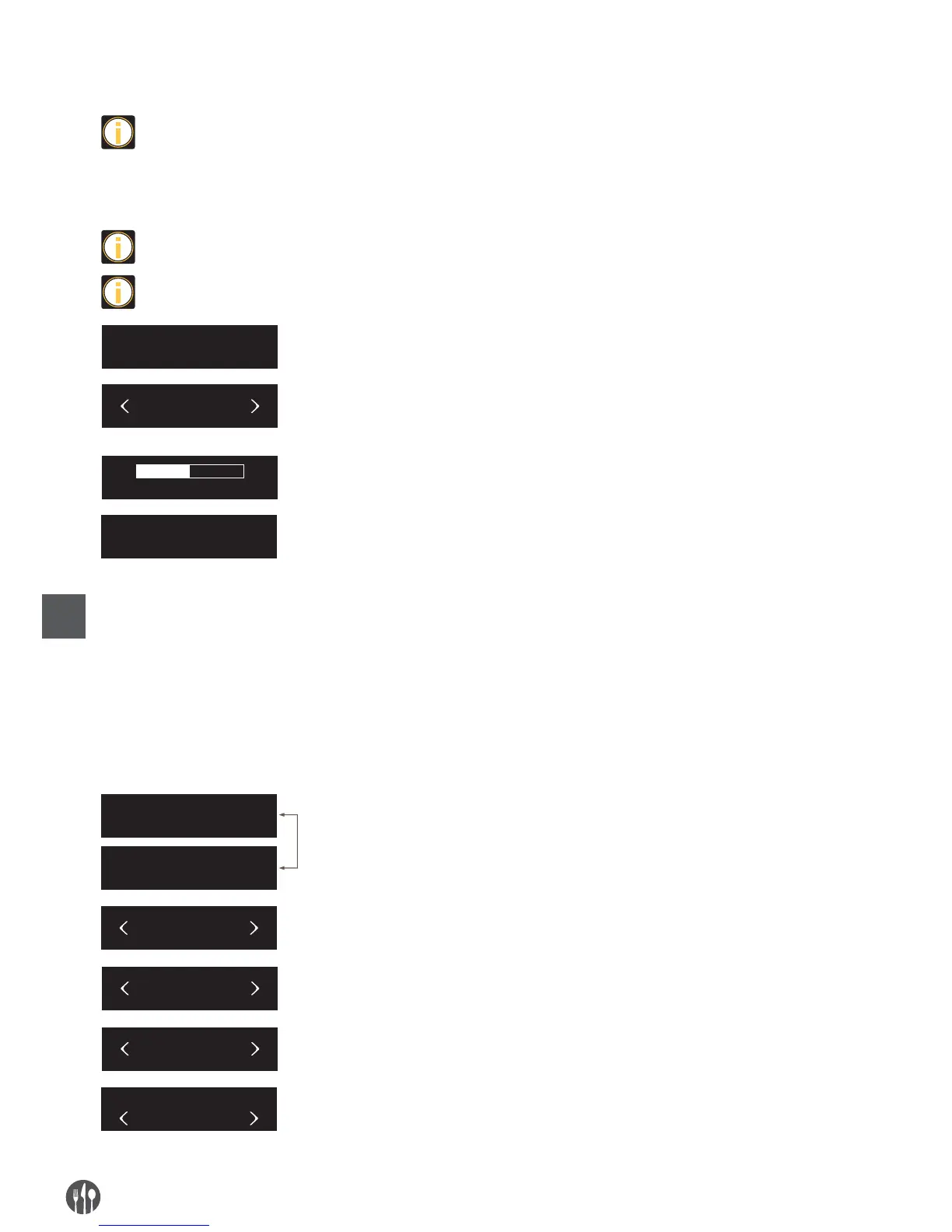
READY
CLEAN
READY
CLEANING
When the coffee machine is in “READY” status,
press the setting button to enter into the setting.
When the screen shows “CLEAN”, press setting
button to enter into cleaning fuction, then start to
clean the brewing unit and coffee spout.
The process of cleaning coffee machine cannot be
interrupted.
It will automatically return to “READY” status after
cleaning.
CLEANING THE BREWING UNIT
•
After a long-term use, there will be some coffee powder left on the brewing
unit. Remove the powder by cleaning brewing unit.
•
After a period of time use, if the brew unit needs to be cleaned, the screen will
remind you “NEED BREW CLEAN”, this is only for reminding, other functions
can still be performed.
•
The process of cleaning brewing unit takes about 10 minutes.
READY
NEED BREW CLEAN
MENU
MAINTENANCE
BREW CLEAN
BREW CLEAN
CONFIRM
After a period of time use, if the brew unit need to
be cleaned, the screen will reming you “NEED BREW
CLEAN”, press setting button to enter into brew
unit clean process.
Press left and right button to choose “MENU”, then press
setting butoon to enter into program setting menu.
Press left and right button to choose “MAINTENANCE”,
then press setting butoon to enter into maintenance
setting.
Press left and right button to choose “BREW CLEAN”,
press setting button into the page.
Press left and right button to choose “BREW CLEAN
CONFIRM”, press setting button to start cleaning
brewing unit.


 To Next Page