Mobile Rope Measurement MSM 12
Henning GmbH Page 12 2.0 / 3.2009
7.4.2 Configuration
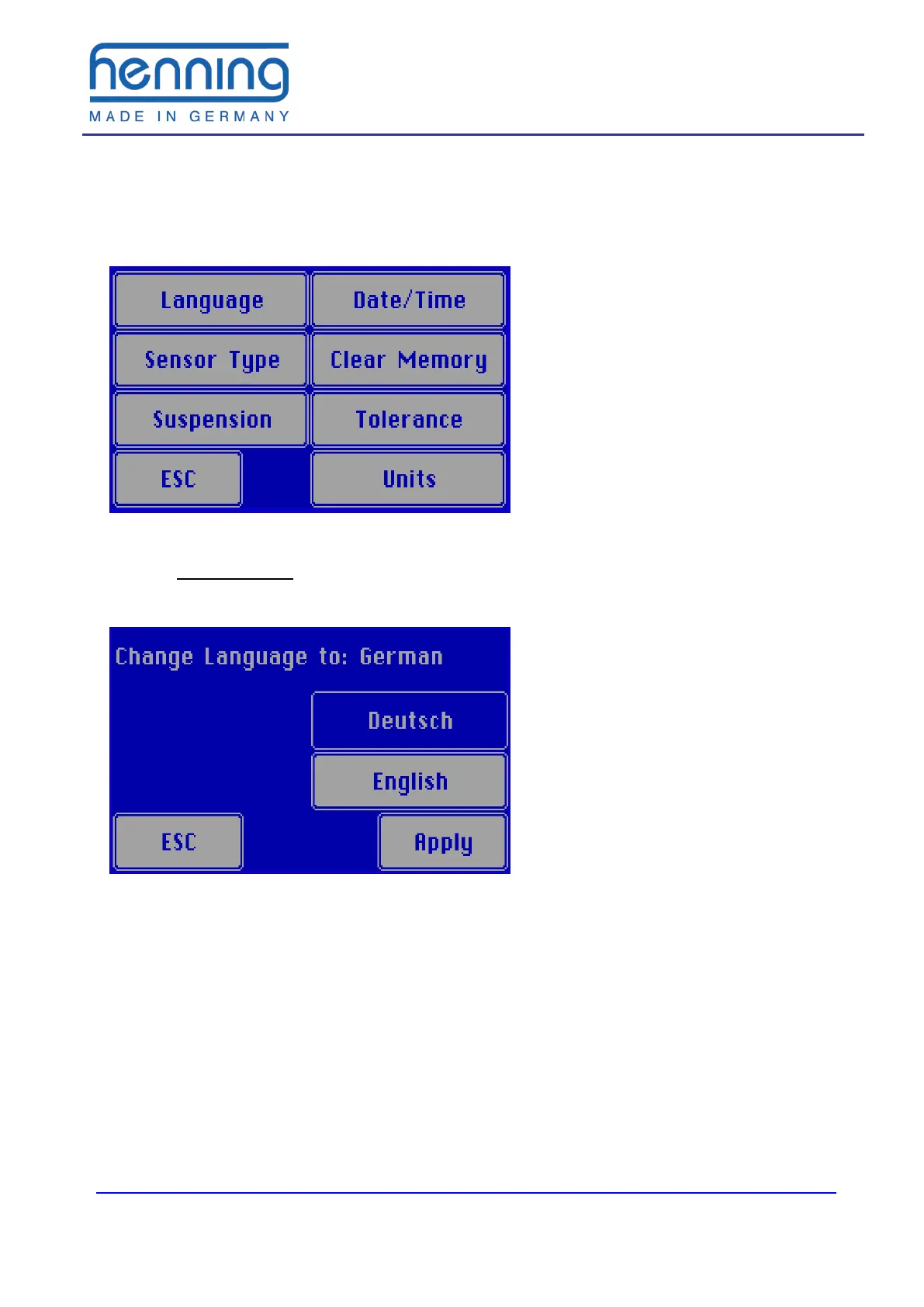
The configuration menu is represented in Figure 5. If you want to leave this menu,
press the ESC button.
Figure 5: Configuration menu
7.4.2.1 Select language
Under the menu item „Language“ you have the possibility to switch between the lan-
guages German and English.
Figure 6: Selection of the language
The selected language is displayed in the upper text line. When pressing the Apply"
button this language is adopted. With "ESC you will leave this function without chang-
ing the language.
The selected language is permanently adopted and also after a restart of the load
meter it is preset.


 To Next Page