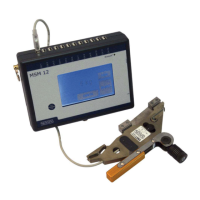
Mobile Rope Measurement MSM 12
Henning GmbH Page 8 2.0 / 3.2009
7 Operation
The handling of the mobile rope load meter MSM12 is described below. For opera-
tion of the MSM12 using the optional software refer to the software operating instruc-
tions.
7.1 Installation of the rope load sensors LSM
In each LSM rope a rope load sensor must be installed as described in chapter 6.
Take care that you assign the connections of the rope sensors at the MSM12 in con-
tinuous and ascending order, starting with connection 1. For the use of the rope load
wizard it is important that you do not skip any connections.
7.2 Switching-on
In order to switch on the MSM12 mobile rope load meter please press the on/off
switch for minimum 3 seconds. The display now shows the Henning logo. After a
short time the display switches to the main display. The MSM12 is now ready for op-
eration.
To switch off please press the on/off switch for minimum 3 seconds again. The de-
vice switches off, the display lighting is extinguished. If the inserted batteries are run-
down, the MSM12 switches off automatically. The approaching switch-off is indicated
30 seconds in advance by a flashing weight display.
In order to avoid a damage of the MSM12 spent batteries should be replaced as
soon as possible by new ones. In order to guarantee the data storage of the real-time
clock of the MSM12 it should not be left more than 20 minutes without voltage sup-
ply. In the switched-off condition the run-down batteries supply the clock with voltage
for one week. The loads and adjustment records are stored in non-volatile memory in
the MSM12 and are maintained up to ten years without having to insert batteries.
7.3 Main display
Figure 1 shows the main display of the mobile rope load meter MSM12. In the upper
two lines of the main display the status bar indicator and the indication of the individ-
ual weight of each rope under the corresponding sensor number are displayed. Be-
low, in the centre, the total weight resulting from the individual weights is indicated. At
the right side and below the total weight three menu buttons SAVE, CONFIG and
ADJUST are to be found which will be described in detail below. In the lower left-
hand corner the time and date are displayed.


 To Next Page