EasyManua.ls Logo

Henny Penny LVE-202 - User Manual

Henny Penny LVE-202
59 pages
Print Icon
To Next Page IconTo Next Page
Loading...
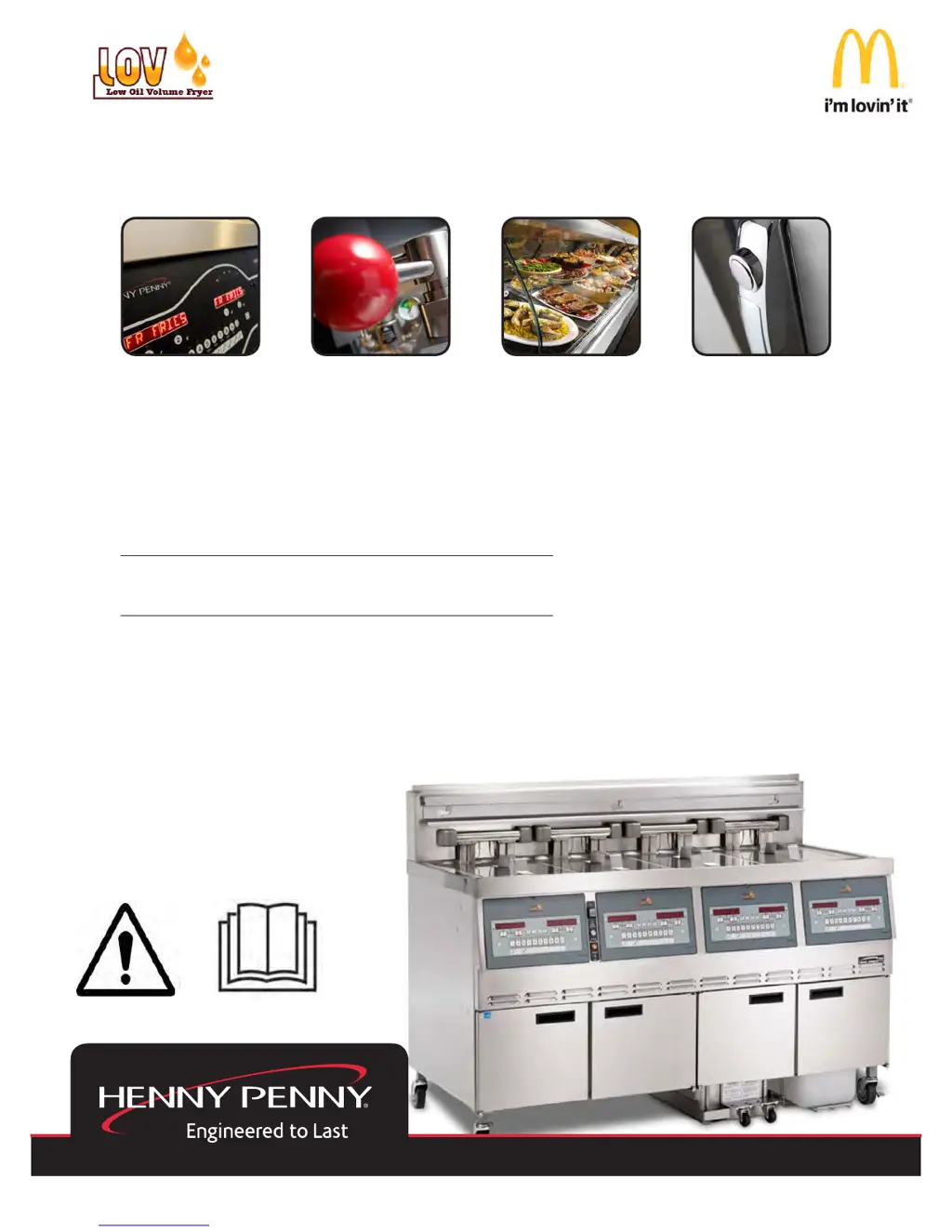
OPERATION
MANUAL
REGISTER WARRANTY ONLINE AT WWW.HENNYPENNY.COM
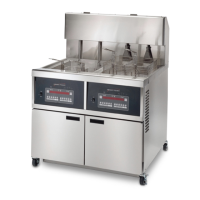
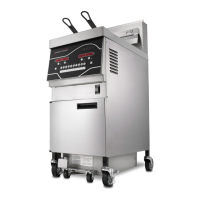
SPLIT/FULL VAT OPEN FRYER (Electric)
MODEL
LVE-202
LVE-203
LVE-204

Other manuals for Henny Penny LVE-202

Questions and Answers

  • C
    christinearnoldSep 10, 2025
    What to do if Henny Penny LVE-202 vat is under-filled?
    • G
      Gerald LambertSep 10, 2025
      If the vat of your Henny Penny Fryer is under-filled, the JIB might be low or empty, so fill the JIB. Alternatively, the JIB oil line may be clogged or collapsed, so check the JIB line. The filter pan may also need cleaning, so clean the filter pan and change the paper or pad.
  • C
    Carlos RobertsAug 23, 2025
    How to unclog Henny Penny Fryer drain?
    • T
      Tammy SmithAug 23, 2025
      If the oil is not draining from the vat of your Henny Penny Fryer, the drain valve may be clogged with crumbs. Open the valve and use a straight white brush to force the crumbs through. Do not leave the brush in the drain valve. Also, the drain trough might be clogged; remove the right side panel, remove the plug from the end of the trough, and clean it.
  • U
    unguyenAug 25, 2025
    How to troubleshoot a completely inoperative Henny Penny LVE-202?
    • B
      Brenda ParkerAug 25, 2025
      If the Henny Penny Fryer is completely inoperative when the power switch is in the ON position, here are some things to check: * Ensure the unit is plugged in. * Check the breaker or fuse at the supply box. * Verify the voltage at the wall receptacle. * Inspect the MAIN POWER switch and replace it if it's defective. * Examine the cord and plug. * Reset the circuit breakers in the fryer. * Reset the transformer circuit breaker.
  • C
    Christina AndradeAug 27, 2025
    Why is the oil foaming or boiling over in my Henny Penny LVE-202 Fryer?
    • M
      mccarthylauraAug 27, 2025
      If the oil in your Henny Penny Fryer is foaming or boiling over, consider the following: * **Water in oil**: At the end of a cook cycle, drain and clean the vat, then add fresh oil. * **Improper or bad oil**: Ensure you're using the recommended oil. * **Improper filtering**: Refer to the oil filtering procedure. * **Cold zone full of crumbs**: Filter the oil. * **Improper rinsing after cleaning**: Thoroughly rinse the vat to remove any cleaning agent.
  • D
    David RiddleAug 29, 2025
    Why is the filter motor running but pumping oil slowly in my Henny Penny LVE-202?
    • P
      Paul ScottAug 29, 2025
      If the filter motor runs but pumps oil slowly in your Henny Penny Fryer, try these solutions: * **Filter line connections loose:** Tighten the filter line connections. * **Drain pan o-rings damaged or missing:** Install new o-rings. * **Filter paper or pad clogged:** Change the filter paper or pad.
  • J
    Jennifer RussoNov 26, 2025
    What to do if the oil will not heat in my Henny Penny LVE-202 Fryer?
    • P
      Paula WoodsNov 26, 2025
      If the oil in your Henny Penny Fryer isn't heating, here are a few things you can check: * **Blown fuse or tripped breaker:** Reset the circuit breaker or replace the fuse at the supply box or control panel. * **Faulty power switch:** Check the power switch as described in the maintenance section. * **Faulty cord and plug:** Inspect the cord and plug. * **Power at receptacle:** Verify that there is power at the receptacle. * **Faulty drain switch:** Check the drain switch as described in the maintenance section. * **Faulty PC Board:** Check the control panel per the maintenance section and replace if needed. * **High limit control tripped:** Allow heating elements to cool down for 15-20 minutes, then reset the high limit by pressing down and releasing the raised side of the ...
  • S
    Sean FrostSep 18, 2025
    What does error code “E-6B” mean on my Henny Penny LVE-202?
    • C
      Christopher WaltonSep 18, 2025
      If your Henny Penny Fryer displays “E-6B”, the temperature probe should be checked. Turn the switch to the OFF position, then turn it back to ON.
  • S
    scott04Sep 22, 2025
    Why are there bubbles in the oil while filtering in my Henny Penny Fryer?
    • C
      Craig RichardsSep 22, 2025
      If you notice bubbles in the oil during the entire filtering process of your Henny Penny Fryer, it could be due to a few reasons. Ensure the filter pan is completely engaged and the return line is pushed fully into the receiver on the fryer. The filter pan might also be clogged, so clean it and change the paper or pad. Finally, a damaged O-ring on the filter line receiver on the fryer could be the culprit, so replace the O-ring.
  • E
    Eric Clark MDSep 8, 2025
    Why is Henny Penny LVE-202 filter motor pumping oil slowly?
    • B
      Bruce YoungSep 9, 2025
      If the filter motor of your Henny Penny Fryer runs but pumps oil slowly, check for loose filter line connections and tighten them. The filter paper or pad may also be clogged, so try changing it.
  • B
    Barbara FowlerSep 5, 2025
    Why Henny Penny LVE-202 Fryer filter motor won't run?
    • A
      Amanda ContrerasSep 6, 2025
      If the filter motor on your Henny Penny Fryer is not running, first ensure the power cord for vat #1 is plugged into the receptacle. Also check if the breakers in the fryer have tripped and reset them by opening the left door. If those aren't the issue, the thermal reset button on the rear of the pump motor may be tripped. Allow time for the motor to cool, remove the JIB, and then use a screwdriver to press hard against the button until it clicks.

Summary

Compliance Information

Introduction

1-1. Introduction

Overview of the Henny Penny open fryer as a basic food processing unit for commercial use.

1-2. Proper Care

Highlights the need for regular maintenance and cleaning of the fryer as per manual instructions.

1-3. Assistance

Provides contact information for local distributors and Henny Penny Corp. for support.

1-4. Safety

Explains safety features, symbols (DANGER, WARNING, CAUTION, NOTICE), and their usage for hazard indication.

Installation

2-1. Introduction

Overview of installation and unpacking instructions for the Henny Penny LVE fryer.

2-2. Unpacking Instructions

Step-by-step guide for safely unpacking the fryer, noting shipping damage.

2-3. Selecting the Fryer Location

Guidance on choosing an optimal location for the fryer for operation, speed, and convenience.

2-4. Leveling the Fryer

Instructions on how to properly level the fryer using its adjustable casters.

2-5. Ventilation of Fryer

Requirements for fryer location regarding adequate exhaust hood or ventilation system.

2-6. Adjusting Height of Top Cap

Procedure for adjusting the fryer's top cap height or removing it for specific installations.

2-7. Removal of Top Cap

Instructions for removing the rear shroud for certain installations (UH SERIES).

2-8. Electrical Requirements

Details on power supply, grounding, circuit breakers, and bonding for safe electrical connections.

2-9. Dimensions

Provides physical dimensions of the fryer models, including width, depth, and height.

2-10. LonWorks Function Confirmation

Procedure to verify communication between the fryer's LonWorks control and the store's computer console.

Operation

3-1. Operating Components

Identifies and explains the functions of various controls and indicators on the fryer's panel.

3-2. Set-Up Mode

Guides through initial setup options like language, zone, temperature format, and fryer type.

3-3. Filling or Adding Oil

Instructions for filling the fryer vat with oil, including capacities and procedures for RTI systems.

3-4. Morning Start-Up Procedures

Steps to follow for starting the fryer each day, including oil level check and Melt Cycle.

3-5. Cooking with Dedicated Display

Explains how to cook products using the dedicated display mode, including timer functions.

3-6. Cooking with Multi-Product Display

Details how to cook products using the multi-product display mode, requiring product selection.

3-7. Change from Breakfast to Lunch or Lunch to Breakfast

Procedure to switch between breakfast and lunch product settings on a dedicated display.

3-8. Change from Multi-Product Display to Dedicated Display

Guide to switching the fryer display mode from multi-product to dedicated.

3-9. Change from Dedicated Display to Multi-Product Display

Guide to switching the fryer display mode from dedicated to multi-product.

3-10. Change from Multi-Product Display to Multi-Product Display with Different Set-point Temperatures

Procedure to change products in multi-product mode with varying temperature requirements.

3-11. Auto Top-Off

Explanation of the automatic oil level monitoring and replenishment system.

3-12. Automatic Intermittent Filtration (AIF)

Details on the automatic filtering process, including prompts and error handling.

3-13. Maintenance Filter

Instructions for cleaning and replacing the filter pad and performing filter maintenance.

3-14 a. Discarding Oil from Vat Using RTI

Procedure for draining and disposing of oil from the vat using the RTI system.

3-14 b. Discarding Oil from Vat Using REAR

Procedure for draining and disposing of oil from the vat using the rear disposal system.

3-15. Discarding Oil from Vat Using Oil Discard Shuttle

Instructions for draining oil using an oil discard shuttle.

3-16. Discarding Oil Using Non-RTI (Rear) Systems

Procedure for draining oil using rear systems without RTI.

3-17. Changing the Filter Pad

Step-by-step guide for removing, cleaning, and replacing the filter pad.

3-18. Removing and Cleaning Basket Rest

Instructions for removing and cleaning the fryer's basket rest.

3-19. Info Button Stats

How to access and view fryer information and statistics using the INFO button.

3-20. Filter Button Stats

Explains how to view filter-related statistics using the FILTER buttons.

3-21. Temp Button Stats

How to view oil temperature data using the TEMP buttons.

3-22. Information Mode

Accessing and reviewing historical fryer and operator performance data.

Level 1 Programming

4-1. Modifying Product Settings

Procedure for changing product names, cook times, temperatures, and IDs.

4-2. AIF Clock

Setting up blocking periods for automatic filtering prompts based on time of day.

4-3. Deep Clean Mode

Instructions for performing the deep cleaning procedure for the fryer vats.

4-4. Fryer Setup

Accessing and configuring fryer settings similar to initial start-up.

Level 2 Programming

5-1. Advanced Product Settings

Adjusting advanced product parameters like load compensation and PC factor.

5-2. E-LOG (Error Code Log)

How to access and view the fryer's error code history.

5-3. Password

Procedure for changing access passwords for various operational modes.

5-4. Alert Tone (and volume)

Configuring alert tones and their volumes for fryer notifications.

5-5. Filter After

Setting the number of cook cycles before the fryer suggests filtering.

5-6. Filter Time

Setting the idle time before the fryer suggests filtering.

Troubleshooting

6-1. Trouble Shooting Guide

A guide listing common problems, their causes, and suggested corrections.

6-2. Error Codes

Lists error codes displayed by the fryer, their causes, and correction procedures.

Henny Penny LVE-202 Specifications

General IconGeneral
BrandHenny Penny
ModelLVE-202
CategoryFryer
LanguageEnglish

Related product manuals