Page 11For technical questions, please call 1-888-866-5797.Item 59615
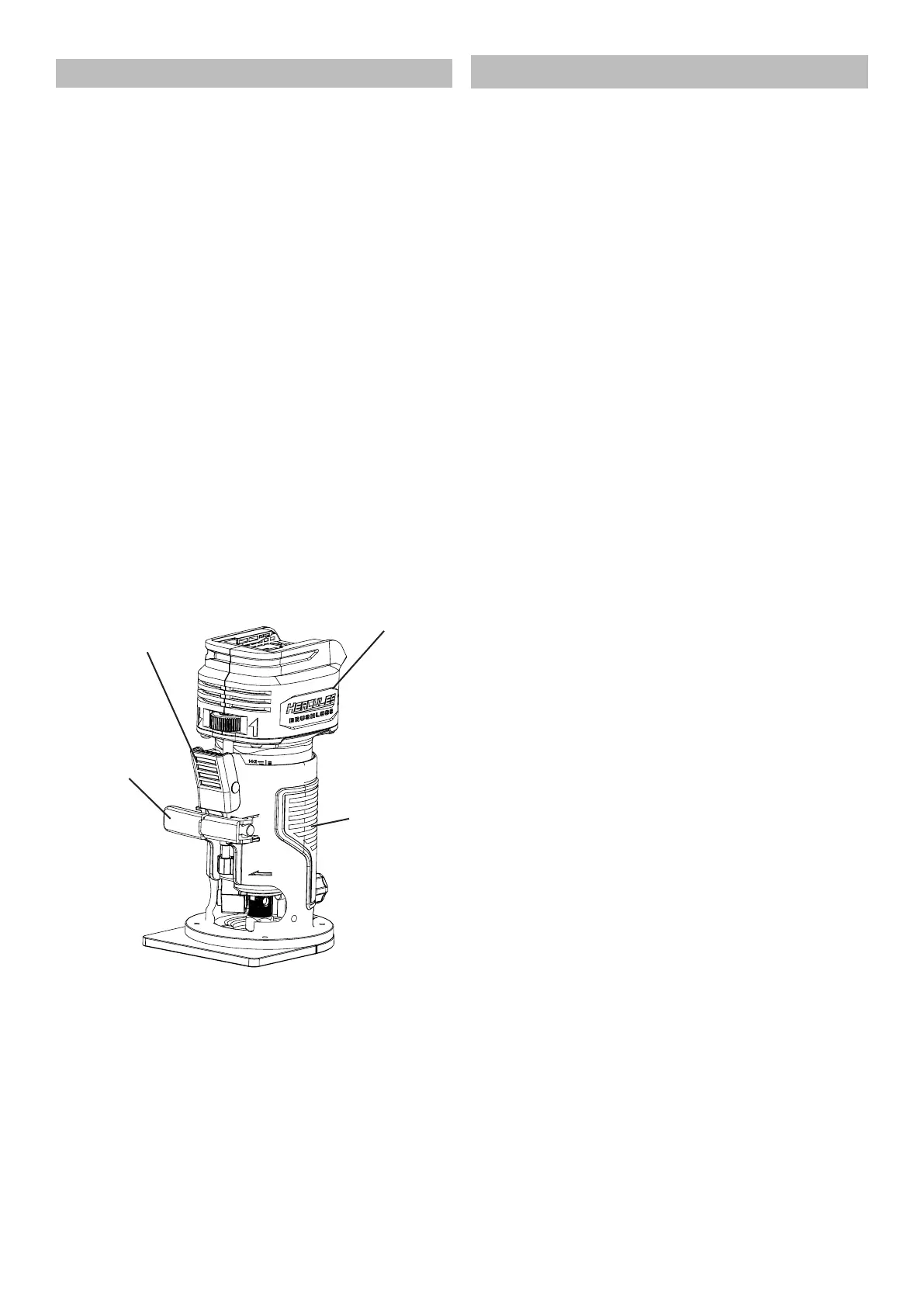
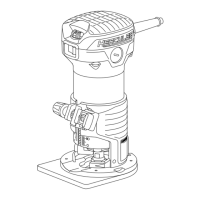
Adjusting Cutting Depth
1. Open the Locking Lever.
2. Push and hold the Quick Release Lever.
3. Hold the Router Housing carefully, slowly
move the Motor Housing upwards or
downwards to desired position.
4. Release Quick Release Lever when
Router is in desired position.
5. Further adjustments to Router Position can be
made by moving the Fine Depth Adjustment
Wheel left or right. Router Bit should just
barely touch the surface of the workpiece.
6. When Router is in the desired position,
close the Locking Lever.
7. The depth scale on the Motor Housing now
shows the starting position. This starting
position will vary depending on the bit used.
8. Add the desired depth of cut to the starting
position. For example, if the starting position
is 1/2″ and the desired depth of cut is 1/4″, the
correct adjustment on the scale is 3/4″.
9. Release the Locking Lever, and adjust the
Motor Housing until the correct reading is
shown on the depth scale; in this example
3/4″. Tighten the Locking Lever.
Motor
Housing
Quick Release
Lever
Locking
Lever
Router
Housing
Workpiece and Work Area Set Up
1. Designate a work area that is clean and well-lit.
The work area must not allow access by children
or pets to prevent distraction and injury.
2. Secure loose workpieces using a vise or clamps
(not included) to prevent movement while working.
3. Confirm the workpiece is free of any
obstacles (nails, screws, etc.,) before
operation. Remove them if required.
4. Verify that there are no utility lines or
hardware in or near the workpiece.


 To Next Page