TROUBLE SHOOTING
28 Z366_V1.18_eng © Hermle Labortechnik GmbH
4.2.2 Description of the Error Message System
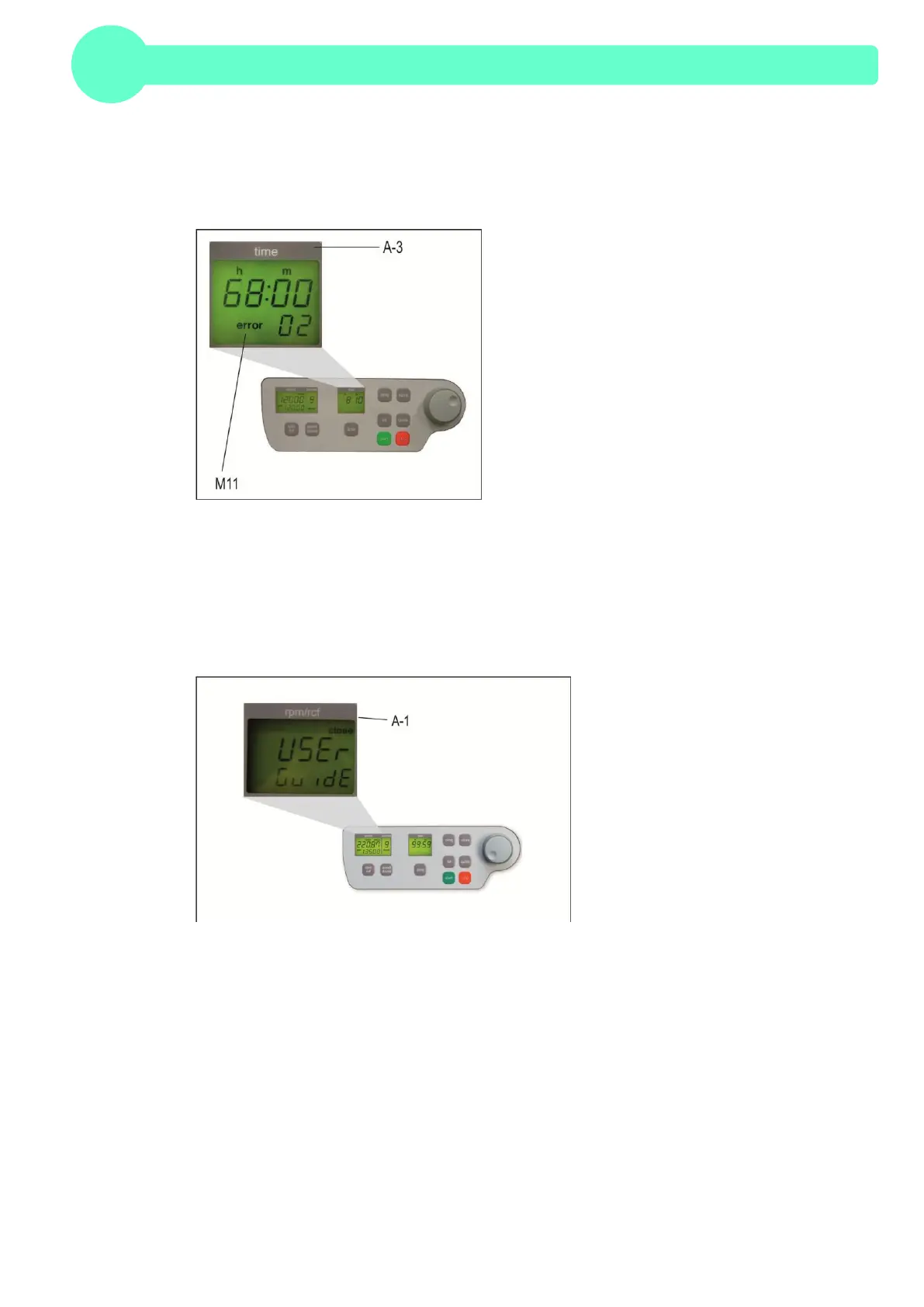
The error message, "error" (M11), is shown in the "time" (A-3) display, (see Figure 29). For more
detailed information, refer to Table 6: "Error Messages", (see Appendix P.IX).
Figure 29
4.2.3 Procedure while error 14, from software version 1.76
If Error 14 occurs, there is a problem with the speed sensor. The centrifuge lid is closed for
undefined period of time and in the "rpm/rcf" (A-1) display shows the lettering "USEr GuidE" (see
Figure 30).
Figure 30
To reopen the centrifuge lid, switch off the device and wait until the rotor has come to a standstill.
Take from Table 4: Acceleration and Deceleration Times” the maximum deceleration time of the
respective rotor. Level 0 corresponds to unbreaked rundown, which occurs at error 14. If the
centrifuge lid is opened before standstill of the rotor, a following error can occur.
Once the rotor has come to a standstill, open the centrifuge lid with the emergency release. Proceed
as described in chapter 4.2.1, p 26. After opening the centrifuge lid, switch on the device again.
Error 14 and the lettering "USEr GuidE" should be eliminated.
If this error occurs again, please contact the service.


 To Next Page