EN
AB2300EN_SA Rev. 01 / 11.2022 11/21
12 Control and display elements
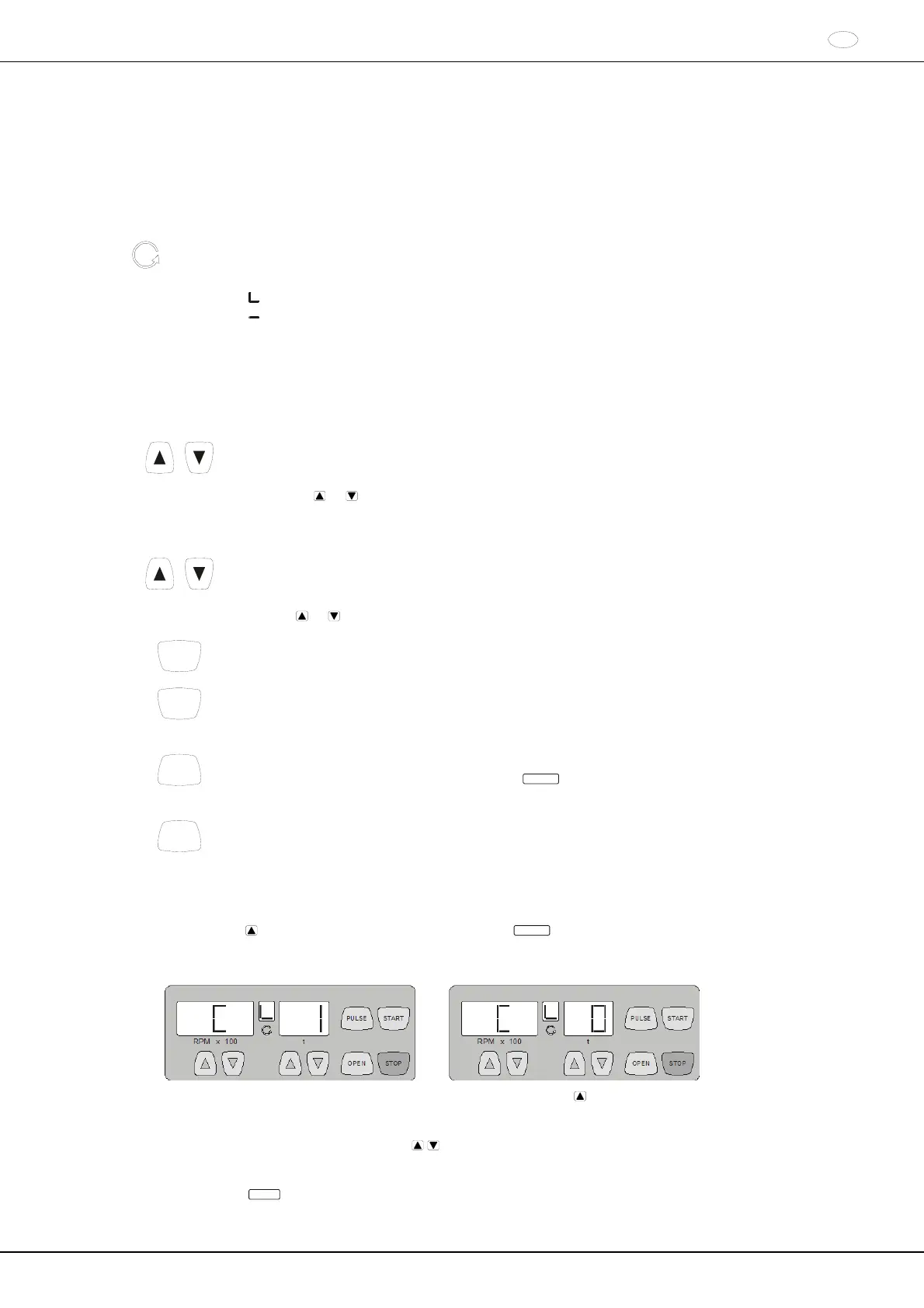
See figure on page 2.
Fig. 1: Display and control panel
12.1 Symbols on the control panel
Rotation indicator. The rotation indicator lights up and rotates anticlockwise while the rotor is turning.
When the rotor is stationary, the status of the lid is displayed by symbols in the rotation indicator:
Symbol
: Lid open
Symbol
: Lid closed
Operator errors and occurring faults are indicated on the display (see Chapter "Faults").
12.2 Keys and setting options
RPM x 100
Speed
A numeric value of 500 RPM up to the maximum rotor speed can be set. For maximum rotor speed,
see chapter "Anhang/Appendix, Rotor und Zubehör/Rotor and accessories". Preset in steps of 100
(RPM = displayed value x 100).
If the key
or is kept pressed, the value changes with increasing speed.
Display the brake step.
t
Running time
- Preset from 1 - 99 minutes, in 1 minute steps
- Continuous operation "--"
Braking steps 0 or 1. Step 1 = short run-down time, Step 0 = long run-down time.
If the key
or is kept pressed, the value changes with increasing speed.
START
Start centrifugation run.
STOP
End centrifugation run.
The rotor runs down with the preselected brake step.
Save the brake step.
PULSE
Short-time centrifugation.
The centrifugation run occurs while the key
PULSE
is kept pressed.
Display the brake step.
OPEN
Unlock the lid.
13 Setting the brake step
Switch off the mains switch.
Keep the key
beneath the speed indicator and the key
PULSE
pressed simultaneously.
Switch on the mains switch and release the keys again.
The speed indicator shows the machine version and the time indicator shows the set brake step: e.g.:
If the machine version and brake step are not displayed, press the key under the speed indicator until they are
displayed.
The machine version is set by the manufacturer and cannot be changed.
Set the desired brake step with the keys
beneath the time indicator.
Step 1 = short run-down time, Step 0 = long run-down time.
For run-down times, see chapter "Anhang/Appendix, Rotor und Zubehör/Rotor and accessories".
Press the key
STOP
to save the setting.














 To Next Page