CHUCK Bolting Data Processor
Operations Manual
CHUCK and all materials within copyright HEX TECHNOLOGY (2021) 9
Using CHUCK
Navigation Buttons
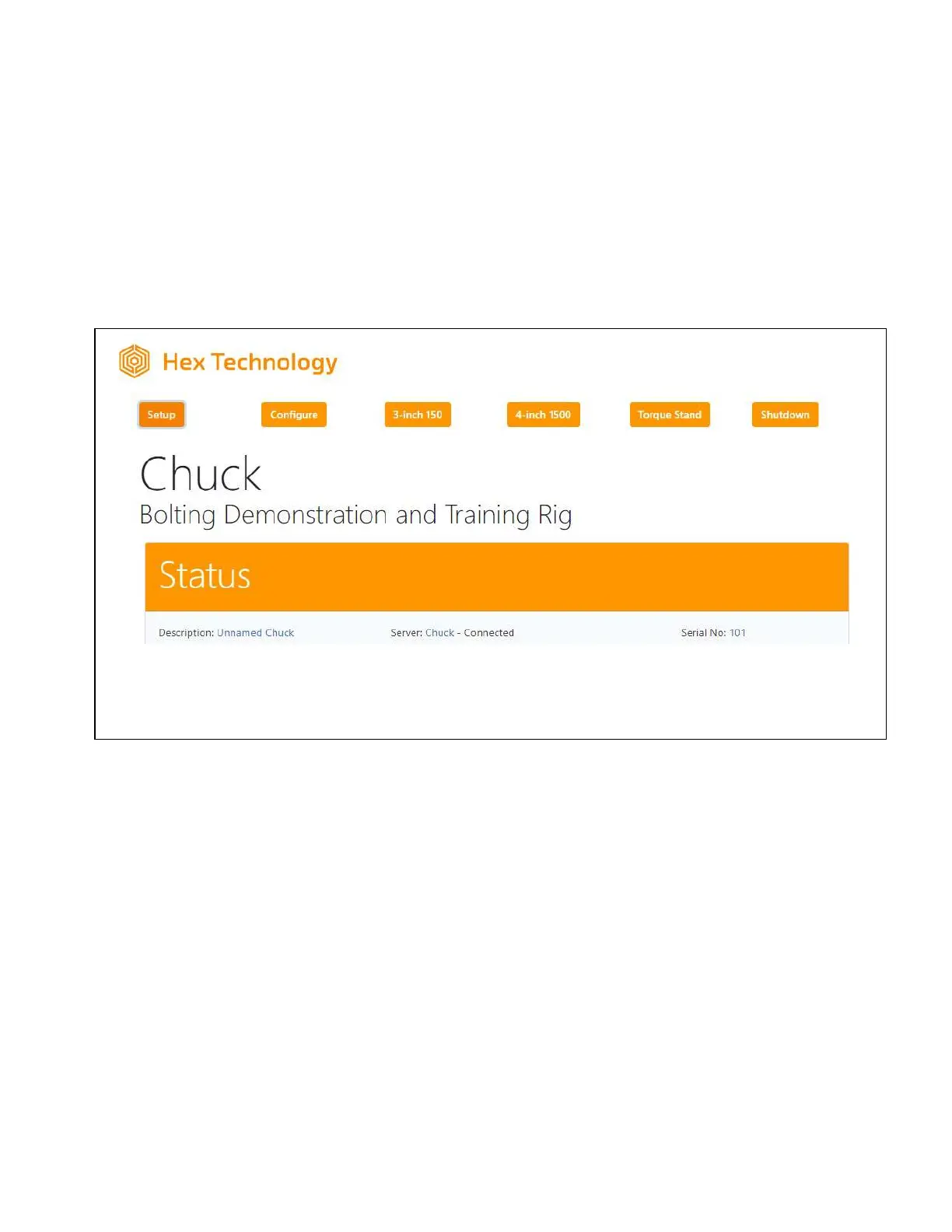
The navigation buttons along the top of the screen allow you to navigate through CHUCK’s
various menus and utilities.
You will see six buttons:
• Setup
• Configure
• 3-inch 150
• 4-inch 1500
• Torque Stand
• Shutdown
Three of the buttons are labeled with the names of three “stations” preset for you and will only
show up if you have those stations assigned to bays. Those station names can be changed on
the Configure page.
The “Setup” button is highlighted to indicate that is the active page.


 To Next Page