CHUCK Bolting Data Processor
Operations Manual
CHUCK and all materials within copyright HEX TECHNOLOGY (2021) 17
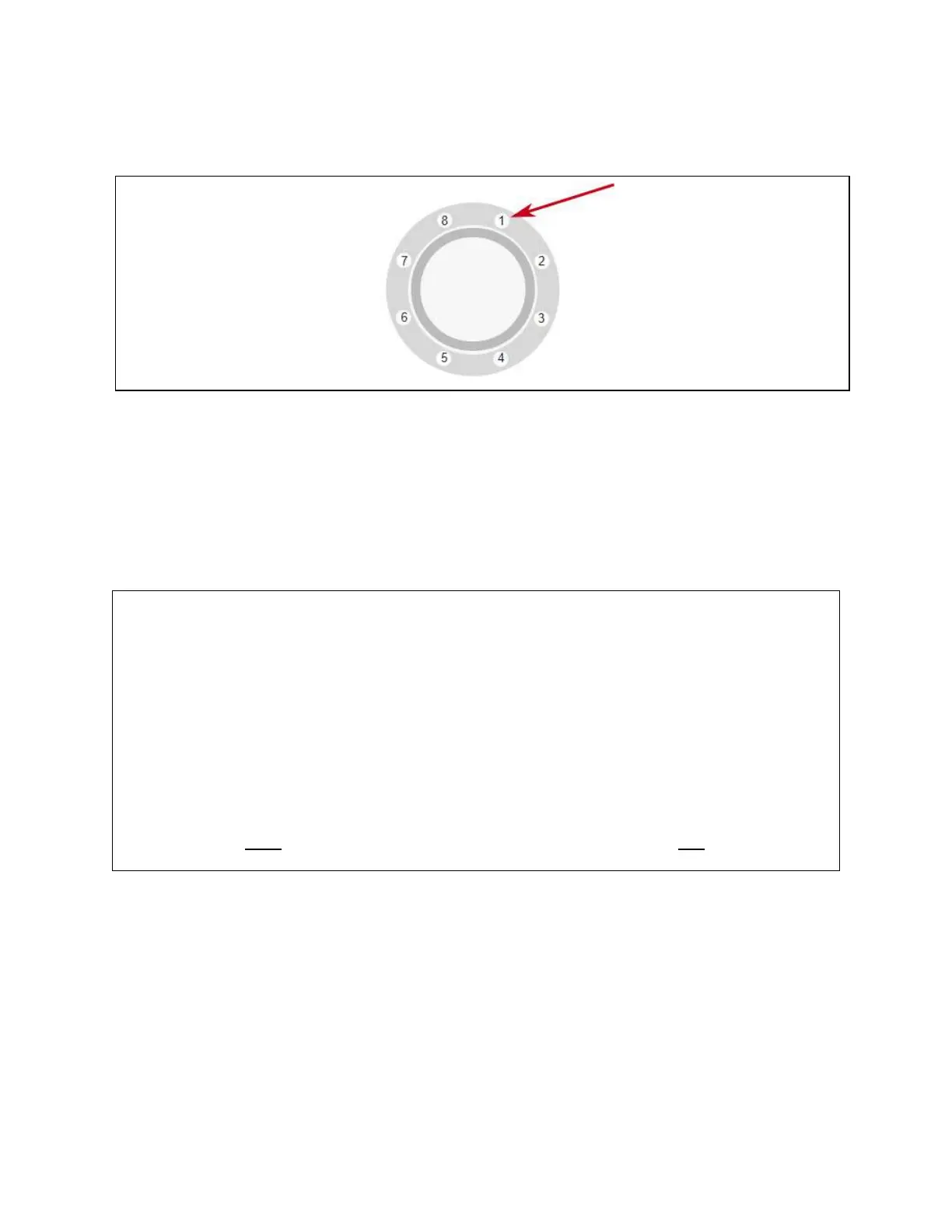
Connect the cable from Port 1 to the stud you consider Stud 1. Generally, this is the first stud
clockwise from the top when looking at the front of the flange.
For the Torque Stand, we recommend Stud 1 be the left-most stud.
Once cables are connected to studs, return to the CHUCK interface on your computer and press
the “Zero” button.
You need to use the Zero button each time you connect instrumented studs to the CHUCK
Brain, or any time you see bolt load drift off zero for an unloaded stud.
When to Calibrate (And Why it Matters)
When you press “Calibrate,” the CHUCK Brain measures the effect of its internal circuitry and
the connected coaxial cable. So long as you do not disconnect the coaxial cable from the
CHUCK Brain, you will not have to press calibrate again.
However, it is important that you recalibrate whenever you change the connection between
the port and the cable.
And remember: Only calibrate when cables are attached to the Brain but not to a bolt.


 To Next Page