CHUCK Bolting Data Processor
Operations Manual
CHUCK and all materials within copyright HEX TECHNOLOGY (2021) 21
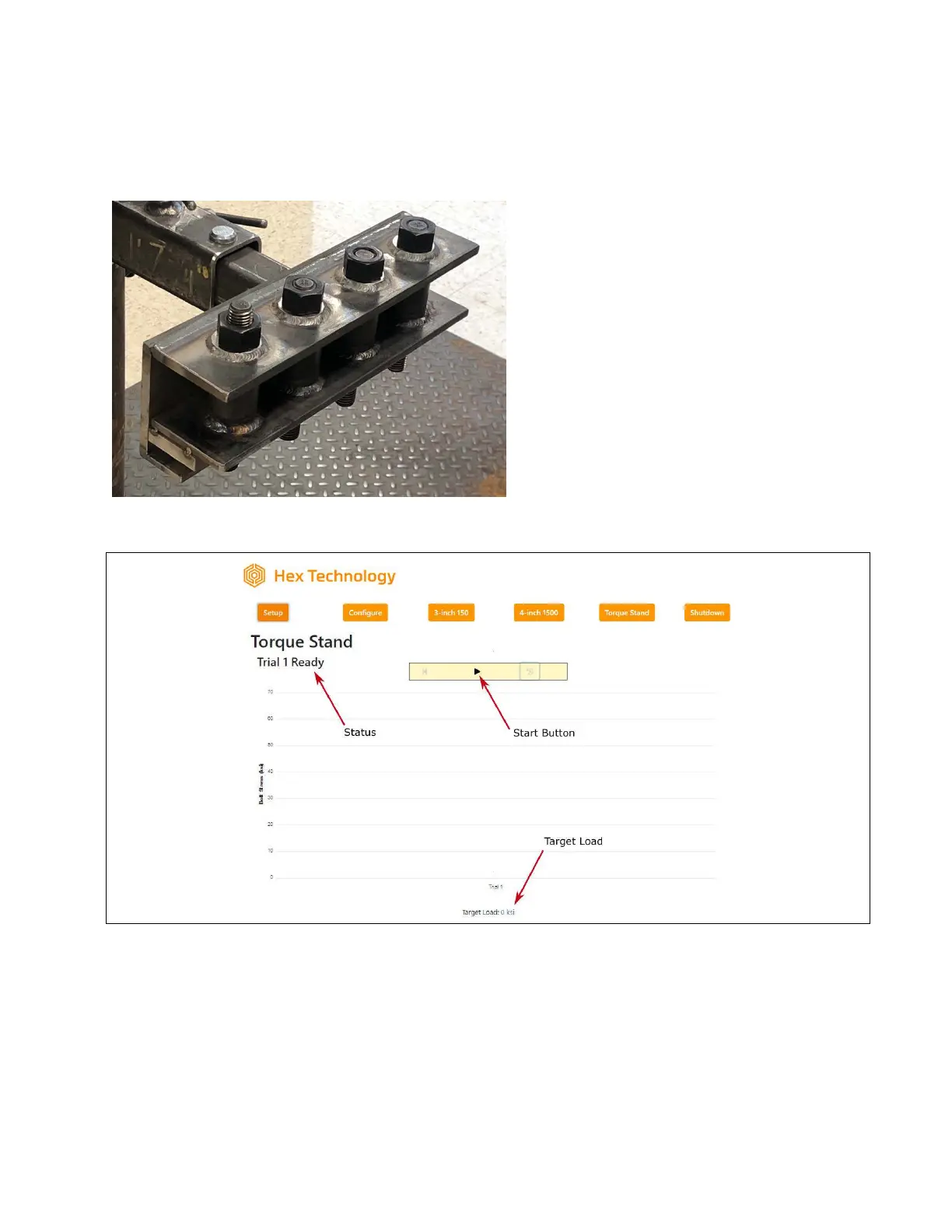
Using CHUCK with a Torque Stand
The torque stand allows you to record up
to 5 trials in a single test.
Having multiple trials lets you illustrate
differences in bolt load that can result
from different assembly processes, such
as proper/improper lubrication, tool
selection, or tool use/misuse.
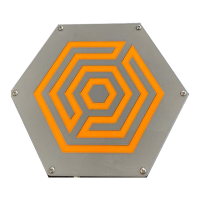
At the “Torque Stand” page (shown
below), you will see an empty graph along
with a notice that Trial 1 is ready. You’ll
also see a start button.
The Torque Stand allows you to enter a target torque, which will show up as a blue line on the
graph.
When you are ready to begin a trial, press the start () button. You will see a spinner while the
system zeros the studs.


 To Next Page