CHUCK Bolting Data Processor
Operations Manual
CHUCK and all materials within copyright HEX TECHNOLOGY (2021) 6
Getting Started in the Software
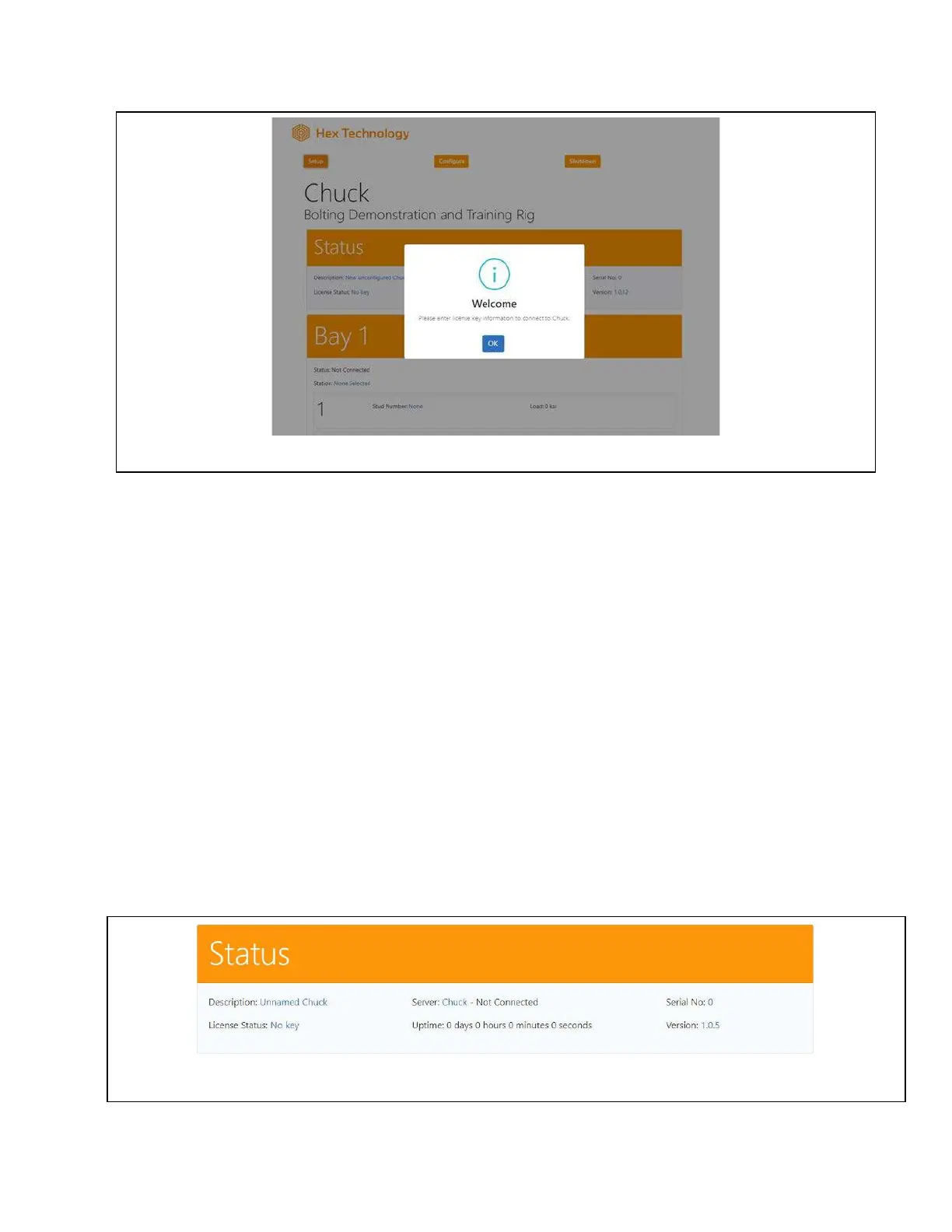
Press “OK” in the Welcome Message.
You’ll see the user interface consists of 3 main areas:
1) Top navigation buttons
2) A “Status” section presenting license and serial number
3) A section housing four Bays (Bay 1, Bay 2, etc.)
We will discuss each of those items later. During startup, your first step is to provide the
necessary information in the Status window.
Status Setup
The “Status” block provides 6 pieces of information on how your CHUCK is operating.
You’ll see a welcome message like this when you first connect to CHUCK.
An example of the information you’ll see in CHUCK’s Status Bar.


 To Next Page