39
| hexagon.com
Target Collection Guidance--Workflow
3. TARGET-FREE SCANNING SETUP
Capture Image Processing:
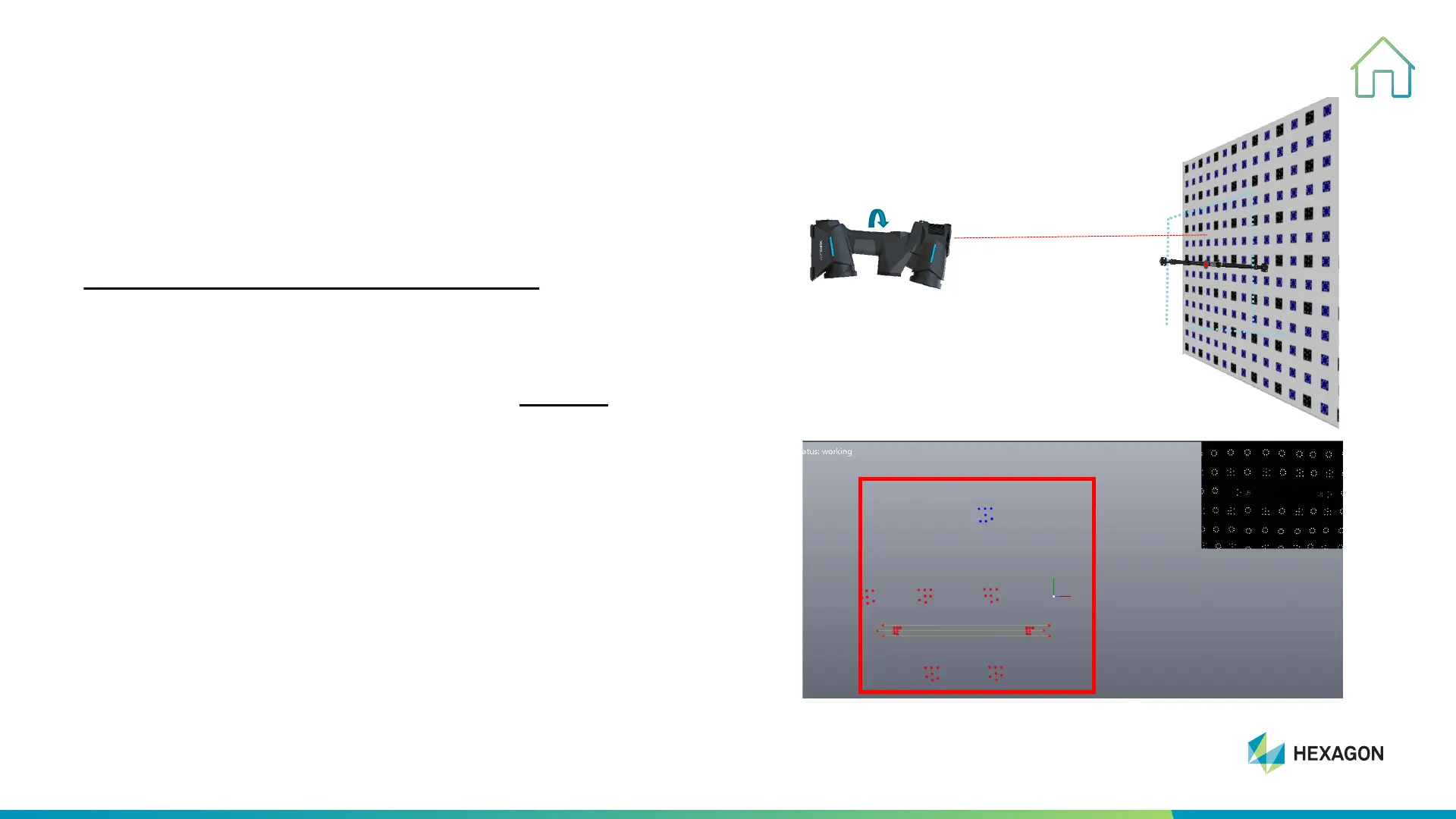
STEP ONE: Take photos of Scale Bar
#1, Face third camera vertical to target wall, and keep
indicator red dot projecting on the center of scale bar and
keep red box covered whole scale bar, left
click (˂) to take
one picture.
#2, Rotate scanner 90° at same position clockwise and take
second picture while keep third camera facing to target wall,
coded target will be captured and appear in the software.
#3, If there is no coded target captured in the software,
please repeat above two process until coded target appears
in the software.
1.5 m



 To Next Page