40
| hexagon.com
Target Collection Guidance--Workflow
3. TARGET-FREE SCANNING SETUP
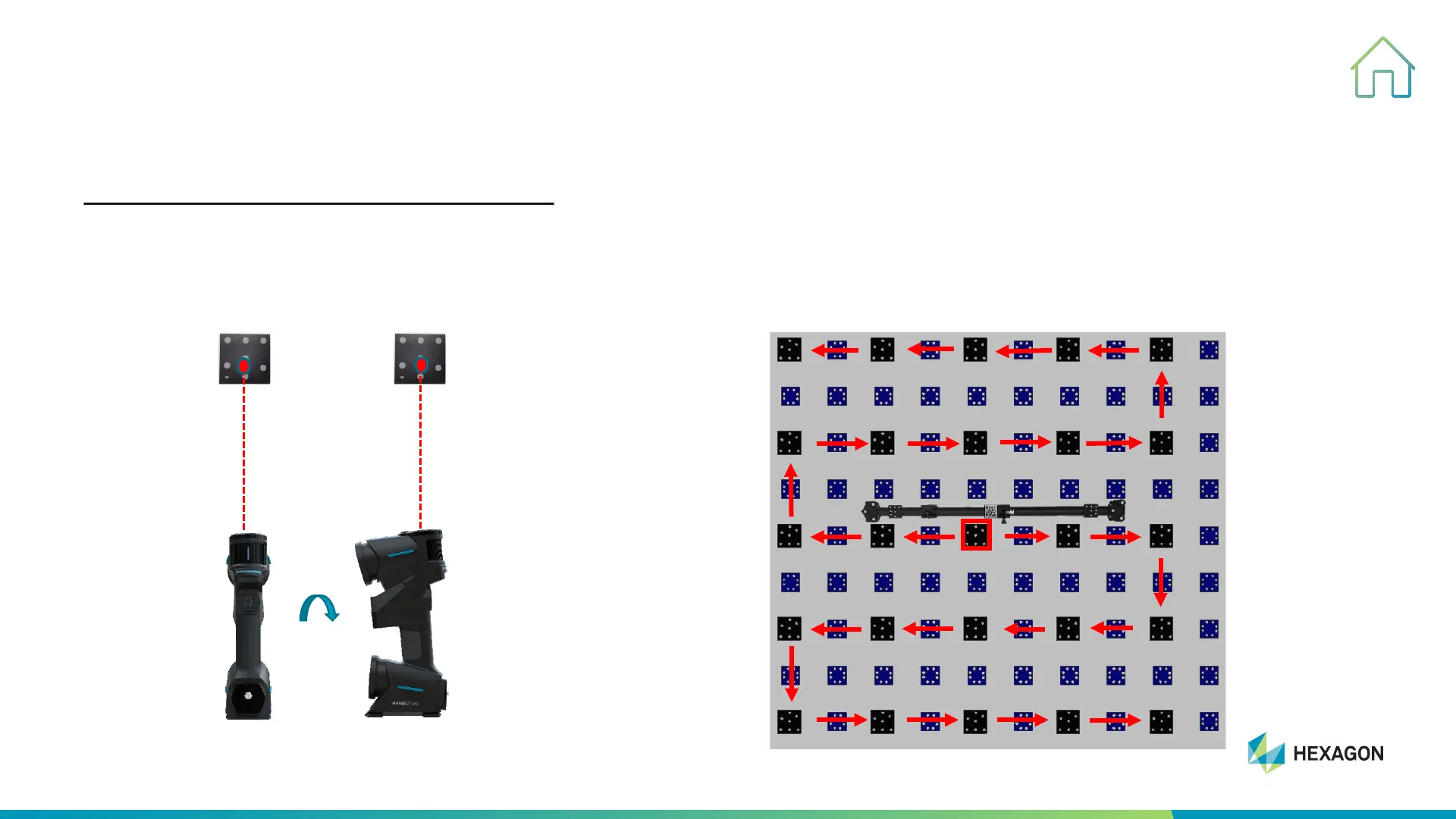
STEP TWO : Capture images of Target
#2, From center of scale bar to the edge of
target wall to take picture of all the targets, the
route for collect targets as below.
#1, Project indicator red dot on one coded mark
to take two pictures at same position by rotate
scanner 90° as below.
90°



 To Next Page