Rev. B 08-2017
33
MTEC.4680.GB-B-1 Operation and maintenance manual GH serie English
GH Dehumidifiers for radiant cooling system
6.1 Unit switch on and first start up
6.1.1 Standard version
6.1.2 WZ version
The operation mode is identical to the standard version and, in addition to the humidity control (hygrostat), they also control the temperature
by means of a ambient thermostat. The hygrostat activate the dehumidification mode with neutral air , while the thermostat activate the
dehumidification mode with air-cooled.
6. USE
Place the main line switch (not supplied) to ON. In the case of hygrostat call the fan is activated, and the request to start the compressor
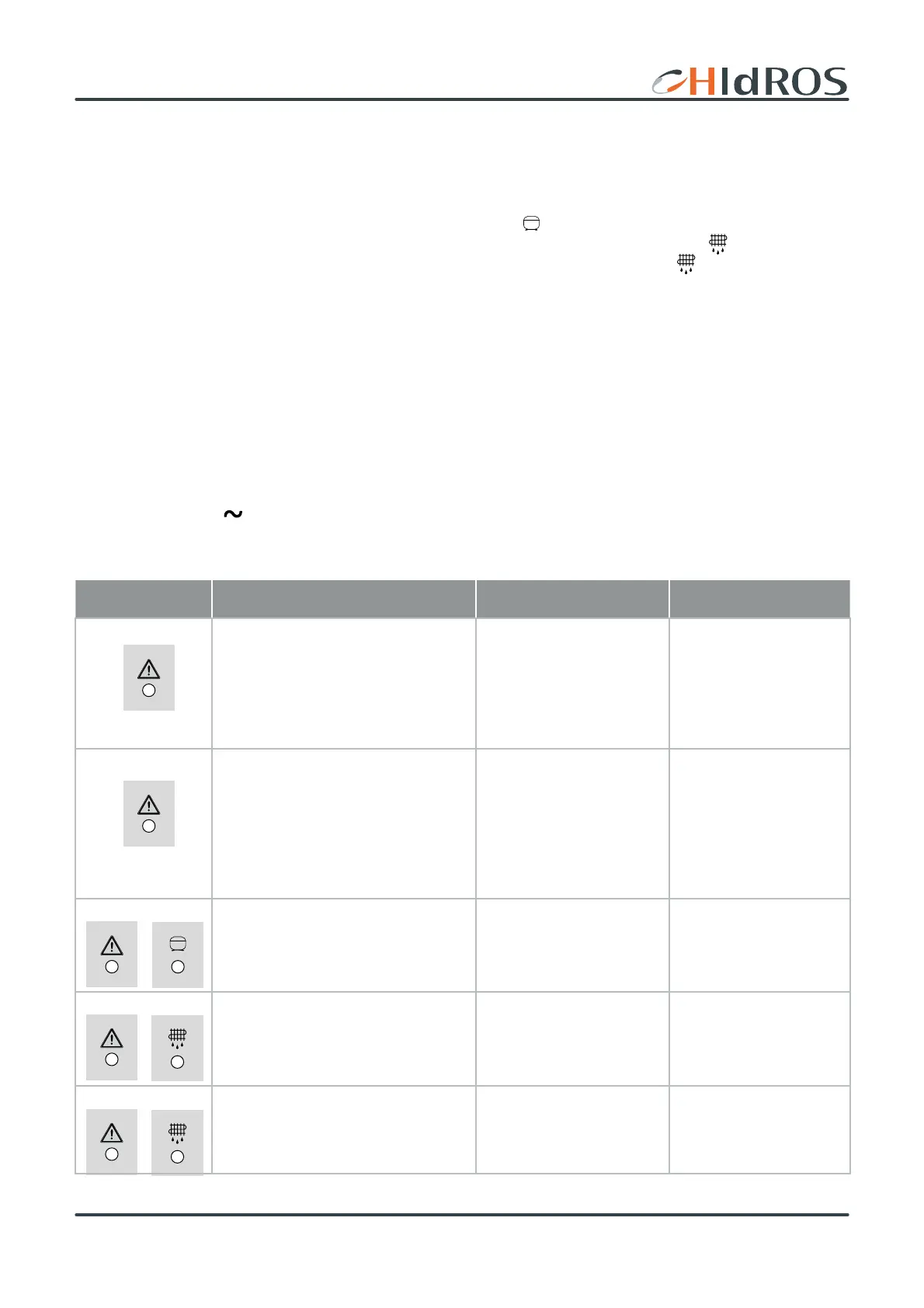
(delayed by 3 minutes) is activated too. During this period the compressor LED
stops flashing). Models 25 and 50 work in cyclic mode
by activating the compressor for 40 minutes of running and 12 minutes in defrost mode (during the defrost LED
flashes). The models
100 and 200 are equipped with defrost thermostat which activates the defrost through signaling of the LED
.
6.2 Stop
To switch off the unit place the main line in OFF.
6.3 Stand-by
When the unit is switched off from the hygrostat a/o thermostat the unit will be than in standby mode. In this mode, the only visible signs
are the green power LED.
.
6.4 Displaying during an alarm
Icon Meaning Cause Rimedio
High pressure alarm. Steady red LED.
Reset is automatic if the alarm occurs no
more than three times an hour. More than
three times an hour the alarm becomes
manual reset. To reset it simply remove and
restore power.
Low air flow.
Clogged filter.
Low water level.
High Water temperature.
Restore the correct air
flow, check the ducts
pressure drop.
Clean the filter.
Restore the correct water
temperature.
Low pressure alarm. Flashing red light. This
alarm is delayed by 60 seconds. Reset is
automatic if the alarm occurs no more than
three times an hour. More than three times
an hour the alarm becomes manual reset.
To rest it simply remove and restore po-
wer..
High water flow
Low water temperature
Restore the correct water
flow
Restore the correct water
temeprarture
Thermal alarm compressor.
Red and green LED flashing simultaneou-
sly.
This alarm is always a manual reset.
Possible refrigerat circuit
damage.
Please contact servive center.
Alarm defrost termination for exceeding
the time limit.
Led red and yellow flashing simultaneously.
Low ambient temperature
Gas discharge unit
Restore the correct ambient
temperature
Please contact servive center.
NTC sensor error alarm.
LED alternately flashing red and yellow. PTC probe sensor damage
Please contact servive center.



 To Next Page