ALTIWARE SERIES
TABLE OF CONTENTS
11
english
axis
TABLE OF CONTENTS
12
english
MODES OF OPERATIONKEYS AND THEIR FUNCTIONS
ADVANCE TO NEXT VARIABLE IN A PROGRAMMING SEQUENCE
QUICK PRESS the S3 key.
When you have chosen the variable you want for a particular portion of a programming sequence
QUICK PRESS the S3 key to set and advance to the next variable.
EXIT A PROGRAMMING SEQUENCE
QUICK PRESS the S4 key.
Once all variables of a programming sequence have been entered to your satisfaction, QUICK
PRESS the S4 key to exit the programming sequence and return to the initial main display.
NOTE: As long as you press the S3 key, you will continue to cycle through the variables for that
sequence.
ACTIVATE THE DISPLAY BACKLIGHT SYSTEM-
QUICK PRESS the S4 key.
The backlight will stay active for a period of approximately 5-seconds.
NOTE: Excessive use of the backlight system will result in shorter battery life.
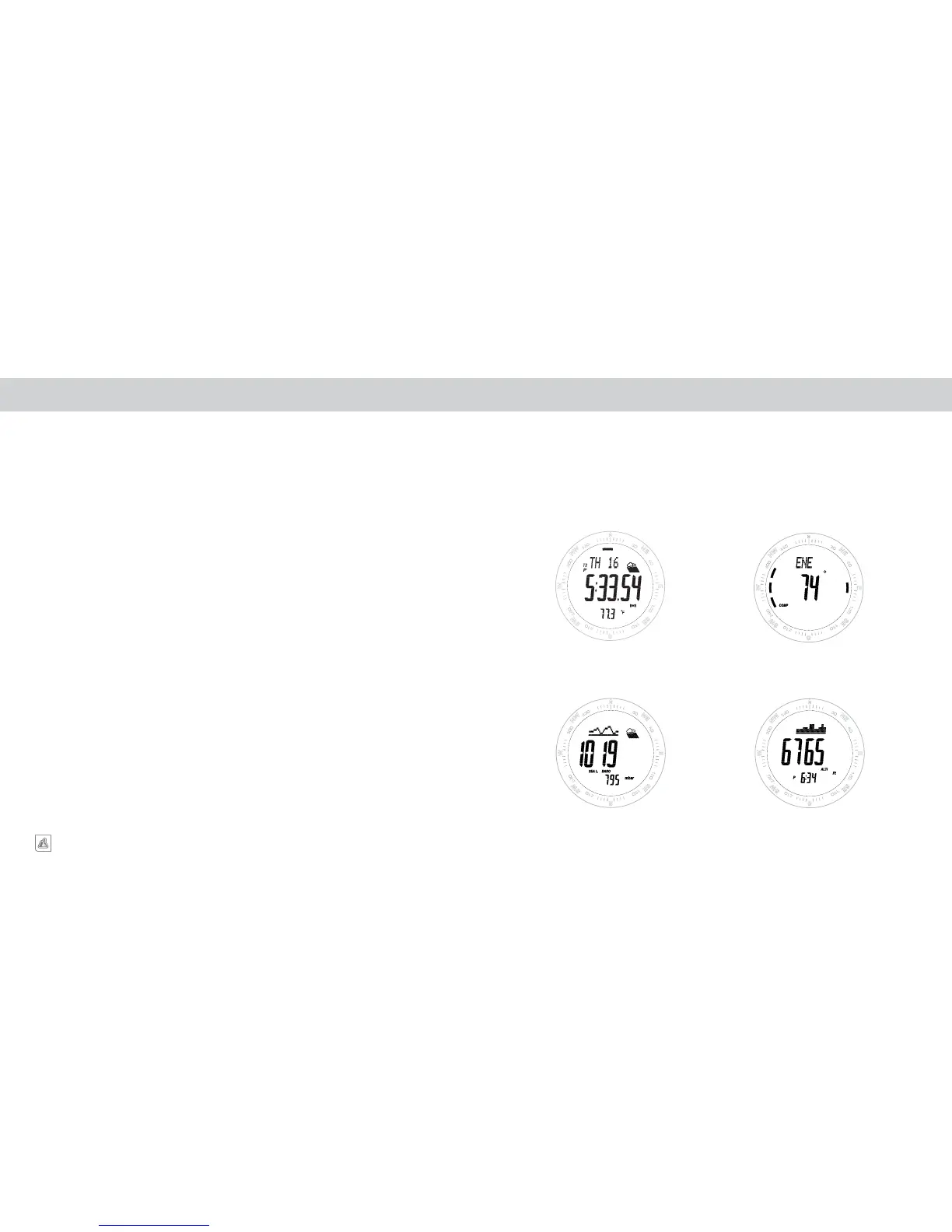
MAIN DISPLAY MODES
Advance through the above modes using a QUICK PRESS of the S3 key. Upon entering a mode, the
name of the mode will be displayed on screen for a period of 1.5 seconds before advancing automat-
ically to the modes primary screen.
TIME
ALTIMETER
COMPASS
BAROMETER


 To Next Page