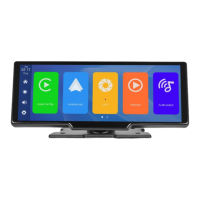
4. Volume key: click to adjust the volume.
5. Setting button: click to jump to the setting interface.
(DVR) (Mobile Internet) (Return)
6. Apple CarPlay: Special connector for iPhone.
7. Android Auto: Special connector for Android mobile phone.
8. Dvr: Click to enter the video recording interface.
9. Playback: Tap to view a video on the video screen.
10. Audio output: click to select the sound playing mode.
11. Apple Airplay: iPhone dedicated mirror casting mode.
12. Android Cast: Mirror casting mode for Android mobile phones.
13. Bluetooth music: Click to enter the Bluetooth music playback interface.
14. WiFi Video: After connecting to your phone, you can watch recorded videos or set
machine parameters on your phone.


 To Next Page