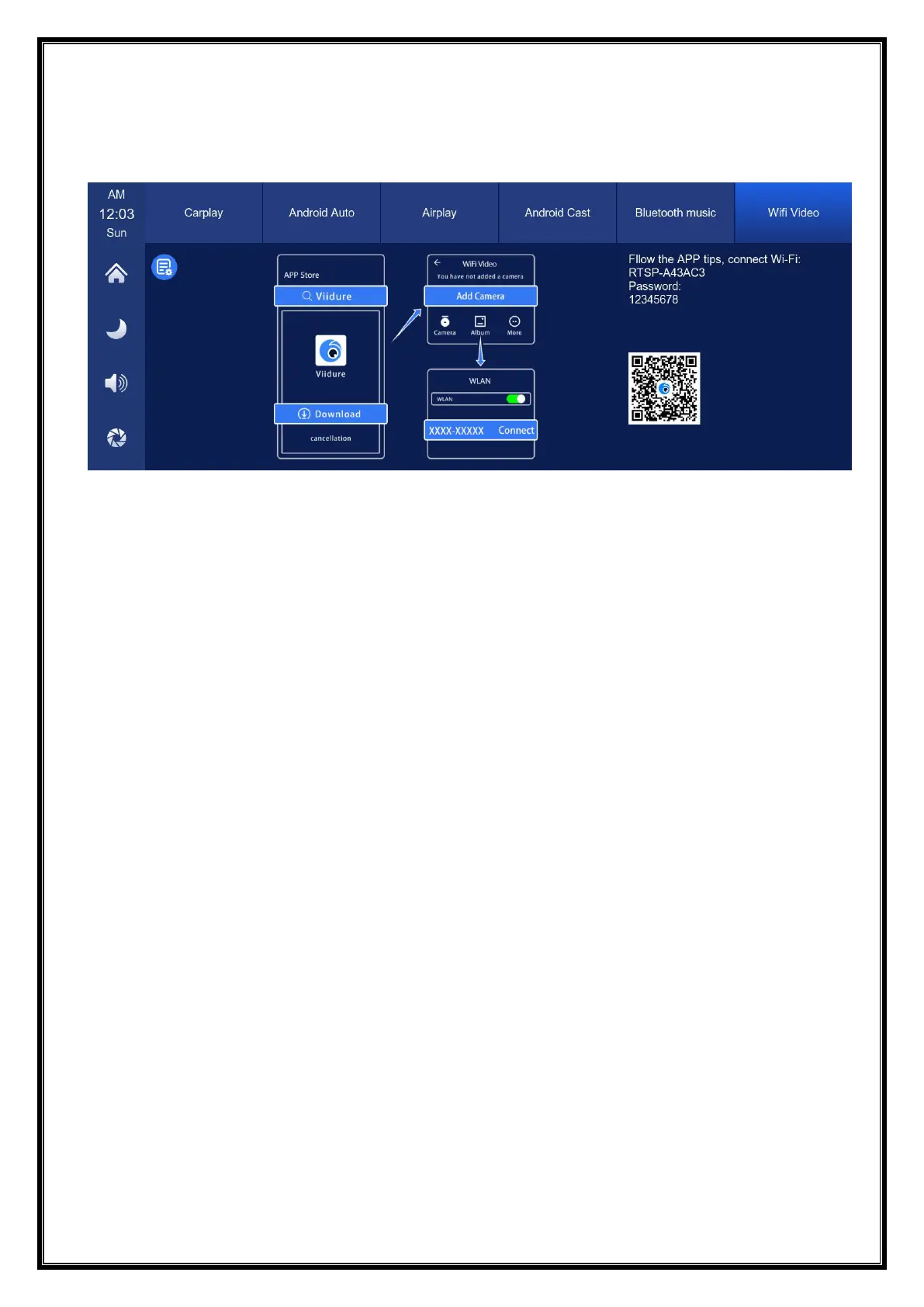
F. WiFi video
As shown in the above figure, first scan the QR code to download the corresponding
app.
After downloading, open the app and follow the prompts to connect to the
machine's WiFi. WiFi name: RTSP-XXXXXX, password as shown on the machine.
After connecting, the machine will enter the recording interface and cannot perform
any operations. You can watch or download recorded videos, set machine
parameters, and more on your phone.
(Turn off the WiFi key on your phone to disconnect, and it will take one minute to
disconnect before you can operate on the machine.)


 To Next Page