A. Apple CarPlay
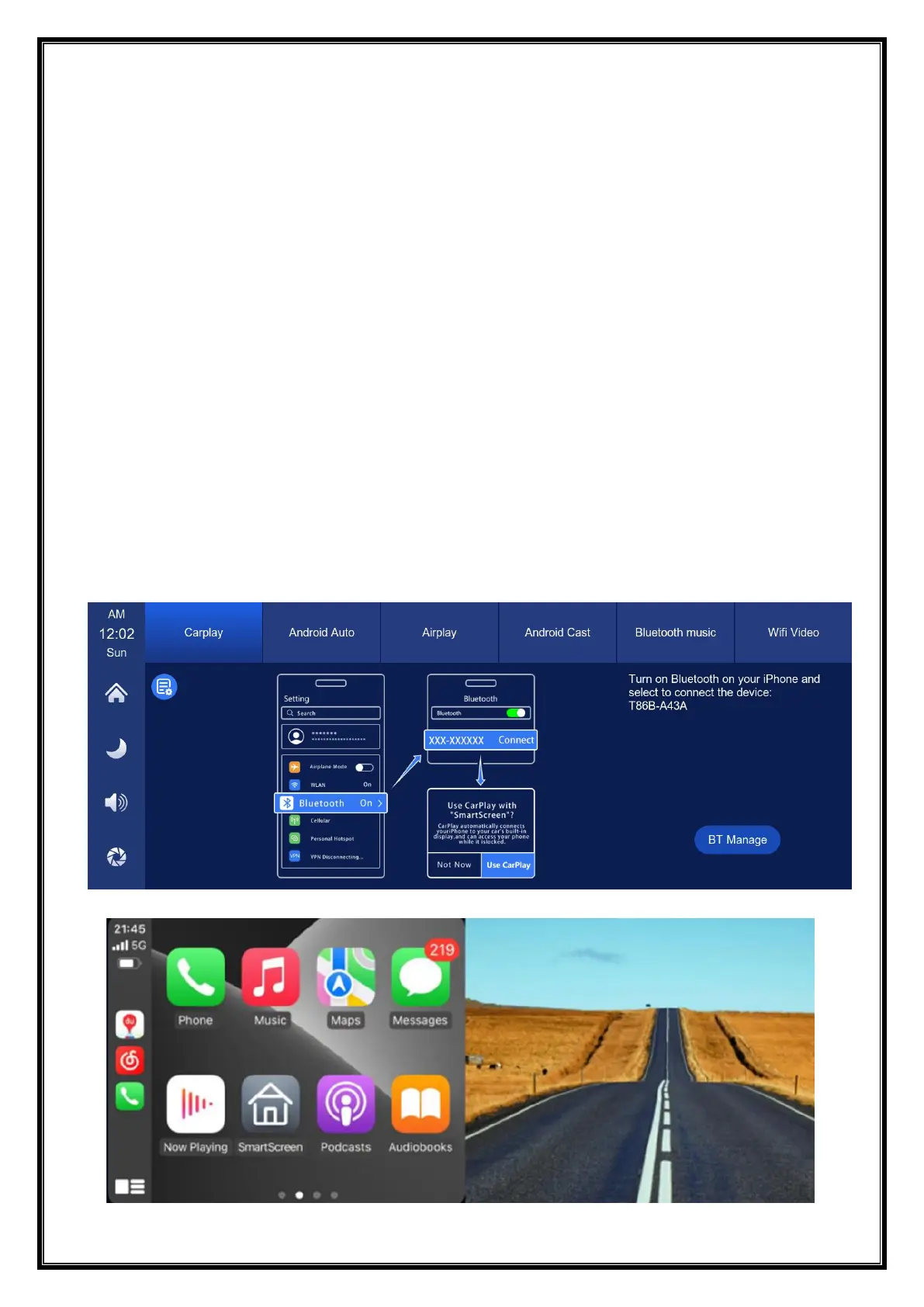
As shown in the above figure, click the 'Apple CarPlay' button, then select the 'Apple
CarPlay' option, and first turn on the phone's Wi Fi and Bluetooth, as shown in the
above figure. Bluetooth will automatically turn on, named T86-XXXXXX. Once
Bluetooth is successfully connected, you can connect to Apple CarPlay. (When the
machine is powered on, it will attempt to automatically connect to the last
connected phone)
(Turn off your phone's Wi-Fi to disconnect, Apple CarPlay option only supports iPhone
phones, Android phone please select [Android auto] option)


 To Next Page