J. Bluetooth
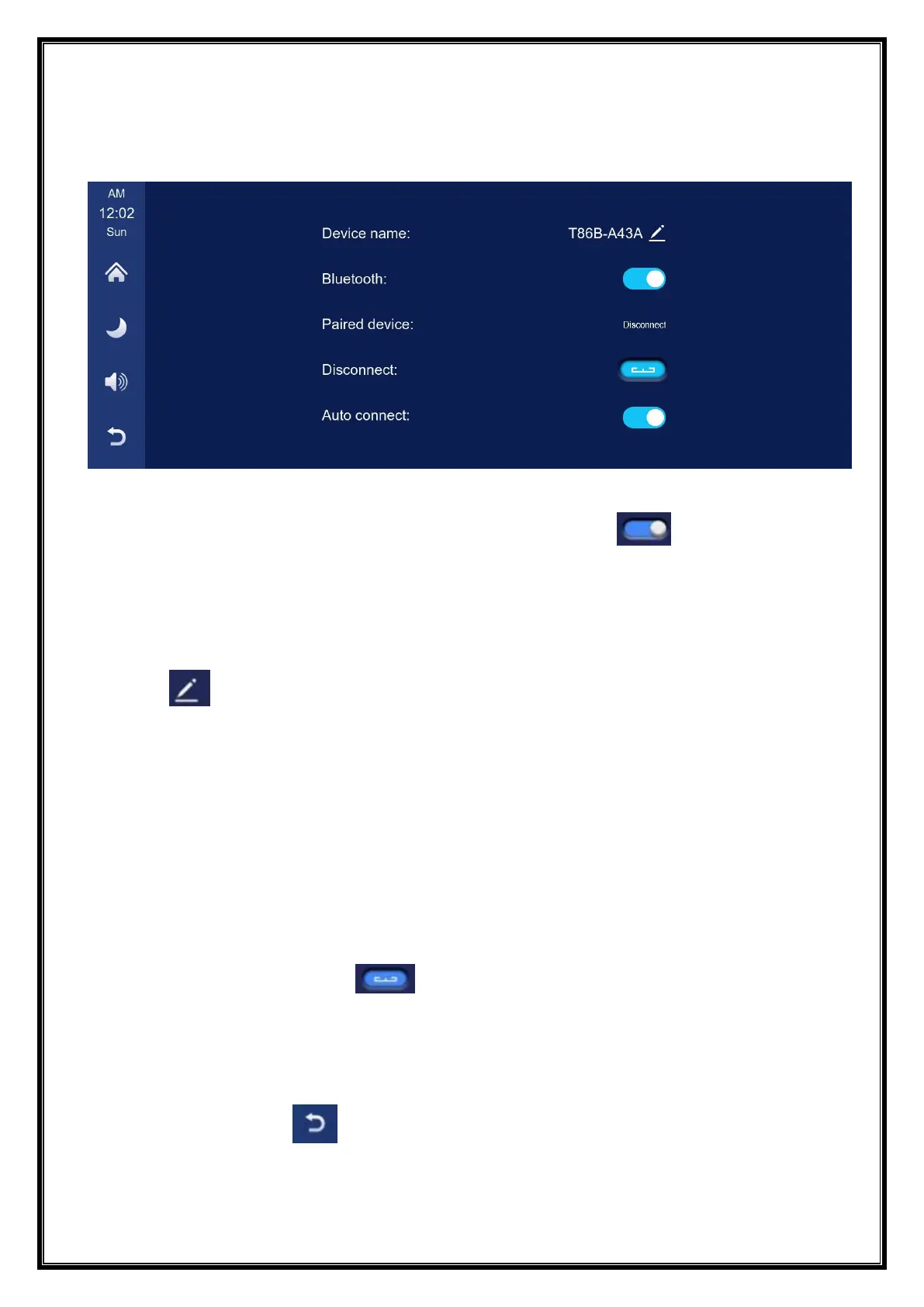
As shown in the figure above, click the Bluetooth button [ ] to switch on the
device after entering the Bluetooth interface.
The page will display the device name, such as: T86-140D07, and click the Modify
button [ ] to modify the Bluetooth name of the device.
Select the device name with Bluetooth, and the remote device name of the phone will
appear after successfully connecting.
At this time, you can play mobile phone music and other functions. After connecting
to Bluetooth, you can use the call function:
Click the Disconnect button [ ] to actively disconnect the Bluetooth.
After turning on the "Auto Connect" button, even after the mobile phone is
disconnected, the machine will automatically try to connect to the phone.
Click the back button[ ] to return to the previous page.


 To Next Page