Figure 2-6 Control Panel
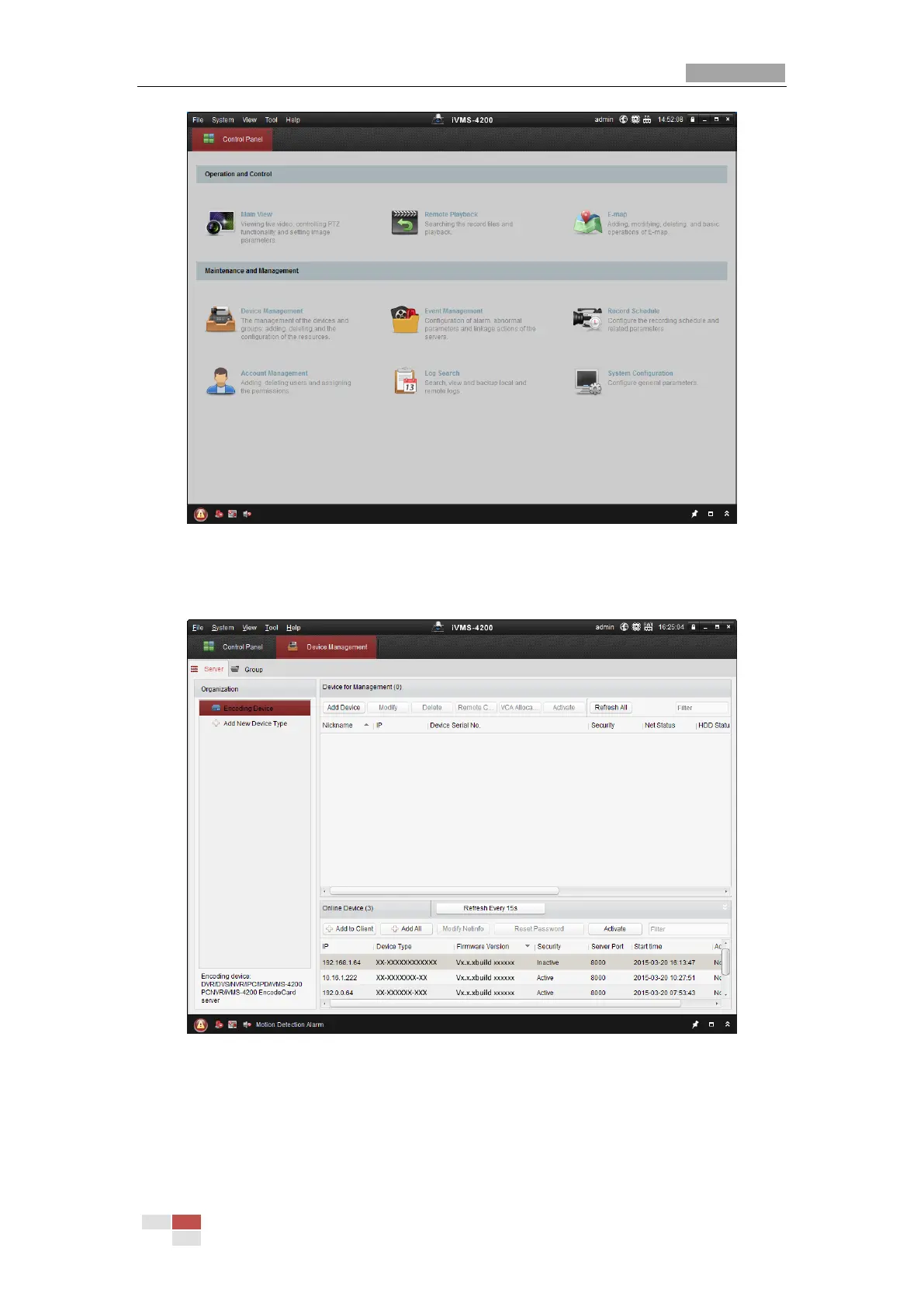
2. Click Device Management to enter the Device Management interface, as shown in the figure
below.
Figure 2-7 Device Management Interface
3. Check the device status from the device list, and select an inactive device.
4. Click Activate to pop up the Activation interface.
5. Create a password and input the password in the password field, and confirm the password.



 To Next Page
 Loading...