3. Check the checkbox in front of the video files that you need to download.
4. Click to download the video files.
4.6 Pictures
Purpose:
This section explains how to view the captured picture files stored in the network disks or the
memory cards and download the captured pictures.
Steps:
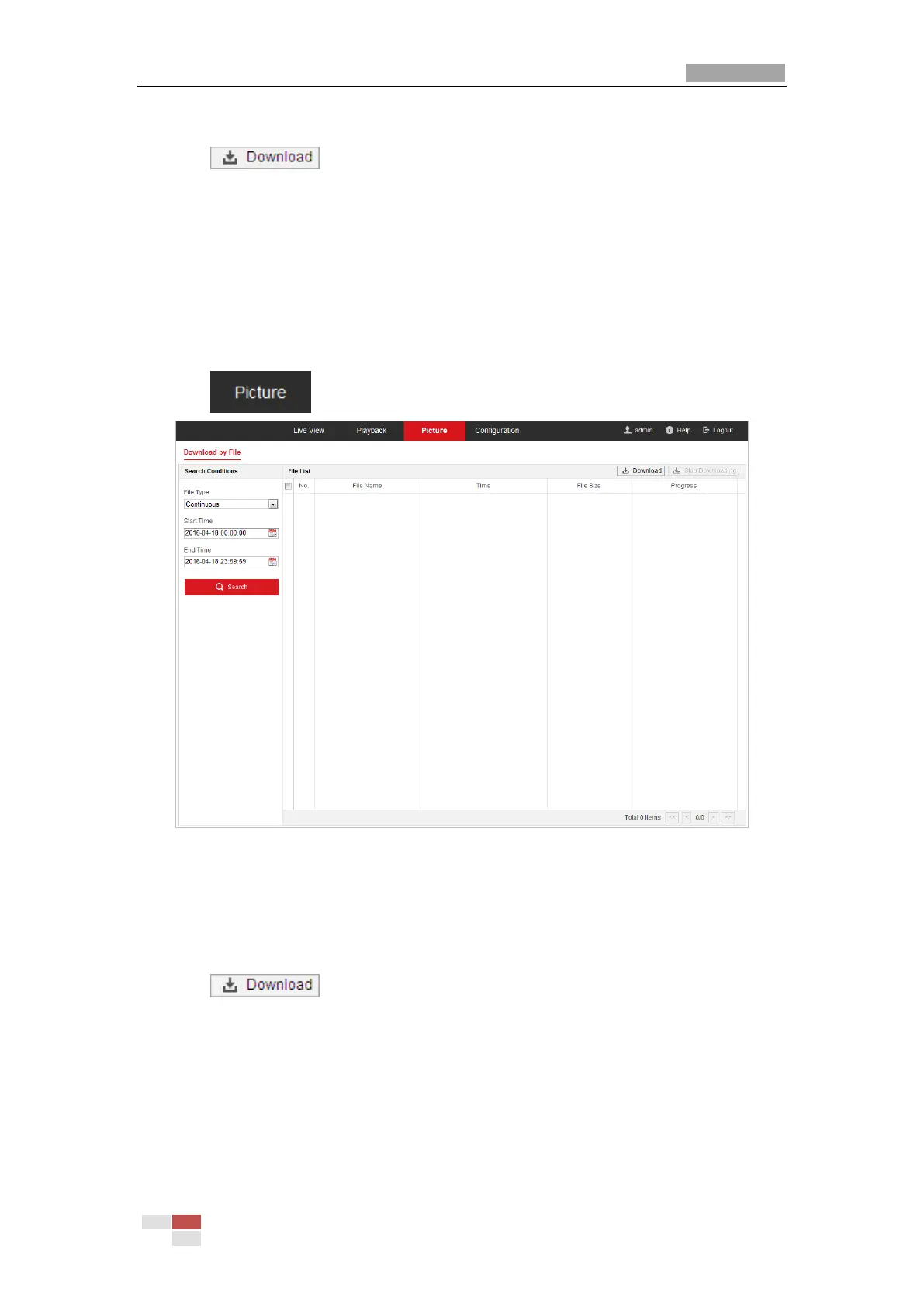
1. Click on the menu bar to enter picture interface.
Figure 4-20 Picture Interface
2. Select the channel No. and file type of capturing the pictures from the list as timing, alarm,
motion, etc.
3. Set the start time and end time. Click Search. The corresponding picture files will be listed.
4. Check the checkbox in front of the files that you need to download.
5. Click to download the files.



 To Next Page
 Loading...