
 Need help?
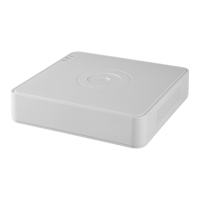
Do you have a question about the HIKVISION DS-7116HQHI-K1 and is the answer not in the manual?
 General
| BNC input ports | 1 |
|---|---|
| Video input channels | 16 channels |
| USB 2.0 ports quantity | 2 |
| HDD interface | Serial ATA |
| Maximum HDD capacity | 6000 GB |
| Power consumption (typical) | 15 W |
| Voltage | 12 V |
| Product color | White |
| Rack capacity | 1U |
| Audio output channels | 1.0 channels |
| Video compression formats | H.264, H.264+, H.265, H.265+ |
| Ethernet LAN | Yes |
| Ethernet interface type | Fast Ethernet |
| Supported network protocols | TCP/IP, PPPoE, DHCP, Hik-Connect, DNS, DDNS, NTP, SADP, NFS, iSCSI, UPnP, HTTPS, ONVIF |
| Operating temperature (T-T) | -10 - 55 °C |
| Operating relative humidity (H-H) | 10 - 90 % |
 Weight and Dimensions
| Weight | 1000 g |
|---|---|
| Dimensions (WxDxH) | 285 x 210 x 45 mm |
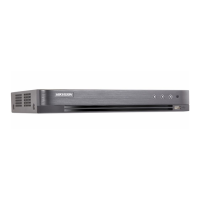
Describes the front panel layout and indicators for DS-7100HQHI-K1.
Shows the rear panel layout and descriptions of ports and connectors.
Explains the procedures for powering the DVR on and off correctly.
Guides through the initial device activation and password setup.
Guides through initial device setup steps like language and password.
Provides instructions on how to reset the device password using a GUID file.
Guides on how to add and connect IP cameras to the DVR system.
Set up parameters for controlling PTZ cameras before operation.
Configure presets, patrols, and patterns for PTZ camera movement.
Set up video compression and encoding parameters for recording.
Set up schedules for continuous, event, or motion-triggered recording.
Set up motion detection parameters and detection areas.
Search and play back recorded files by selecting a date and channel.
Search and play back files based on event types like motion or alarm.
Use intelligent search to find videos with motion or VCA events.
Procedures for backing up recorded video and picture files.
Configure motion detection areas, sensitivity, and arming schedules.
Configure how the DVR handles various system exceptions like HDD errors.
Define actions like full screen monitoring or email alerts for alarms.
Detect faces in the scene and take actions when an alarm is triggered.
Detect objects crossing a virtual line in bidirectional or unidirectional modes.
Detect objects entering or loitering in a predefined virtual region.
Search for captured face pictures and play related video files.
Configure basic network parameters like IP address and DNS.
Enable and configure Hik-Connect for remote mobile access.
Configure email notifications for detected events like alarms.
Initialize newly installed hard disk drives before use.
Configure privacy mask zones to exclude areas from view or recording.
Export and import DVR configuration files for backup or deployment.
Upgrade DVR firmware using local backup or FTP server.
Restore device settings to factory defaults.
Manage user accounts, permissions, and add new users.



 To Next Page