5
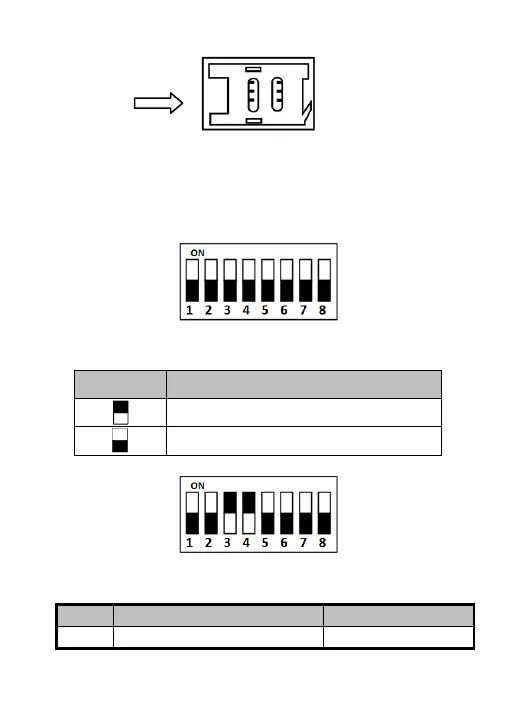
Figure 3-1 PSAM Card Slot
3.2 Introduction for DIP Switch
The DIP switch module is shown below. The No. of DIP switch
from left to right is 1 ~ 8.
Figure 3-2 DIP Switch Module
Table 3-1 Description of DIP Switch
Represent 1 in binary mode
Represent 0 in binary mode
For example, binary value of the following status is: 0000 1100.
Figure 3-3 DIP Switch Module
Table 3-2 Description of DIP Switch


 To Next Page
 Loading...