EasyManua.ls Logo

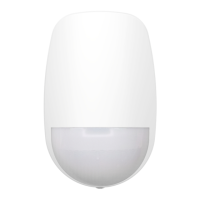
HIKVISION DS-PDWL-E-WB - User Manual

HIKVISION DS-PDWL-E-WB
142 pages
Print Icon
To Next Page IconTo Next Page
Loading...
AX PRO
User Manual

Table of Contents

Other manuals for HIKVISION DS-PDWL-E-WB

Questions and Answers

  • G
    Gerald GrossSep 2, 2025
    Why am I unable to send mails to QQ or Foxmail from my HIKVISION Security System?
    • D
      David BrownSep 2, 2025
      If you're having trouble sending emails to QQ or Foxmail, remember that the password needed for QQ account login isn't the usual one. Generate an authorization code via email account ? device ? account ? and use that as the login password.
  • S
    schaeferandrewAug 31, 2025
    What to do if the HIKVISION Security System alarm information is not reported to APP/4200/Alarm Center?
    • D
      Douglas BanksAug 31, 2025
      If alarm information isn't being reported, make sure that 'alarm and tamper-proof notice' is enabled in the settings.
  • T
    Tiffany HernandezAug 27, 2025
    What to do if the HIKVISION Security System network camera drops off frequently?
    • J
      Jacob HarrisonAug 27, 2025
      If the network camera frequently disconnects, verify that the network communication and camera live view are functioning correctly.
  • J
    John RileyAug 26, 2025
    What to do if I failed to add a device on the HIKVISION Security System APP?
    • N
      nelsonabigailAug 26, 2025
      If you can't add a device on the app, check the web page to see if Hik-Connect is offline. This could be the reason for the failure.
  • W
    Wanda CarterAug 25, 2025
    Why is my HIKVISION Security System Hik-Connect offline?
    • L
      Lauren CollinsAug 25, 2025
      If Hik-Connect is offline, it indicates a problem with the panel's network configuration, which prevents access to the extranet.
  • T
    Teresa BrooksAug 22, 2025
    What to do if the HIKVISION Security System web page is not accessible?
    • L
      lopezkevinAug 22, 2025
      If the web page isn't accessible, check if the network cable is properly connected and the panel network is working correctly. Also, if you've modified the panel port, make sure to include the port number in the web address when trying to access it.

HIKVISION DS-PDWL-E-WB Specifications

General IconGeneral
TypeWireless PIR Detector
Detection Range12m
Power Supply / Battery TypeCR123A Lithium Battery
Wireless Frequency868 MHz
Operating Humidity10% to 90% (non-condensing)
Weight120g
Operating Temperature-10°C to +55°C

Related product manuals