45
that has a time synchronization function, such as the server at the National Time
Center (IP Address: 210.72.145.44). If the camera is set in a customized network,
NTP software can be used to establish a NTP server for time synchronization.
Configure the manual time synchronization.
(1) Check the Manual Time Sync. item to enable the manual time
synchronization function.
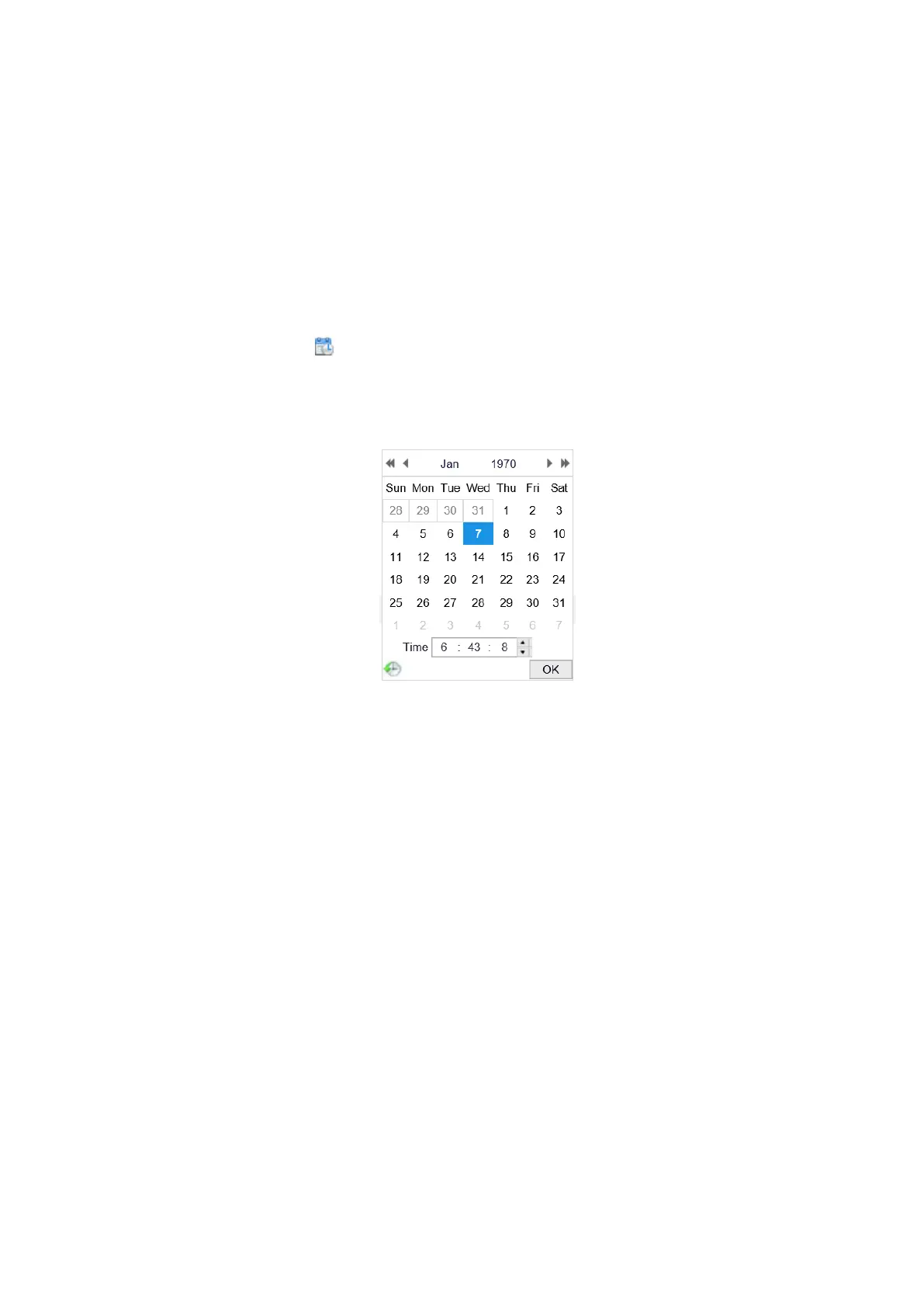
(2) Click the icon to select the date, time from the pop-up calendar.
(3) (Optional) You can check Sync. with computer time item to synchronize the
time of the device with that of the local PC.
Figure 6-5 Time Sync Manually
Click Save to save the settings.
6.2.3 Configuring DST Settings
Purpose:
Daylight Saving Time (DST) is a way of making better use of the natural daylight by
setting your clock forward one hour during the summer months, and back again in the
fall.
Configure the DST according to your actual demand.
Steps:
1. Enter the DST configuration interface.
Configuration > System > System Settings > DST



 To Next Page