56
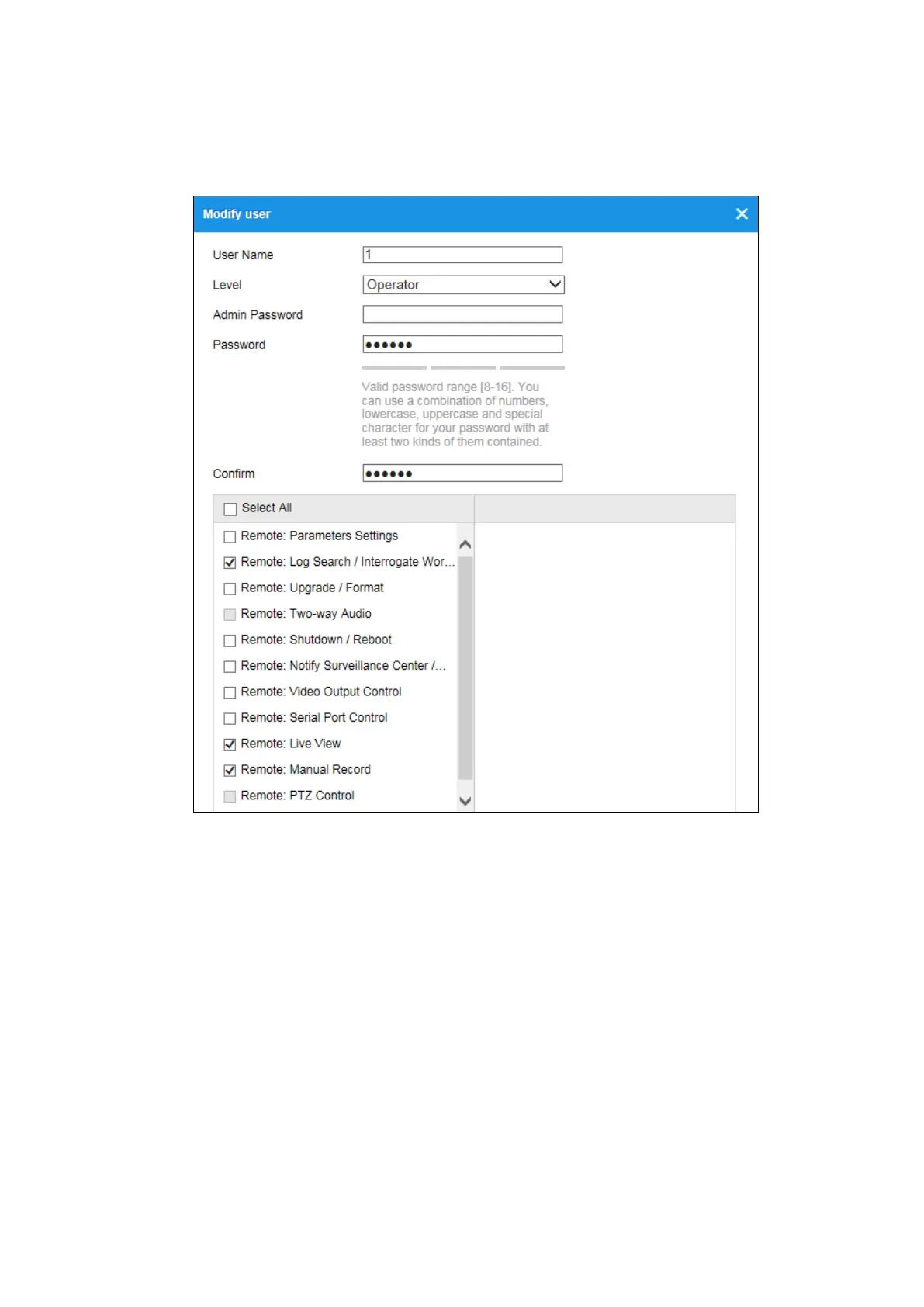
4. You can check or uncheck the permissions.
5. Click OK to finish the user modification.
Figure 6-19 Modify a User
Deleting a User
Steps:
1. Click to select the user you want to delete and click Delete.
2. Click OK on the pop-up dialogue box to confirm the deletion.
6.5.2 Online Users
Purpose:
You can see the current users who are visiting the device through this interface. User
information, such as user name, level, IP address, and operation time, is displayed in



 To Next Page