72
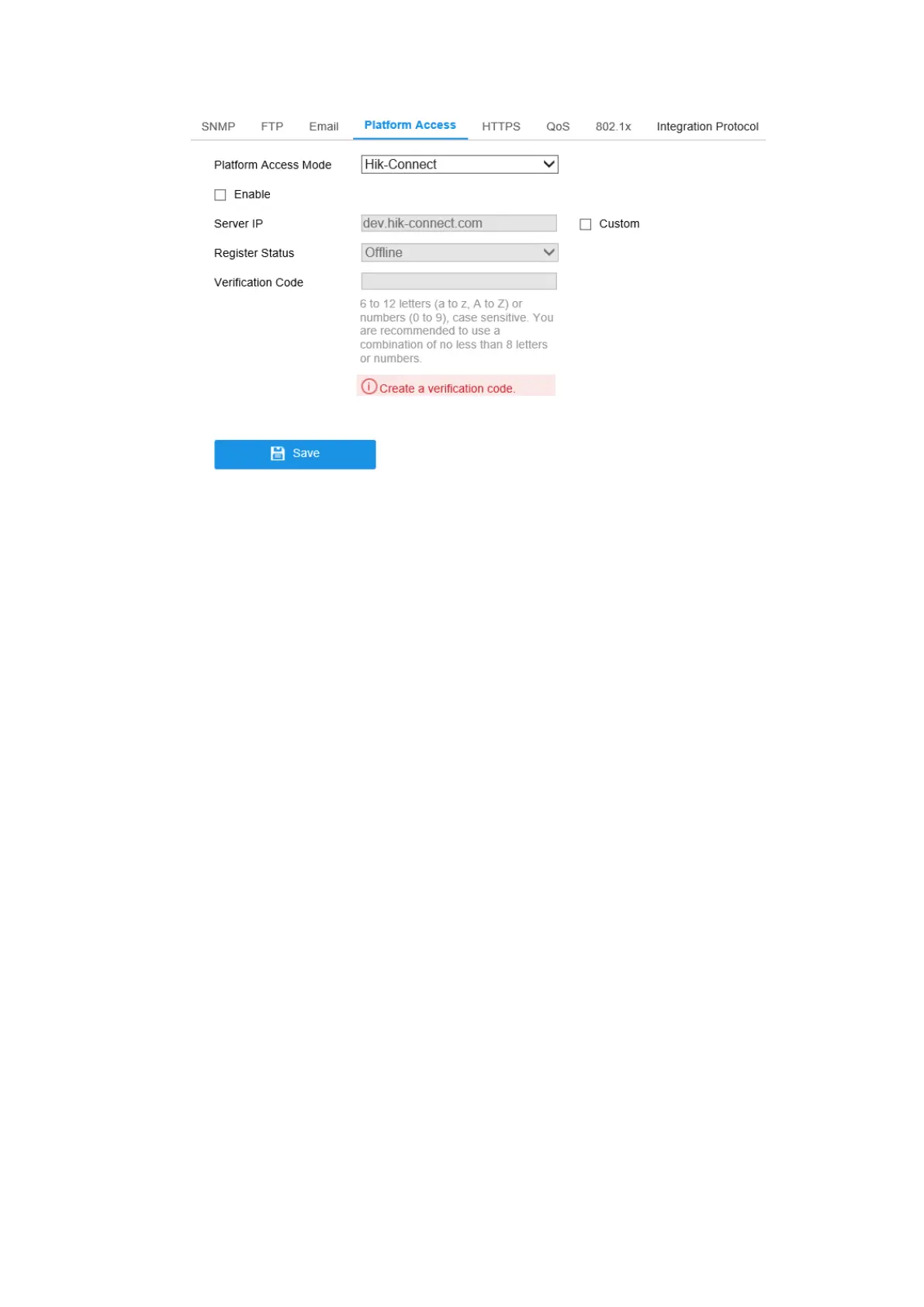
Figure 7-10 Platform Access Configuration
2. Check the checkbox of Enable to enable the platform access function of the
device. Then a pop-up window is displayed.
3. Click and read Terms of Service and Privacy Policy in pop-up window.
4. Create a verification code or change the verification code for the camera and then
enter the confirmed verification code.
Note: The verification code is required when you add the camera to Hik-Connect
app.
5. Click OK.
6. Select Platform Access Mode as Hik-Connect.
7. You can use the default server address. Or you can check the Custom checkbox
on the right and input a desired server address.
8. Click Save to save the settings.
7.2.5 HTTPS Settings
Purpose:
HTTPS provides authentication of the web site and its associated web server, which
protects against Man-in-the-middle attacks. Perform the following steps to set the port
number of https.



 To Next Page