73
E.g., If you set the port number as 443 and the IP address is 192.168.1.64, you may
access the device by inputting https://192.168.1.64:443 via the web browser.
Steps:
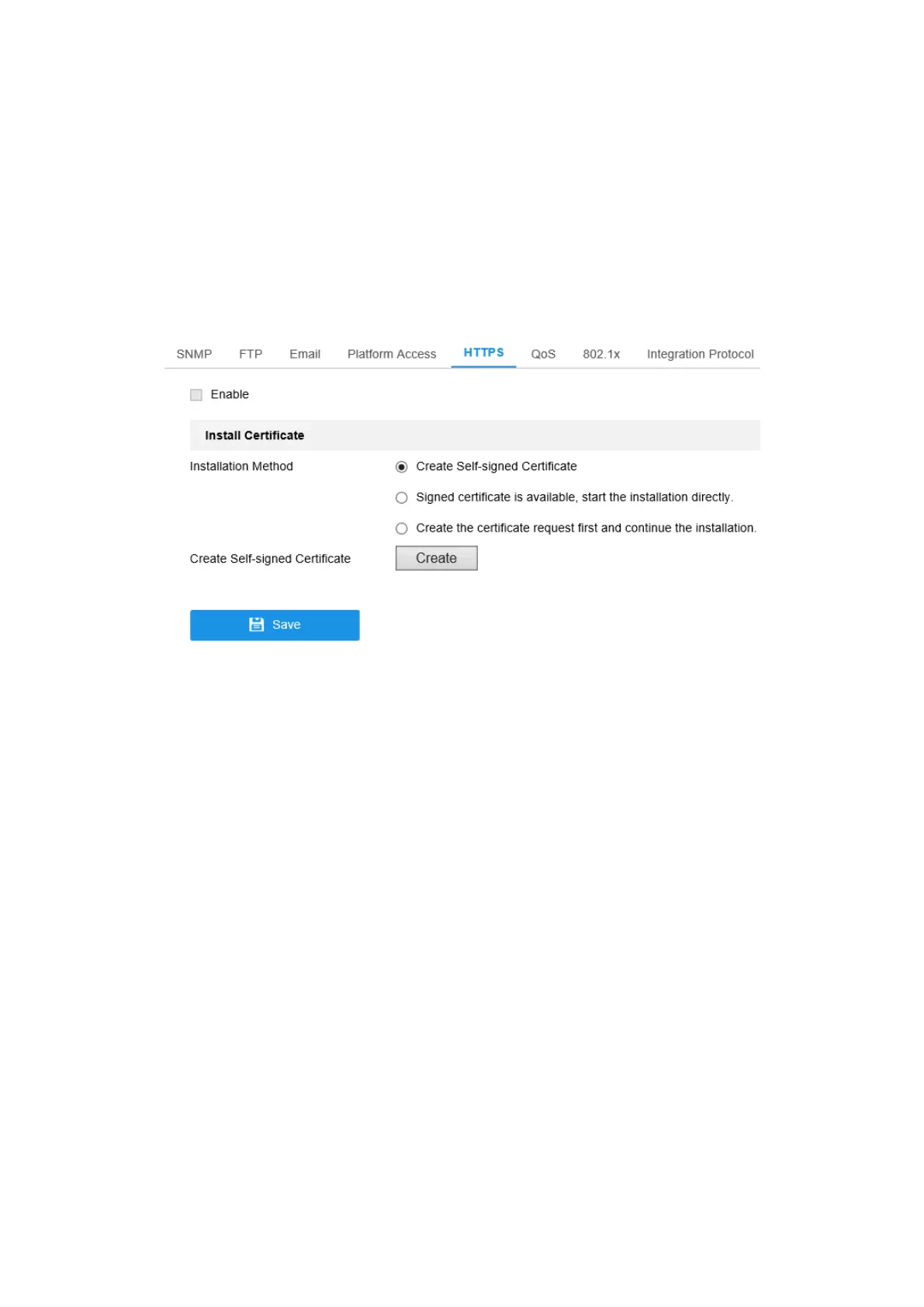
1. Enter the HTTPS settings interface. Configuration > Network > Advanced
Settings > HTTPS.
2. Check the checkbox of Enable to enable the function.
Figure 7-11 HTTPS Configuration Interface
3. Create the self-signed certificate or authorized certificate.
Create the self-signed certificate
(1) Select Create Self-signed Certificate as the Installation Method.
(2) Click Create button to enter the creation interface.



 To Next Page