Chapter 8 Video/Audio Settings
Purpose:
Follow the instructions below to configure the video setting, audio settings, ROI, and
Display info. on Stream.
8.1 Configuring Video Settings
Steps:
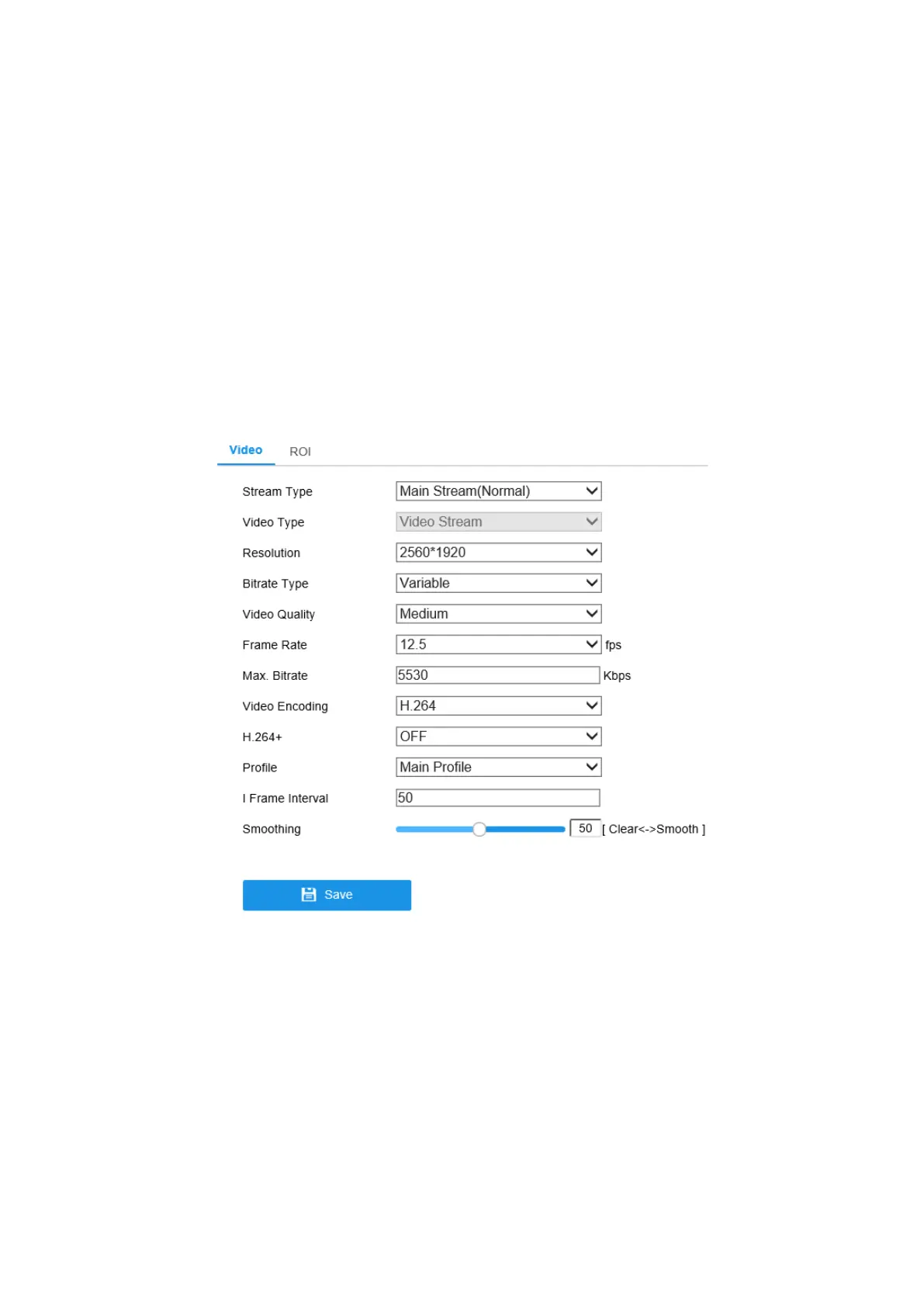
1. Enter the Video Settings interface, Configuration > Video/Audio > Video
Figure 8-1 Video Settings
2. Select the Stream Type of the camera to main stream (normal), sub-stream or
third stream.
Note: The main stream is usually for recording and live view with good
bandwidth, and the sub-stream can be used for live view when the bandwidth is
limited.
3. You can customize the following parameters for the selected stream type.



 To Next Page