10 English 2068470
*2068470*
5.5 Measuring using a target plate 4
1. Use the target plate to measure distance under the following unfavorable
conditions:
▶ The wall is not sufficiently reflective due to the type of surface.
▶ The target point is not on a surface.
▶ The distance to be measured is very long.
▶ The light conditions are unfavorable (bright sunshine).
2. A distance of 1.2 mm should be added to the measured distance when
using a target plate.
5.6 Measurement mode
5.6.1 Single measurements
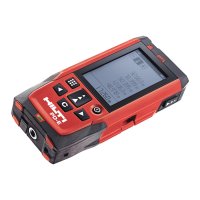
1. Press the “Measure” button briefly to activate the laser beam.
2. Keep the laser beam on the target point.
3. Press the “Measure” button briefly to take the measurement.
▶ The measured distance is shown in the lower line of the display.
▶ The distance measured in the previous measurement is shown in the
upper line of the display.
4. To take another measurement, keep the laser beam on the target point
and press the “Measure” button again.
5.6.2 Continuous measurement
During continuous measurement, 6-10 measurements are taken and
displayed every second. The laser range meter can be moved relative
to the target until the desired distance is reached.
1. Press the “Measure” button for 2 seconds.
▶ If the signal tone is active, a signal tone will be emitted.
2. Move the laser range meter toward or away from the target until the
desired distance is reached.
3. Press the “Measure” button briefly.
▶ The measured distance is shown in the lower line of the display.
▶ The distance measured in the previous measurement is shown in the
upper line of the display.
5.7 Selecting the angle unit
1. Select the angle unit symbol from the menu.
2. Navigate to the desired angle unit with the aid of the left or right arrow
buttons.
3. Select the desired angle unit by pressing the “Measure” button.


 To Next Page