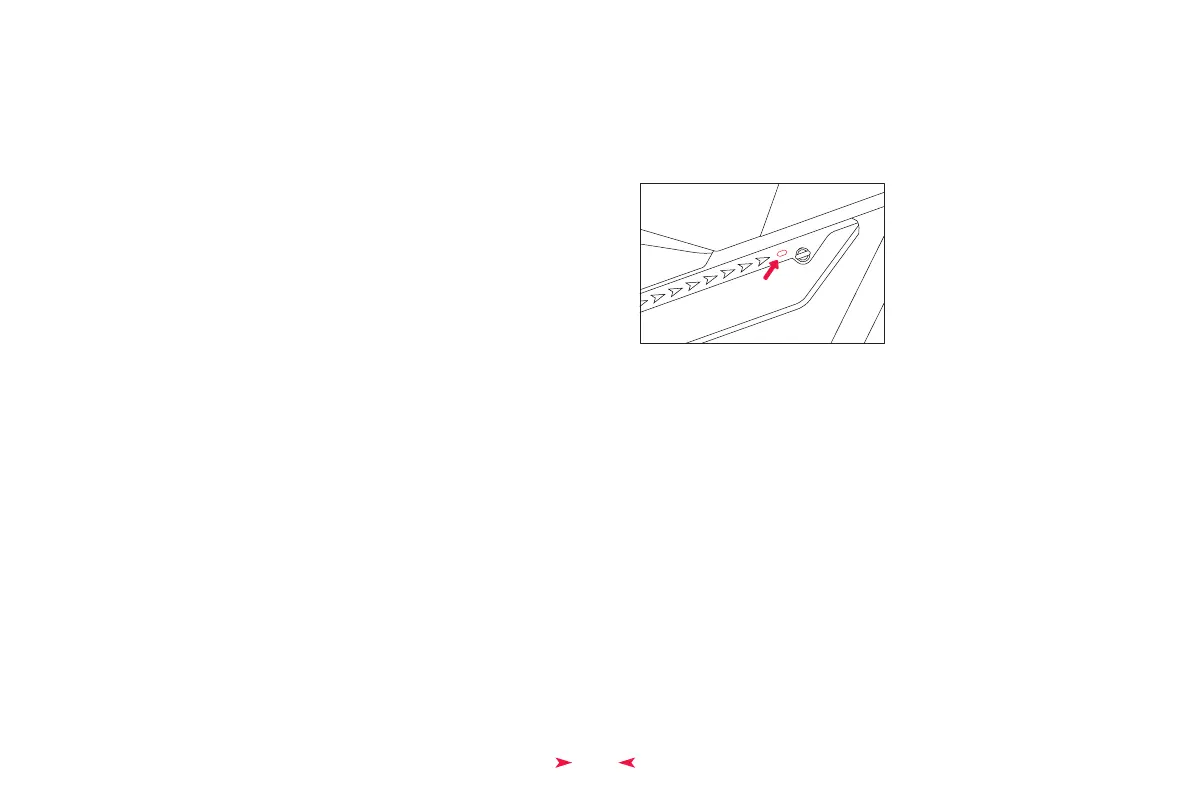
The raised touch button on the battery case is the switch for the battery case's
lights. Press and hold this spot for more than 5 seconds to turn on. Once on, a
light touch will change the light mode. Press and hold for more than 5 seconds
to turn off.
13
Himiway E-Bike Use and Care
The following table of contents provides general guidance on Himiway e-bike variable
power assist settings and their effects on both range and performance. This content will
apply broadly to most riders, but multiple factors will affect individual results including
rider fitness and weight, terrain, proper maintenance, etc. While Himiway hopes and
believes you will thoroughly enjoy your e-bike, no guarantees of universal performance
characteristics for all owners can be given.
Shift gears regularly to stay in a optimal cadence range and downshift before coming
to a stop. Reduce pedal force before initiating a gear shift to reduce drivetrain wear.
Always turn the light up while riding at the night and always check all reflectors fixed
well on the bicycle.
•
•
Battery Light Settings
Long Press


 To Next Page