17
Press and hold power button to powered on the E-bike. While the bike is stationary in the
power-on state, press and hold the “ ” and “ ” buttons simultaneously for more than
2S to enter the general settings. Now the display is in the general settings status.
All the settings need to be operate when the E-bike is stationary
◆ General Settings
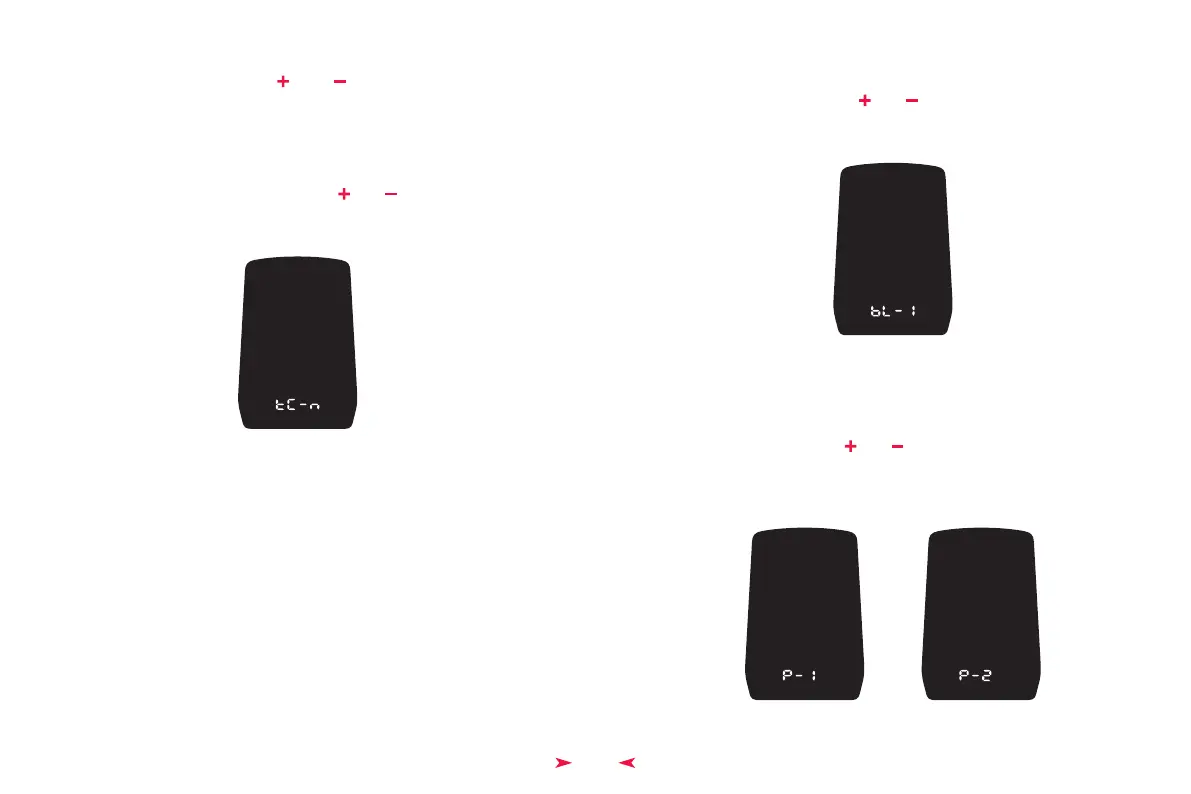
TC means resetting the single trip mileage. Press “ ” or “ ” to choose Y/N. Choose Y
to reset the single trip mileage and choose N not to reset the single trip mileage.
Click on “
M ” to confirm the option and enter backlight brightness.
◆ Reset the Single Trip Mileage
Operation UI to Reset the Single Trip Mileage
Prefers auto headlight, 1 refers on and 2 refers off.
Switch auto headlight by pressing “ ” or “ ” buttons.
Click on “
M ” button to confirm the option and enter the imperial / metric unit
conversion setting. Press and hold “
M ” to confirm the setting and exit the general
settings. Auto headlight is off by default.
◆ Auto Headlight
bL refers to backlight. 1, 2, 3, 4, 5 can be used to show different levels of the backlight
brightness. 1 means the lowest brightness while 5 means the highest brightness. The
default brightness level is 5. Click on “ ” or “ ” to change the brightness level. Click
on “
M ” to confirm the option and enter the auto headlight setting. Press and hold “ M ”
to confirm the option and exit the general settings.
◆ Backlight Brightness
Backlight Setting UI
Auto Headlight Setting UIs


 To Next Page