When you don’t know the time axis
or range
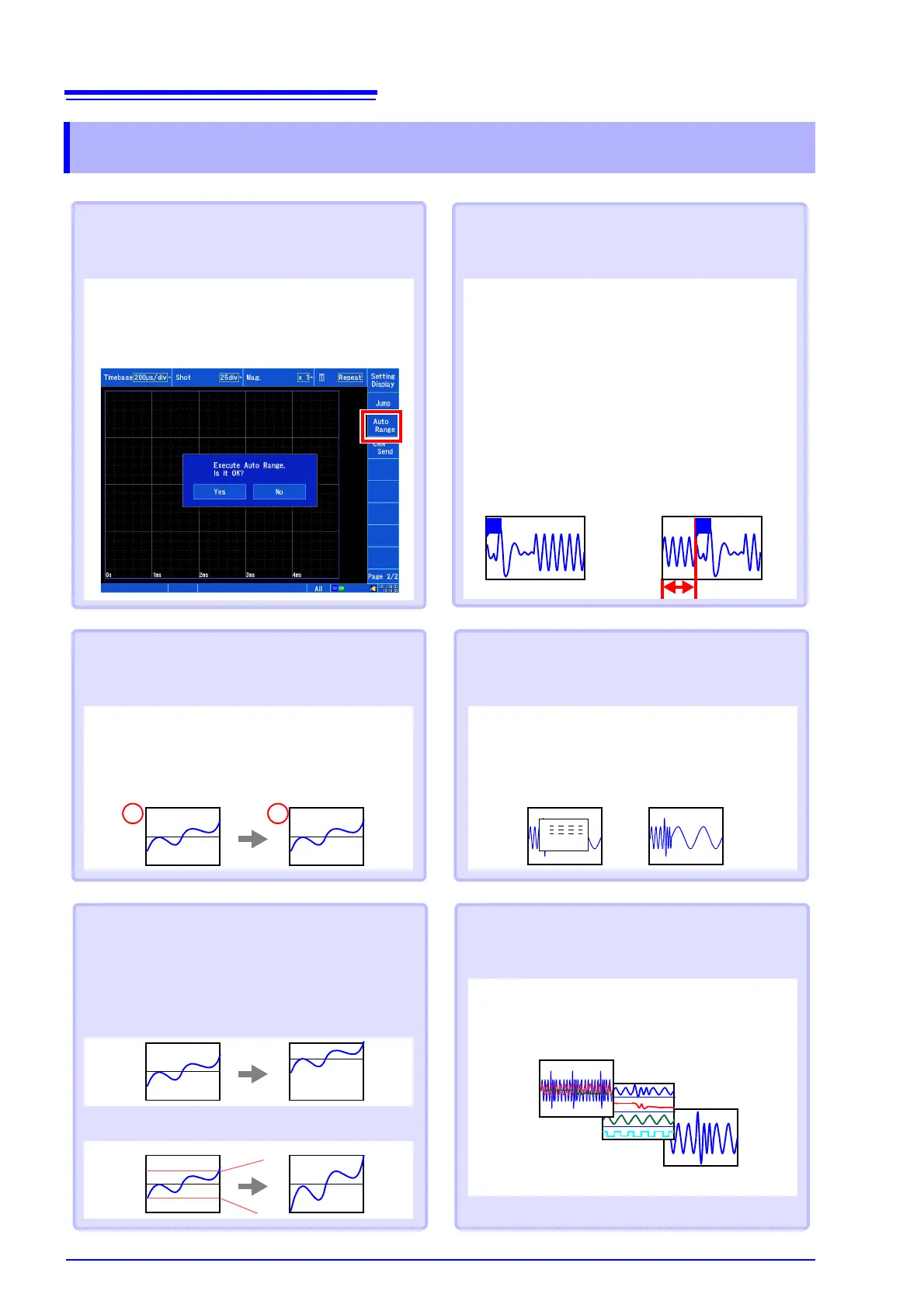
“Auto-ranging”
Automatically sets the time axis range, voltage axis
range, and zero position.
[Waveform Display (page2/2)]
[Auto Range]
[Yes]
When you wish to record evidence or
passage of abnormal phenomena
“Pre-trigger” and “Post-trigger”
Allows you to record the waveform prior to the trig-
ger point or conditions after the trigger point. This
functionality is useful when you wish to assess
trends such as abnormal phenomena.
[Waveform Display] / [Setting Display]
[Trigger]
[General] [Pre-Trigger] /
[Post-Trigger]
Display items vary with the trigger timing, percent
setting, and division setting.
When you wish to convert readings to
strain, temperature, or other values
“Scaling”
[Waveform Display] / [Setting Display]
[Channel] [Analog] [Scaling]
Sets the conversion method.
Without pre-trigger
setting
With pre-trigger setting
AV
When you wish to change the wave-
form position or display range
[Waveform Display] / [Setting Display]
[Channel] [Display] [Position] / [Variable]
“Position“
(specify the waveform zero position)
When you wish to assign measure-
ment results to display sheets and
graphs
[Waveform Display] / [Setting Display]
[Channel] [Analog] [Display] [Sheet] /
[Graph]
ALL
S2
S1
When you wish to monitor waveforms
“Numeric monitor” and
“Waveform monitor”
[Waveform Display] [Numeric Monitor] /
[Waveform Monitor]
Allows you to monitor current waveform and value
input.
50
-50
-50
50
TT
“Variable“
(specify with upper and lower limits)


 To Next Page