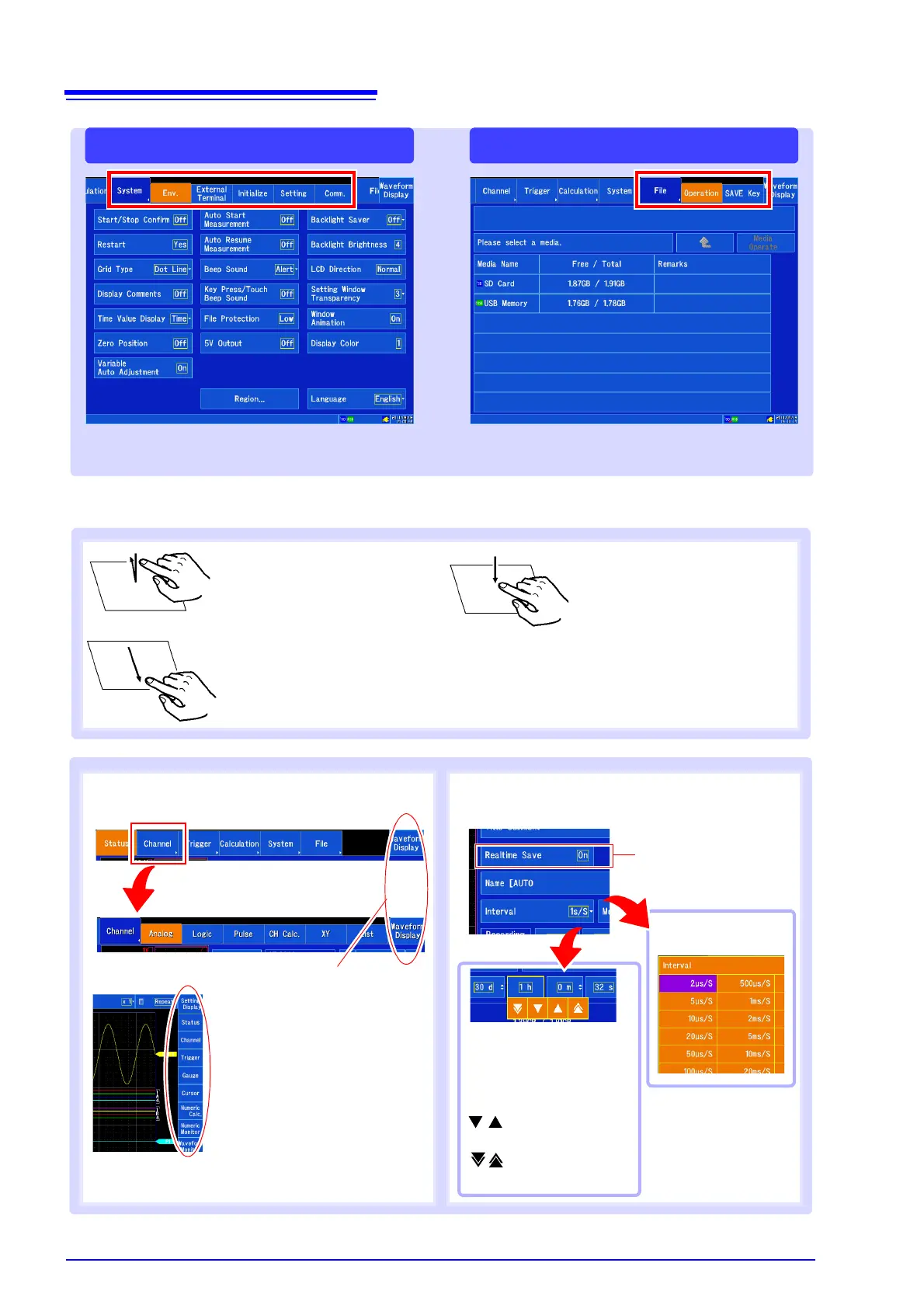
Screen Organization and Operational Overview
4
Screen operation
[File] screen[System] screen
Configures the system environment, external
I/O, and communications.
Displays files on media and configures settings
such as the method used to save data.
Tap
Touch the screen with your fin-
ger and then remove your finger.
Touch
Touch the screen with your finger
for a longer amount of time.
Drag
Move your finger while touching
the screen.
Switching screens
Changing settings
The setting will change
each time you tap the
screen.
Select from a list
A more detailed tab will be dis-
played. Tap the screen button again
to return to the previous display.
Increases or decreas-
es the value by 1.
Increases or de-
creases the value.
You can change the value
from the value input panel.
Example:
You can switch between the
Waveform screen and the Set-
tings screen.
You can display various settings
windows on the Waveform
screen and use instrument func-
tions. You can also switch pages.


 To Next Page