EasyManua.ls Logo

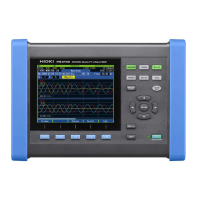
Hioki PW3390 - User Manual

Hioki PW3390
248 pages
Print Icon
To Next Page IconTo Next Page
Loading...

Table of Contents

Other manuals for Hioki PW3390

Questions and Answers

  • B
    Bryan SmithAug 20, 2025
    What to do if power measurement value is strange on Hioki PW3390?
    • O
      owencarlosAug 20, 2025
      If you observe a strange power measurement value, ensure that the wiring is correct. Also, verify that the rectification method and LPF (Low-Pass Filter) settings are appropriate. If the LPF is enabled, try turning it OFF.
  • H
    Hannah MendozaAug 22, 2025
    What to do if effective power is not displayed on Hioki PW3390 Measuring Instruments?
    • B
      Bryan HamiltonAug 22, 2025
      If effective power is not being displayed, ensure that the settings for voltage range/current range and zero-suppression are correct. If the input frequency is not within the range of 0.5 Hz to 5 kHz, verify it using the noise measurement function. Also, check if the input frequency is below the lower limit setting, and verify the sync source settings and range.
  • O
    omichaelAug 25, 2025
    What to do if voltage or current measurement values are not displayed on Hioki PW3390 Measuring Instruments?
    • J
      John LarsenAug 25, 2025
      If voltage or current measurement values are not being displayed, check the voltage measurement and current sensor cables to ensure they are properly connected and wired. Also, make sure the proper input channel is displayed. For example, if measuring input on CH1, verify that the [CH1] page is displayed.
  • R
    Roger KnightAug 26, 2025
    Why is 3-phase voltage measured low on Hioki Measuring Instruments?
    • E
      Eric MoralesAug 26, 2025
      If the phase voltage is measured low, check if the delta-star transform function is enabled. If it is, turn OFF the delta-star transform function.
  • A
    alisoncookAug 28, 2025
    What to do if the display does not appear when you turn the power on Hioki PW3390?
    • Z
      zballardAug 28, 2025
      If the display does not appear when you turn the power on, confirm that the power cord is properly connected.
  • K
    Kathleen DunlapAug 30, 2025
    Why are apparent power and reactive power different from other measuring devices on Hioki PW3390?
    • E
      Erica SuarezAug 30, 2025
      If the apparent power and reactive power of the inverter's secondary side are different from other measuring devices, and the voltage value is displayed high, ensure the rectification method is the same as other measuring devices. The calculation method may also be different, so set the calculation method to TYPE2.
  • S
    Shelly PerryAug 31, 2025
    What to do if current does not show 0 even with no input on Hioki PW3390?
    • V
      Victoria MclaughlinAug 31, 2025
      If the current does not show 0 even with no input, and a low current range is used under the universal Clamp-on CT, it could be due to high frequency noise of the current sensor. In this case, set the LPF (Low-Pass Filter) to 100kHz and then carry out zero adjust.
  • J
    Jessica SalinasSep 2, 2025
    What to do if keys do not work on Hioki Measuring Instruments?
    • K
      Kevin TorresSep 2, 2025
      If the keys do not work, hold for three seconds to disable the key-lock function.
  • K
    Katie HollowaySep 4, 2025
    What to do if an unusually big value is recorded in the saved data on Hioki PW3390?
    • S
      Shelby RangelSep 4, 2025
      If an unusually big value is recorded in the saved data, it may be because the range has been exceeded. Select an appropriate range setting.
  • M
    Mario SandersSep 6, 2025
    What to do if the measurement target is a largely distorted waveform such as PWM on Hioki PW3390?
    • T
      Theodore WillisSep 6, 2025
      If the measurement target is a largely distorted waveform such as PWM, set the zero-crossing filter to "Strong".

Summary

Safety Notes

Safety Symbols and Standards

Explains symbols used for warnings, cautions, and various standards.

Usage Notes

Handling the Instrument, Cords, and Sensors

Safety precautions for handling the instrument, cables, and sensors.

Chapter 1 Overview

1.2 Features

Highlights key features like system configurations, accuracy, and analysis functions.

Chapter 3 Measurement Preparations

3.11 Attaching to the Lines to be Measured and Zero Adjustment

Procedure for connecting lines and performing zero adjustment.

Chapter 4 Viewing Measurement Values

4.2 Viewing Power Measurements, and Changing the Measurement Configuration

How to view power measurements and modify configuration settings.

4.3 Integration Value Observation

Explains how to observe and manage integration values.

4.4 Viewing Harmonic Measurement Values

Covers displaying harmonic analysis via bar graph, list, and vectors.

4.5 Viewing Waveforms

How to display and resize voltage, current, and noise waveforms.

4.6 Viewing Noise Measurement Values (FFT Function)

Explains FFT analysis for noise voltage and current.

4.7 Viewing Efficiency and Loss Measurement Values

How to calculate and display efficiency and loss values.

4.8 Viewing Motor Measurement Values (Model PW3390-03 only)

Details motor analysis functions and settings for PW3390-03.

Chapter 5 Operating Functions

5.3 Data Hold and Peak Hold Functions

Details functions to hold or peak hold measurement values.

Chapter 6 Changing System Settings

6.1 Initializing the Instrument (System Reset)

Procedure for resetting the instrument to factory default settings.

Chapter 7 Data Saving and File Operations

7.5 Measurement Data Saving

Details on manually and automatically saving measurement data.

Chapter 8 Connecting External Devices

8.5 Using the Motor Testing

How to use the motor analysis function with torque meters and tachometers.

Chapter 9 Operation with a Computer

9.1 Control and Measurement via Ethernet (LAN) Interface

How to control and measure via Ethernet connection.

9.2 Remote Control of the Instrument by Internet Browser

How to remotely control the instrument using an internet browser.

9.3 Control and Measurement via USB Interface

How to control and measure via USB connection.

9.4 Control and Measurement via RS-232 C Interface

How to control and measure via RS-232C connection.

Chapter 10 Specifications

10.3 Functions Specifications

Detailed specifications for instrument functions.

10.6 Calculation Formula Specifications

Formulas used for various measurement calculations.

Chapter 11 Maintenance and Service

11.2 Trouble Shooting

Guidance on diagnosing and resolving common instrument issues.

11.3 Error Indication

Explains error codes and their corresponding remedies.

Hioki PW3390 Specifications

General IconGeneral
Product CategoryPower Quality Analyzer
Data LoggingYes
Current Range0 to 6000 A
Frequency Range45 to 65 Hz
Harmonic MeasurementUp to 50th order
DisplayColor LCD
Data StorageInternal memory
Communication InterfaceUSB, Ethernet
Power SupplyAC 100 to 240 V

Related product manuals