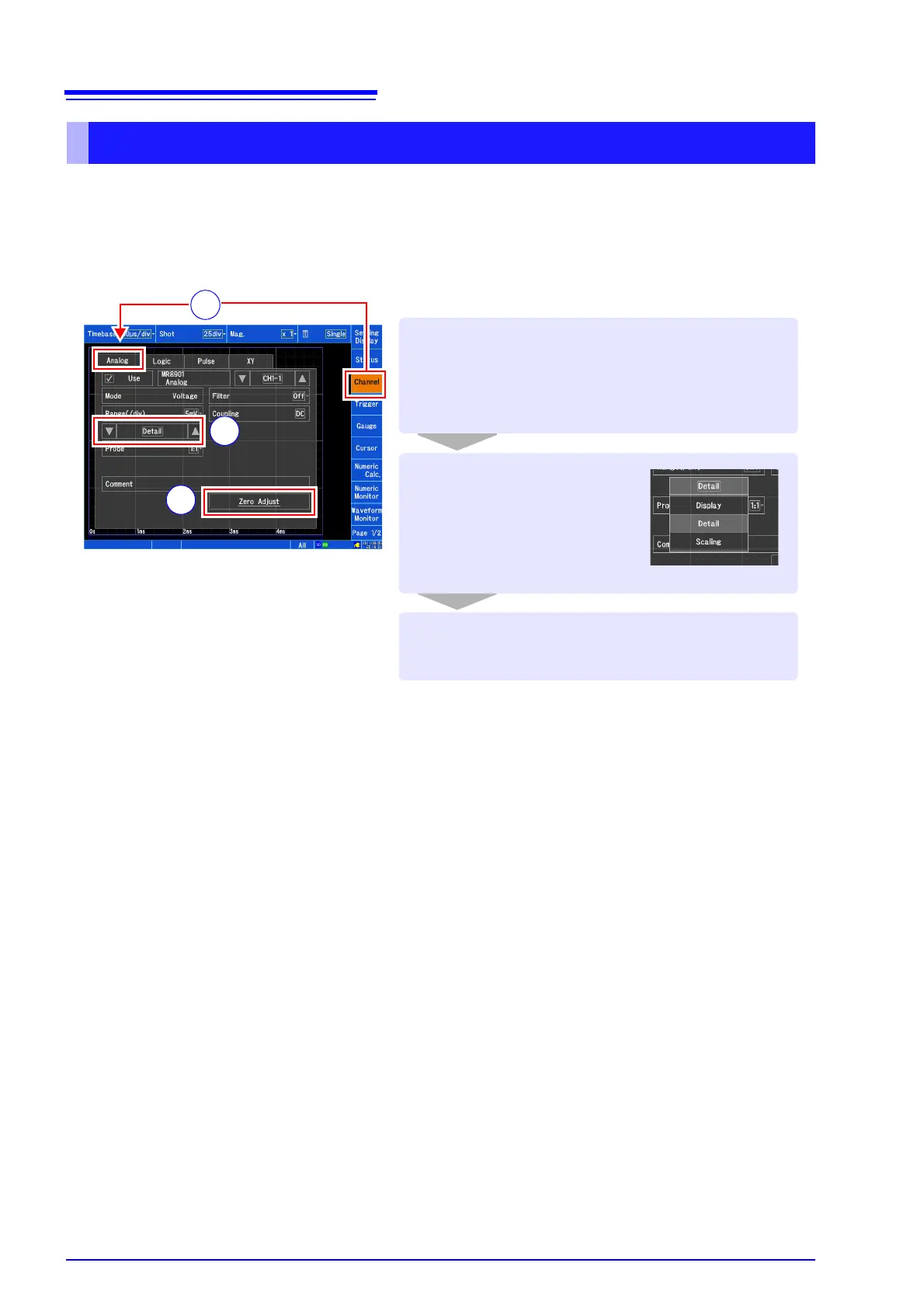
[Zero Adjust] [Yes]
Perform zero adjustment.
Set the display to [Detail].
This procedure compensates for input module differences and sets the instrument’s reference potential to
0 V. (MR8901, MR8902 and MR8905 only) Zero adjustment can be performed for all input modules at
once.
For more precise measurement, allow a warm-up period of about 30 minutes to elapse after turn-
Open the screen.
[Waveform Display] / [Setting Display]
[Channel] [Analog]
1
2
3
2
3
When using the MR8903 Strain Unit
Zero adjustment cannot be performed for the
MR8903. Instead, perform [Auto Balance]. For
more information, see the instruction manual.
1


 To Next Page