Example Measurement: Measuring a Sine Wave
20
Pressing the SAVE key causes data to be saved immediately in accordance with the configured save
conditions. The saved data can be checked with [Setting Display]
[File] [Operation]. For more
information about how to analyze data, see "Analyzing Measurement Results" (p.12).
3
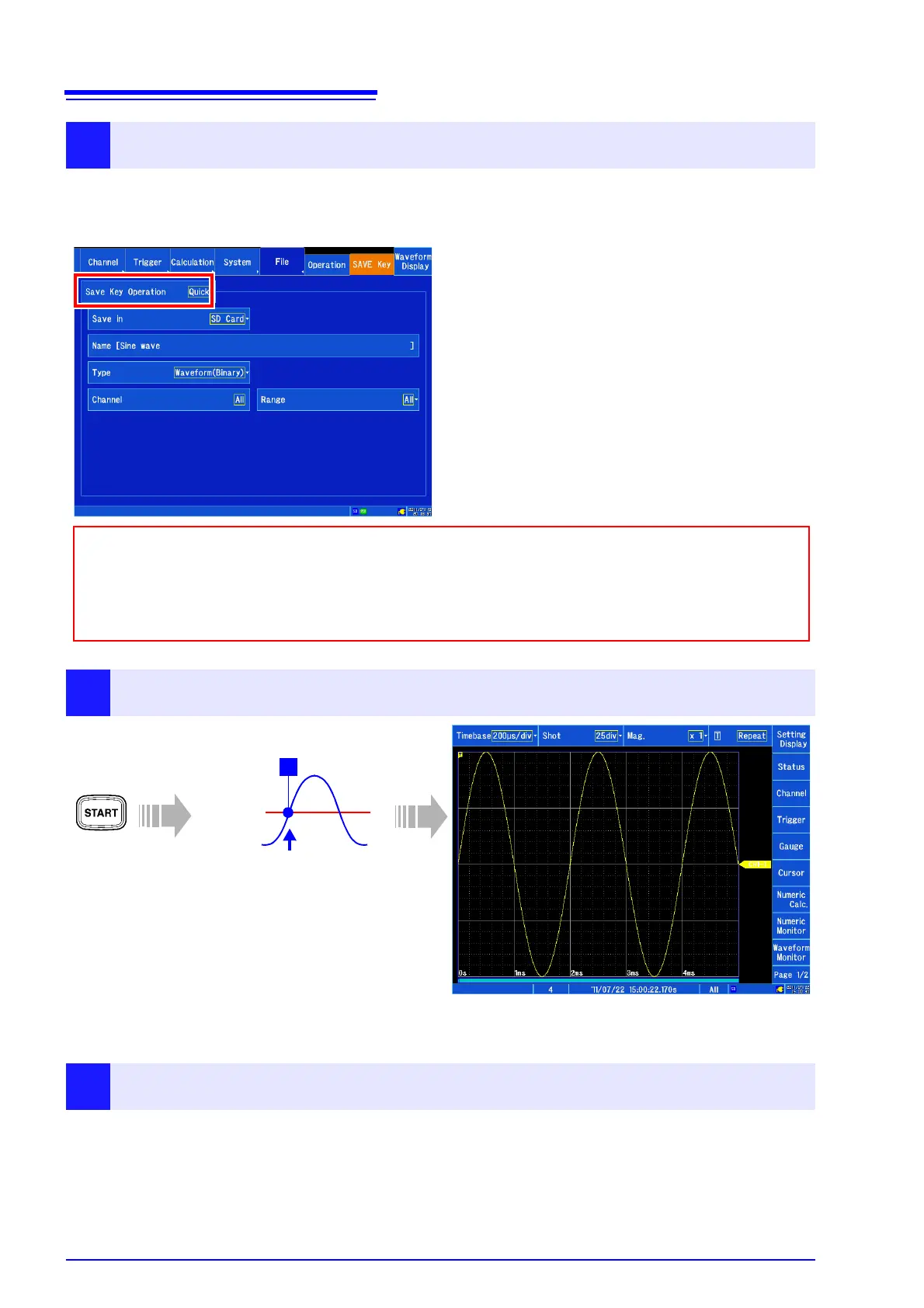
Setting the save conditions
[Setting Display] [File]
Configure the settings as shown below under [SAVE Key].
This section describes how to configure the instrument when setting SAVE key operation to [Quick].
When the SAVE key is pressed, data will be
saved immediately in accordance with the save
conditions.
Save conditions (example)
• Save destination (Save in): SD Card
• Data filename (Name): Sine wave
• Save type (Type): Waveform(Binary)
• Channels to save (Channel): All
• Save range (Range): All
• If you wish to specify the save conditions each time the SAVE key is pressed, set [Save Key Opera-
tion] to [Select].
• If you wish to view the waveform using the instrument, set the [Type] setting to [Waveform(Binary)].
If you wish to view the waveform with spreadsheet software, set to [Waveform(Text)]. Data saved as
text cannot be loaded by the MR8875.
4
Starting and stopping measurement
5
Save the data
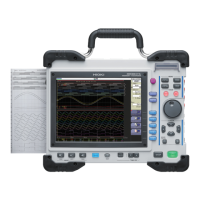
Trigger level
0 V
Trigger slope [ ↑ ]
T
Press the START key.
When the trigger conditions
are satisfied, the trigger will
be applied, and a waveform
of the set recording length will
be recorded.
The instrument will record measurement data until the
STOP key is pressed.


 To Next Page