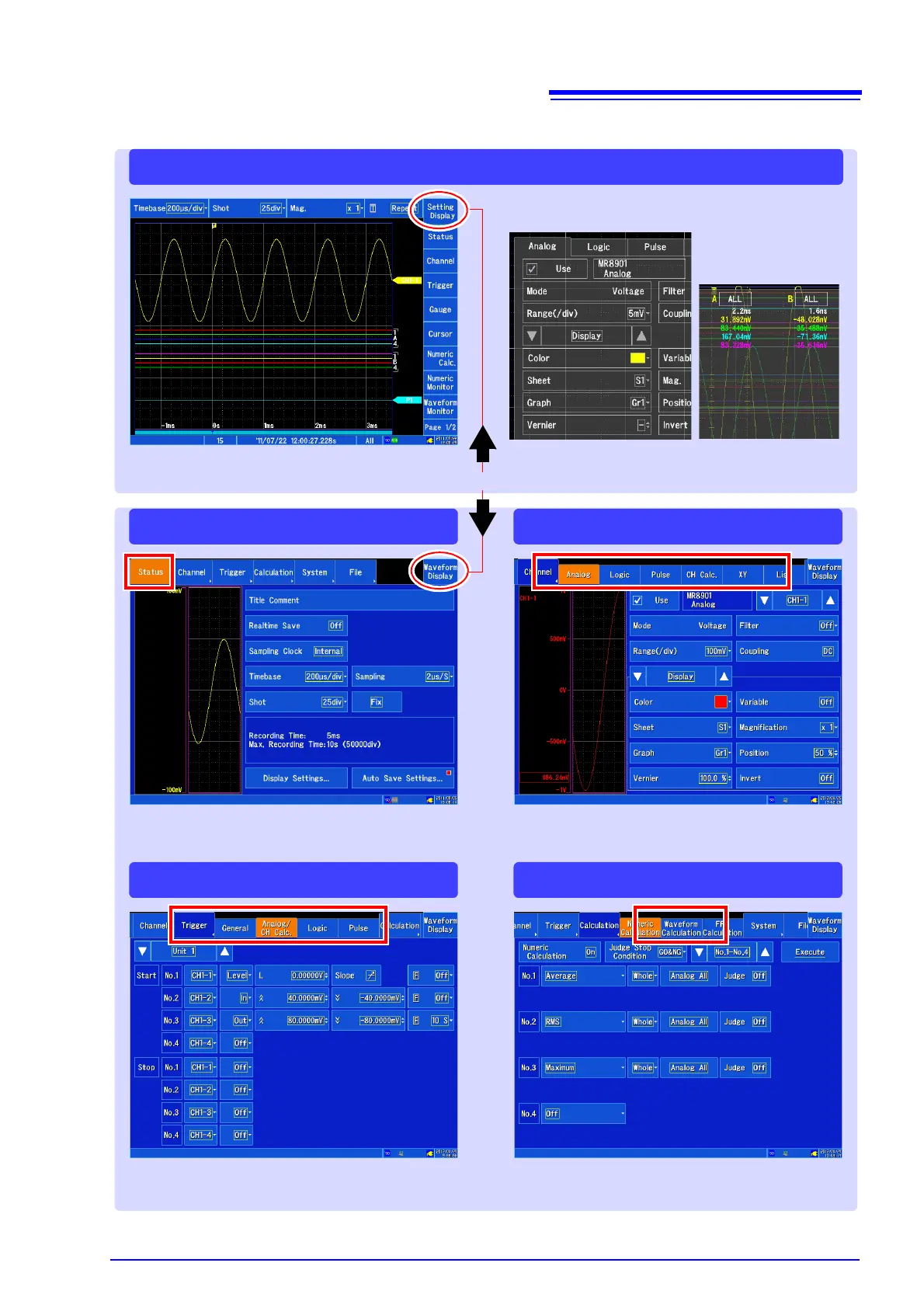
Waveform screen
[Channel] screen
[Calculation] screen
[Status] screen
[Trigger] screen
Configures input channels. You can also config-
ure the channel display and other functions.
Configures the measurement method. You can
also configure the waveform display, auto save,
and other settings.
Configure when you want to start and stop re-
cording based on a specific signal.
Configures settings related to waveform value
calculations.
You can change various settings on the Wave-
form screen’s settings windows.
Switches between the Waveform screen and the Settings screen.


 To Next Page