5 Connection and Setup
5.0 Ground Connections
First, make sure to connect a ground cable from the 840PL-HD ground stud to a nearby earth-ground point.
The ground stud for the 840PL-HD is located on the bottom left corner of the front panel(as indicated in the
previous section).
5.1 Testing Connections
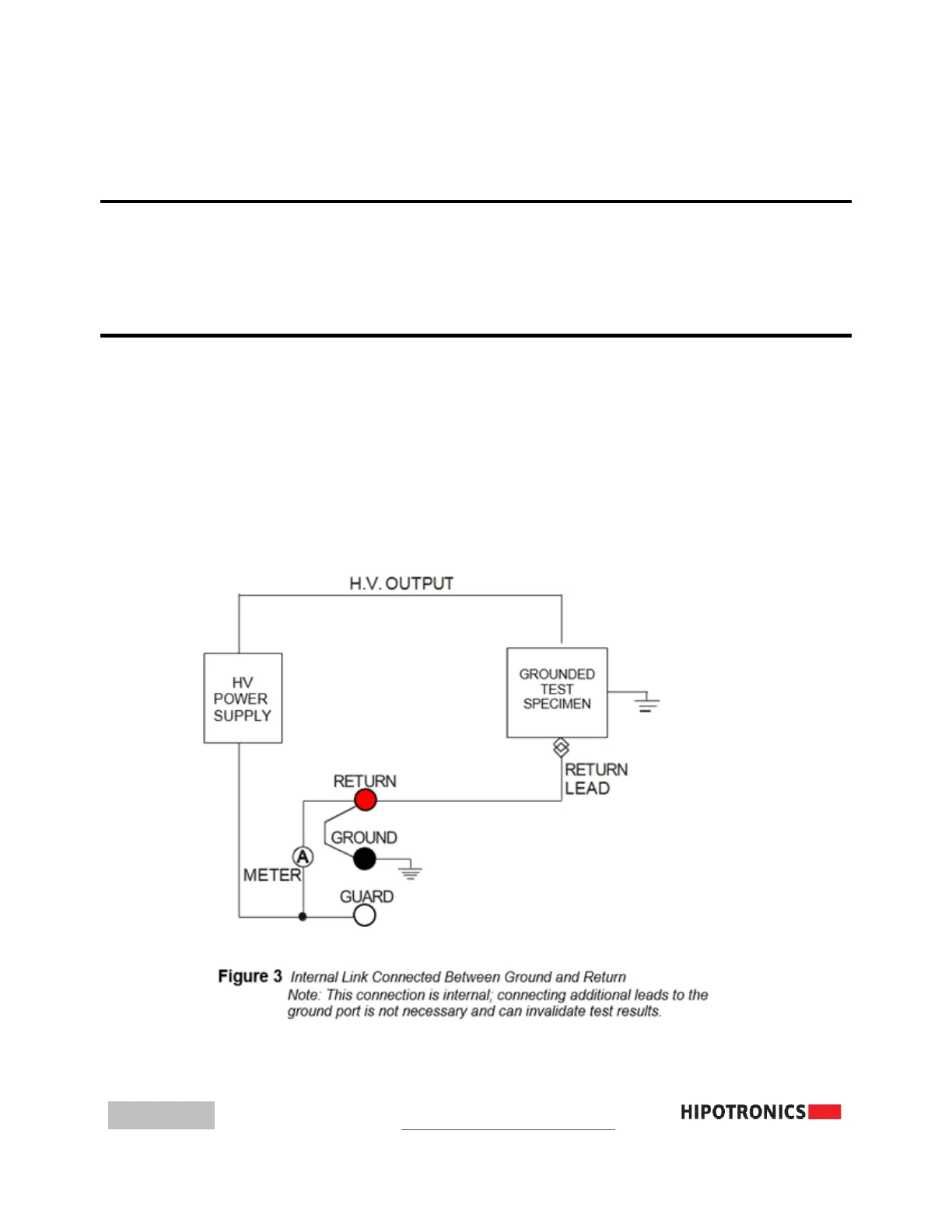
5.1.1 INTERNAL SWITCH BETWEEN GROUND AND RETURN (GST)
When GST is selected, all current is presented to the current meter. This mode
of operation should be used only when extremely sensitive measurements are
unnecessary or when a test specimen must be grounded. Note that no
connection to GUARD is necessary.



 To Next Page