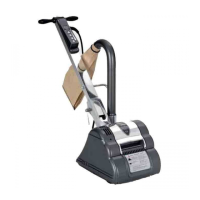
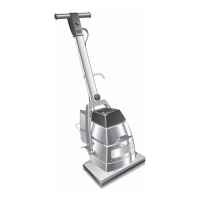
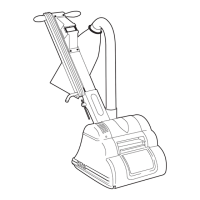
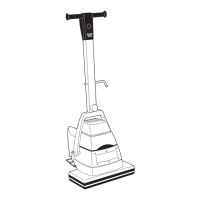
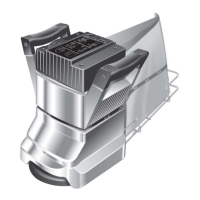
4. To dismantle the floor sander reverse procedure 2 to 3 above.
Installing Abrasive Disc
1. Ensure the power cable is disconnected from the power
supply.
2. Tip the floor sander upside down and rest the machine on it’s
top and handles.
3. Remove the Wrench Ref.61 from the clips inside the skirt of the
floor sander situated in between the castors and remove the
Bolt Clamp Ref.59 and Washer Clamp Ref.58 from the centre
of the sanding disc.
4. Select a suitable grade of abrasive disc (see Abrasive Paper
Guide on page 5).
5. Place the bolt clamp through the centre of the washer clamp
and abrasive disc and carefully thread the bolt into the
sanding disc.
CAUTION - never fit more than one abrasive disc . If more
than one abrasive disc is fitted the setup of the sander will
be affected and the clamp bolt and washer and sanding
pad will be damaged.
6. Using the wrench, tighten the bolt clamp ensuring that the
abrasive disc is centred and the washer clamp is properly
located. The bolt should be secure but do not try to over
tighten. Heavy grit abrasive discs will seat down as you
tighten the bolt so take care to ensure the washer clamp is
properly located. Heavy grit abrasive discs may not lie flat on
the sanding disc, this is quite normal and the abrasive disc will
flatten immediately upon operation.
7. Do not use damaged or incorrectly sized abrasive discs under
any circumstance, damage will result to the machine and
floor.
PREPARATION
1. Where possible remove all furniture from the area or room.
The HT7-2 Disc Floor Sander features an efficient dust
pickup, however, some dust will escape. Protect all vulnerable
furnishings with dust sheets.
2. Remove all tacks, staples and other unwanted fixings from the
floor. Failure to do so will result in damage to the abrasive
disc and sanding disc.
3. Punch all nails below the surface of the floor using a suitable
nail punch and hammer. Any screws used to fix boards should
be counter sunk below the surface. During sanding, any nails
or screws that become exposed must be punched or counter
sunk further.
4. Firmly fix all loose boards or blocks.
5. Remove heavy wax, grease and dirt deposits by hand.
6. Sweep and vacuum the floor thoroughly to remove dirt and
discarded fixings.
7. Ensure good ventilation by opening windows.
8. If sanding a work bench or similar work piece follow the
instructions above to prepare it ready for sanding. Make
sure that the work piece is secure. Never use the floor sander
above waist height.
Note: Use Hiretechgenuine floor sander abrasives for the best
sanding performance and finish.
OPERATION
1. Move the floor sander to the location of your work.
2. Make sure the switch is in the OFF (O) position then connect
the power cable to a suitable power supply ideally located
behind or to one side of the machine and work area.
3. Wear a dust mask and ear defenders.
4. Kneel behind the machine on one knee (use knee pads to
protect knees) and hold both handles with the power cable
held in the right hand in a small loop and then pass the cable
over the right shoulder. Tilt the floor sander back so that the
sanding disc does not touch the floor or work piece.
5. Switch ON by pushing the ON/OFF switch to (I) position and
hold in place with your thumb. To switch OFF (O), release the
pressure on the switch and it will automatically return to the
OFF position.
CAUTION - the HT7-2 Disc Floor Sander is a powerful
machine. Always ensure you have a firm grip before
switching on.
6. Now lower the floor sander slowly forward so that the abrasive
disc comes into contact with the floor or work piece. At the
same time move the machine in a sideways motion so when
the abrasive disc comes into contact with the work surface it is
moving to one side. This will ensure that the sander does not
dwell in one position and damage the floor or work piece.
CAUTION - to prevent damage to the floor surface, work
piece or machine follow these rules.
i. Always ensure that the floor sander is moving when in
operation and the sanding disc is in contact
with the floor.
ii. Never lift the back of the machine when sanding.
iii. Never apply pressure to try to increase the rate of sanding.
Damage to the floor or work piece will
occur.
iv. Never bounce or drop the floor sander on to the floor or
work piece, always lower the machine gently.
v. Never dwell in one place, move steadily at all times.
vi. Never allow the power cable to come into contact with the
sanding disc.
7. When the dust in the dust bag reaches the ‘MAX’ line stop
sanding. Switch OFF (O) and disconnect the power cable
from the power supply and remove the paper dust bag. Turn
the top of the paper dust bag over to stop the escape of dust
and dispose of into a suitable container.
Never reuse the paper dust bag or empty it. Never dispose
of it into a fire. If the cloth bag is used empty into a suitable
container being careful to contain the dust. Do not dispose of
the contents into a fire.
8. Fit a new paper dust bag, or refit the cloth bag. Reconnect the
floor sander to the power supply and continue sanding.
9. When taking a break from work switch OFF ‘O’ and disconnect
the power cable from the supply, remove and dispose of the
paper dust bag, or empty the cloth bag as detailed in 7.
above. Never leave the floor sander unattended with a dust
bag in place containing dust.
10. On completion disconnect the power cable from the supply.
Remove and dispose of the paper dust bag, or empty the cloth
bag as detailed in 7. above. Replace the bag frame in its up
position and stow the power cable. Leave the old abrasive disc
3


 To Next Page
 Loading...